...
- Current% - Percentage of work being claimed in this application.
- Cumulative% - Total completed percentage, including current and previous.
- Quantity - Calculated from cumulative % and estimate.
- Amount (Excl. VAT) - Net value of current application before VAT.
- VAT% - Tax rate applied (e.g., 5%).
- Total (before retention): Gross amount prior to before applying retention.
% / Retention / Retention VAT: % indicates the retention rate, Retention is the withheld amount, and Retention VAT is the VAT calculated on that amount, displayed only when the Ret. VAT option is enabled in the retention invoice. - VAT Amount - VAT on the payable amount after retention.
- Total - Final payable amount (amount minus retention plus VAT).
- Comment - Any additional remarks, if needed.
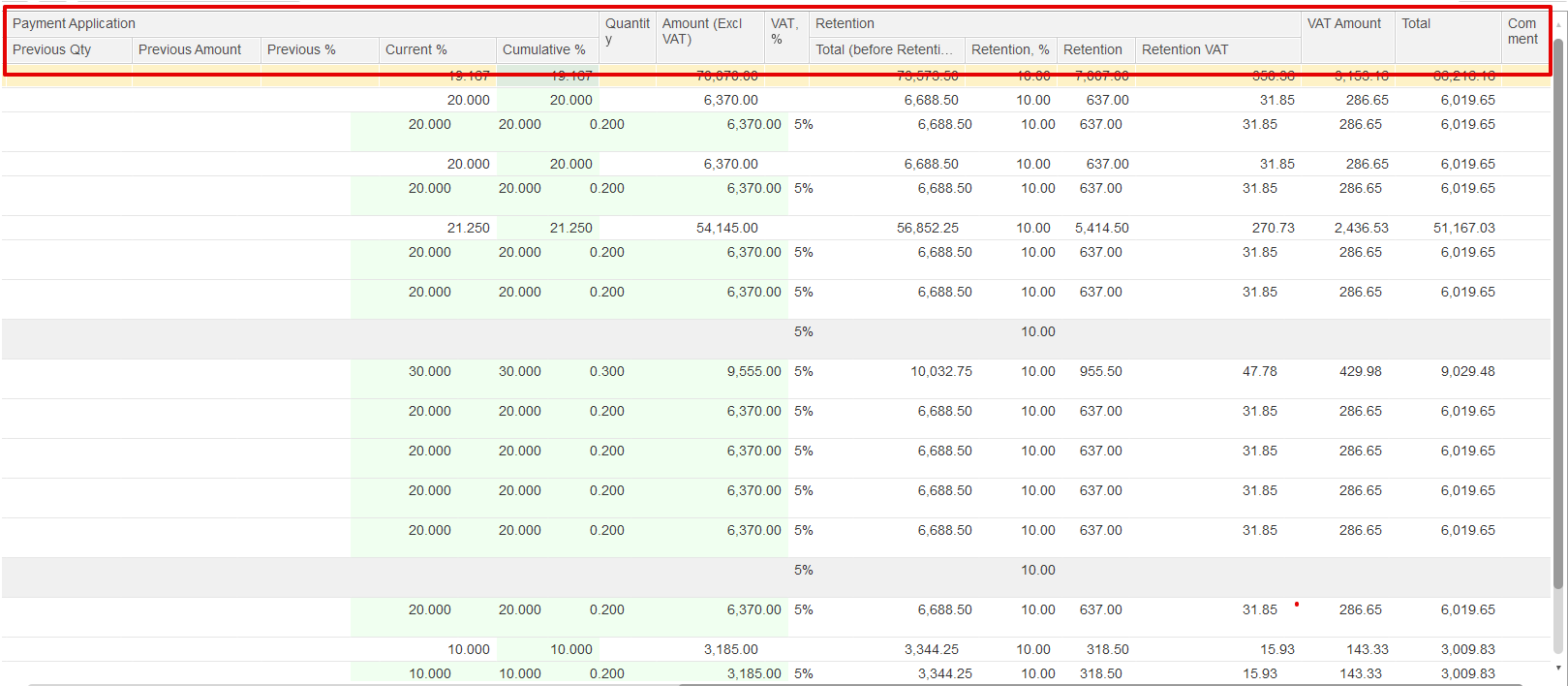
Note: Some columns are editable, while others are read-only for information only. Editable fields include Price, Current %, Cumulative %, Quantity, and Amount (excluding VAT). All other columns are for reference or calculated values and cannot be edited directly.
Summary linked table
At the bottom of the Project Structure tab, a financial summary section provides a quick view of all key billing values for the current period.
...