A Progressive Invoice is used to bill the client for work completed so far, based on site progress, milestones, or approved quantities. It allows for partial payments during the project instead of billing everything at the end. It also includes any advances, deductions, or retention as per the contract..
How to create
Sales → Sales Documents → Invoices → Create
...
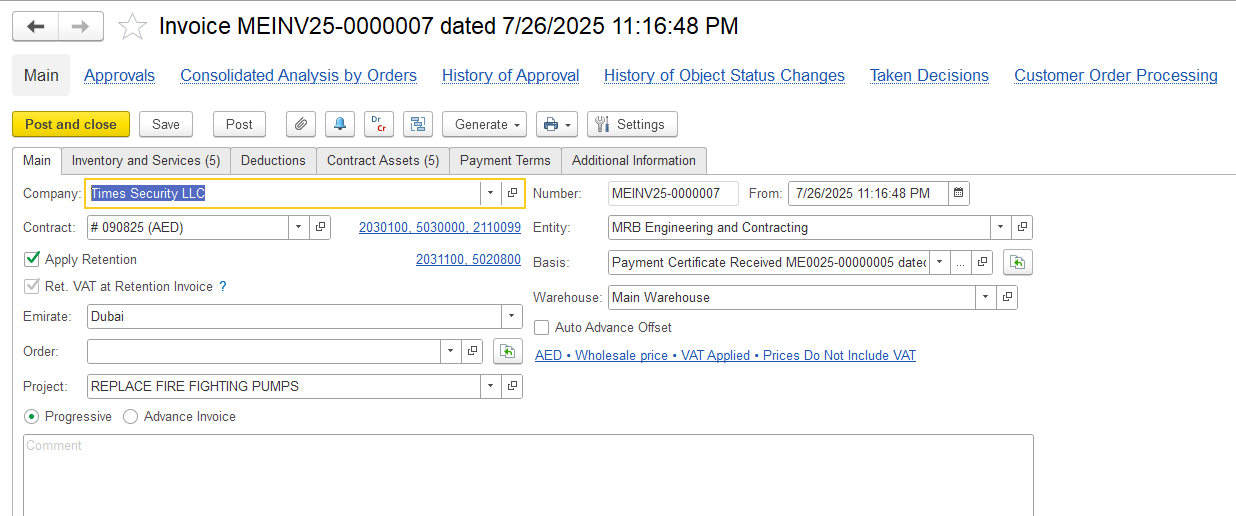
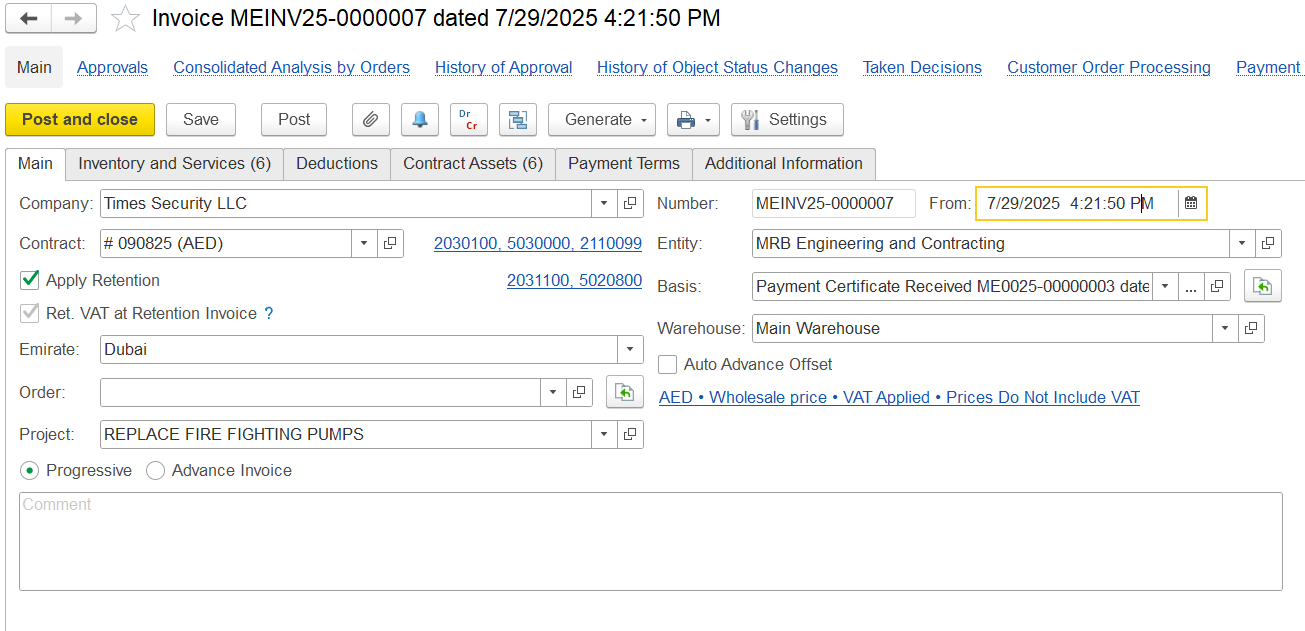
If the invoice is generated from a document like a Payment Certificate, the Progressive settings will be applied automatically. Key fields such as project, contract, and period will be pre-filled, and related data will be retrieved from the basis document.
Main tab
The Main Tab contains key information related to the invoice
...
- Auto Advance Offset – When this option is enabled, the system automatically deducts a portion of the advance payment from the invoice. It works by checking how much of the project is being billed and applies the same percentage to the advance, so the correct amount is deducted without manual intervention.
Inventory and services tab
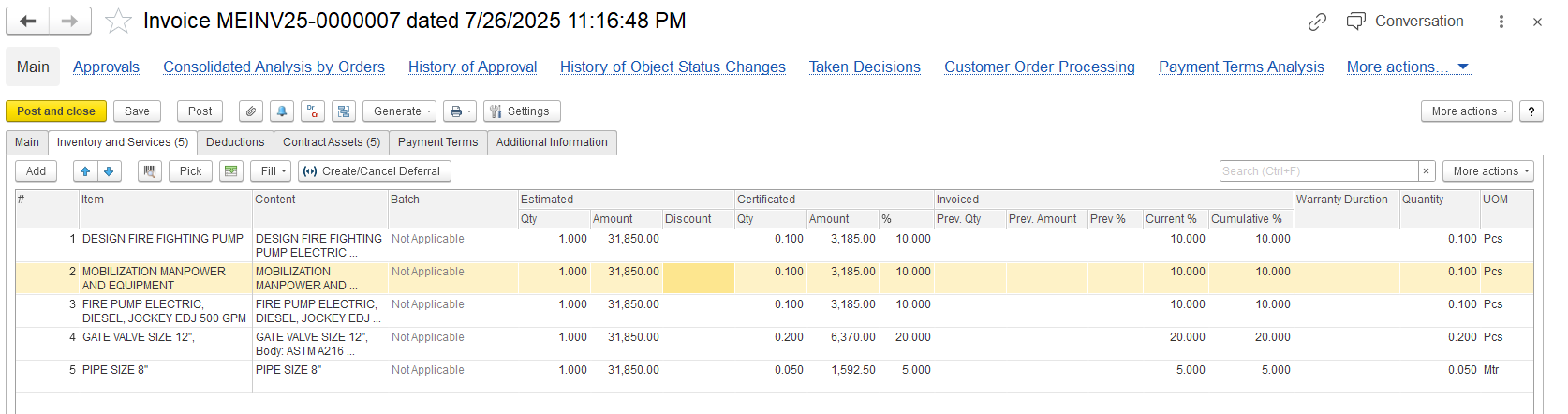
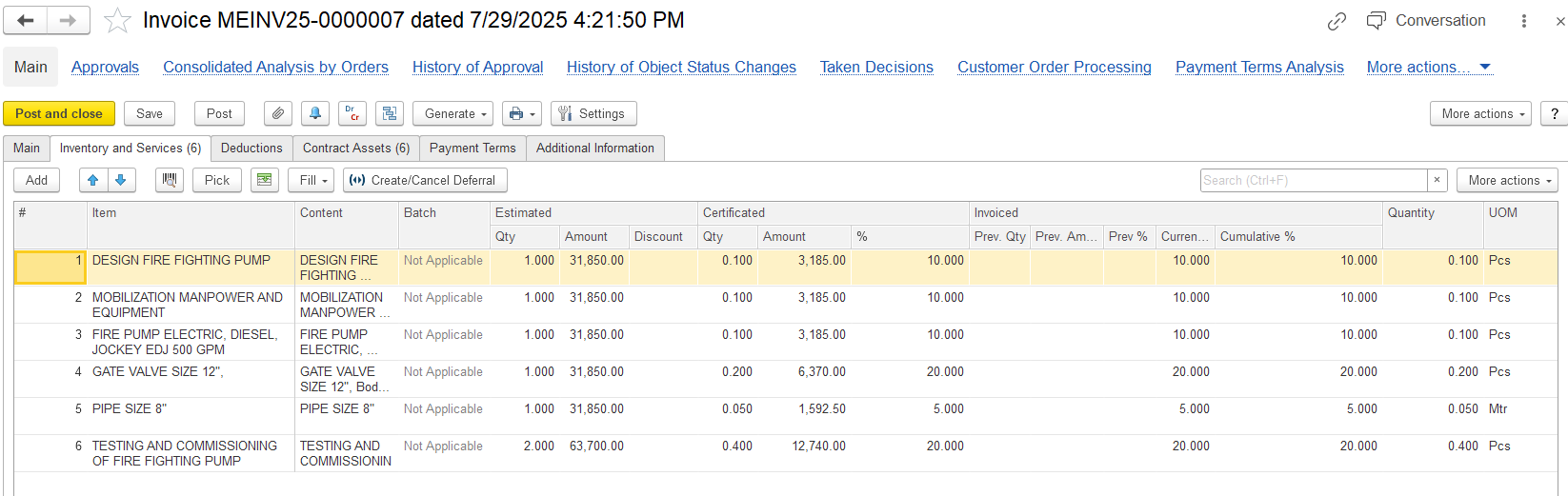
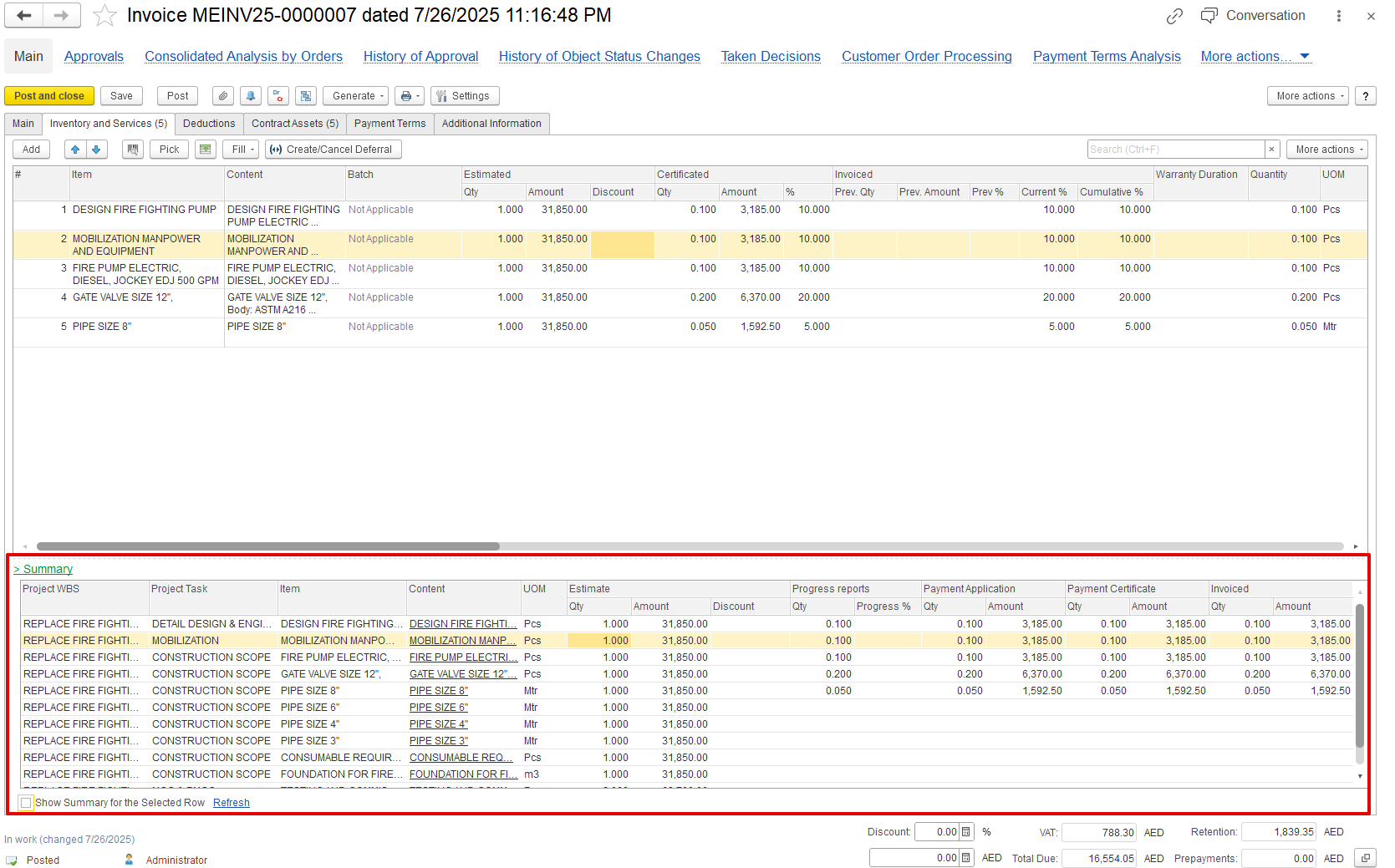
- Item/content: Describes the specific item being billed, such as a fire pump, gate valve, or pipe
- Estimated Quantity, Amount, and Discount: Displays the planned quantity and agreed unit price as per the contract. Also includes any item-level discount applied before calculating VAT and retention.
- Certified Quantity, Amount, and Percentage: Indicates the quantity that has been reviewed and approved for invoicing by the consultant or client, based on the issued Payment Certificate. Also shows the certified value expressed as a percentage of the estimated amount.
- Invoiced (Previous): Shows the amount that has been billed in earlier invoicing periods.
- Current Percentage: Represents the percentage of
...
- estimated values included in the current
...
- invoice.
- Cumulative Percentage: Indicates the overall completed progress, including both current and previously invoiced values
...
- .
- Unit of Measure (UOM): Defines the unit used for measurement, such as meters or pieces, depending on the item.
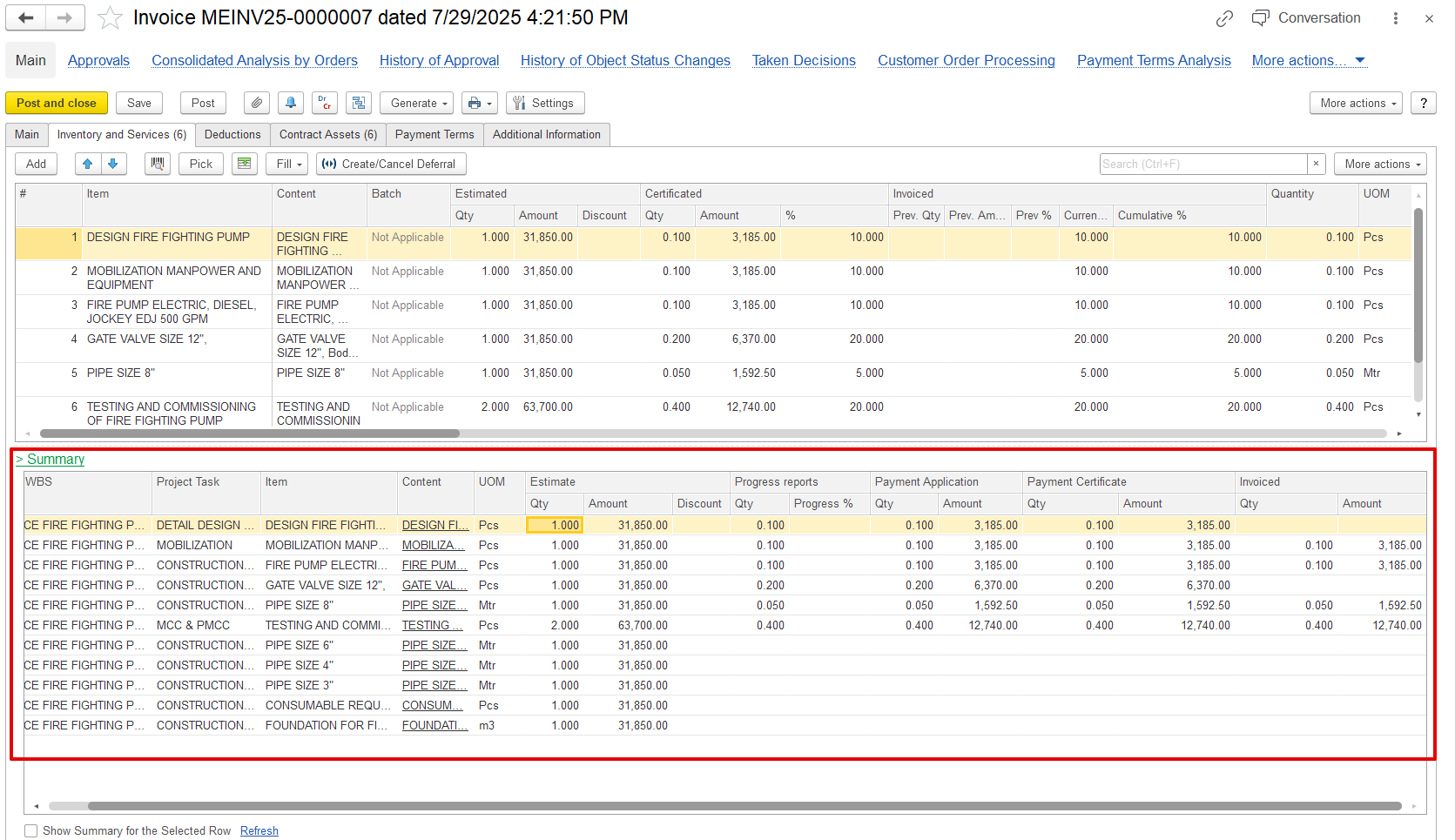
Summary linked table.
This section gives an overview using several checks and approvals:
- Project WBS / Task: Refers to a specific part of the project, like a task or milestone.
- Estimated Quantity and Amount: Displays the planned quantity and associated cost as per the contract.
- Discount: Any discount given for this item, as agreed.
- Progress Report: Shows the actual work done, reported by the site engineer or supervisor.
- Payment Application: The amount the contractor wants to bill, based on the completed work.
- Payment Certificate: The amount approved by the client or consultant after reviewing the progress.
- Invoiced Quantity and Amount: The final approved quantity and value that will appear in the invoice.
Invoice with the Advance invoice option
An invoice with the Advance Invoice type is a bill sent to ask for payment before the work or delivery happens. It shows money paid early by the customer.
...
However, issuing an advance invoice is not limited to this sequence and can be created without an associated application or certificate. Such invoices are treated as prepayments and can be subsequently offset against progressive invoices.
Advance offset
If any other invoice documents are created with the advance option enabled, they will be treated as advances that can be offset against another progressive invoice. These advanced documents appear in the prepayment list, where they can be manually selected and the amount adjusted as needed.
...
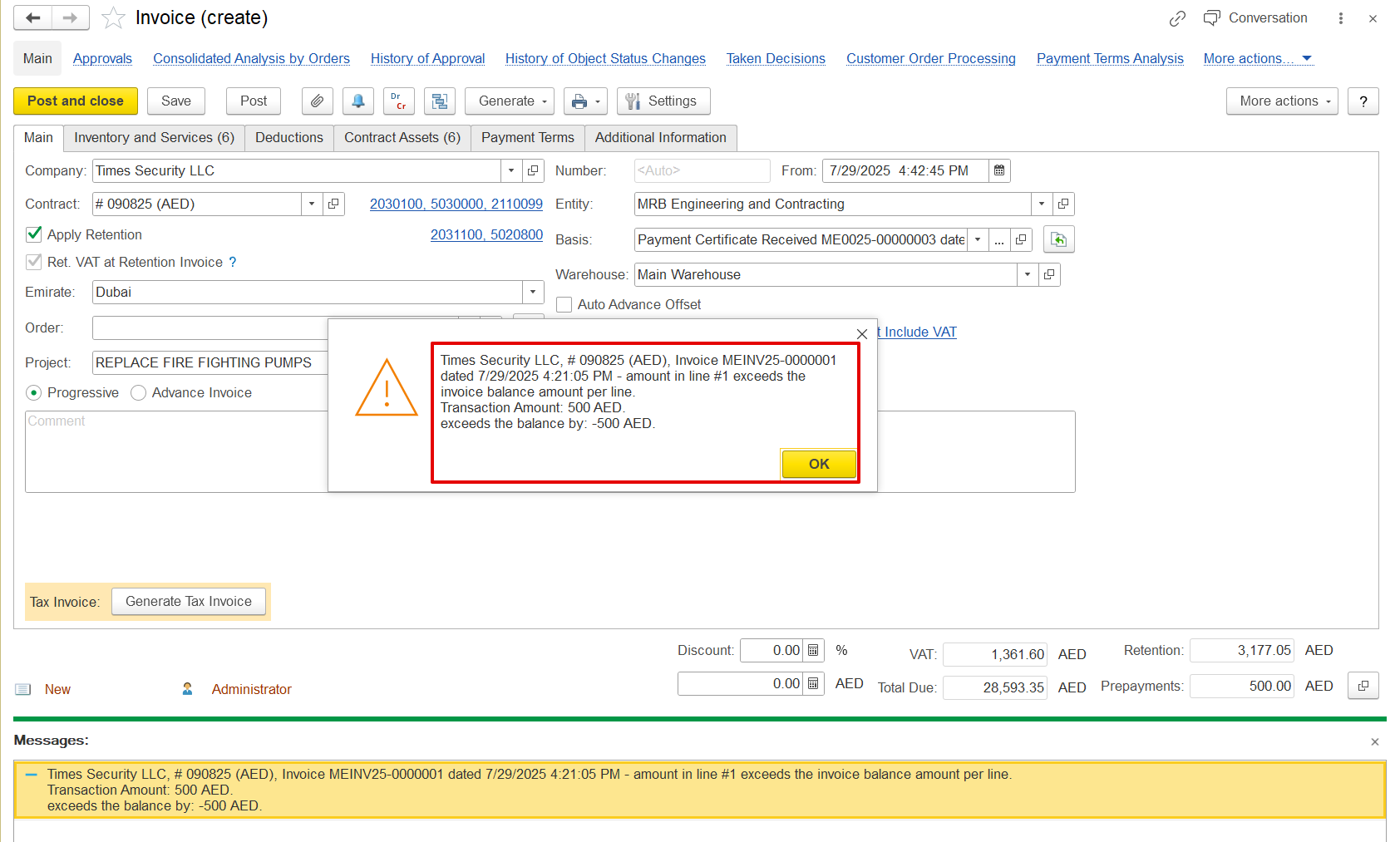
Offset will only be allowed if the document amount is received; otherwise, the following error will be shown.
This prepayment can be filled in automatically or carried over from other documents to the progressive invoice if the invoice is generated from those documents, provided that those documents also had the prepayment added using the offset option.
Print forms
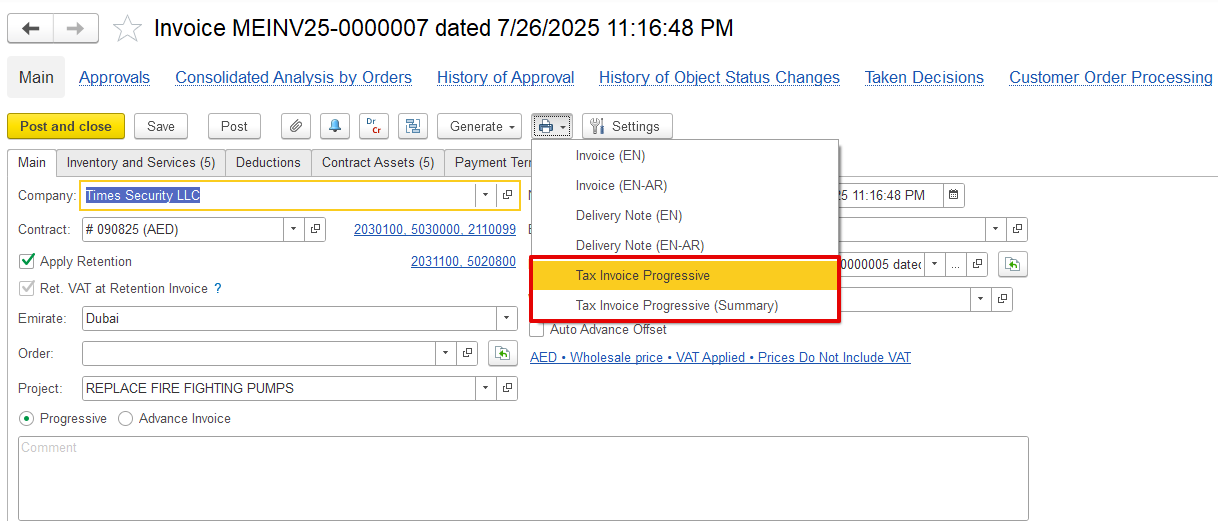
- Tax Invoice Progressive provides a detailed view of the invoice, displaying each item or service, its quantity, price, and applicable tax. It's useful when a full breakdown is needed.
...