...
The system automatically fills in the fields using the defined project structure and associated parameters.
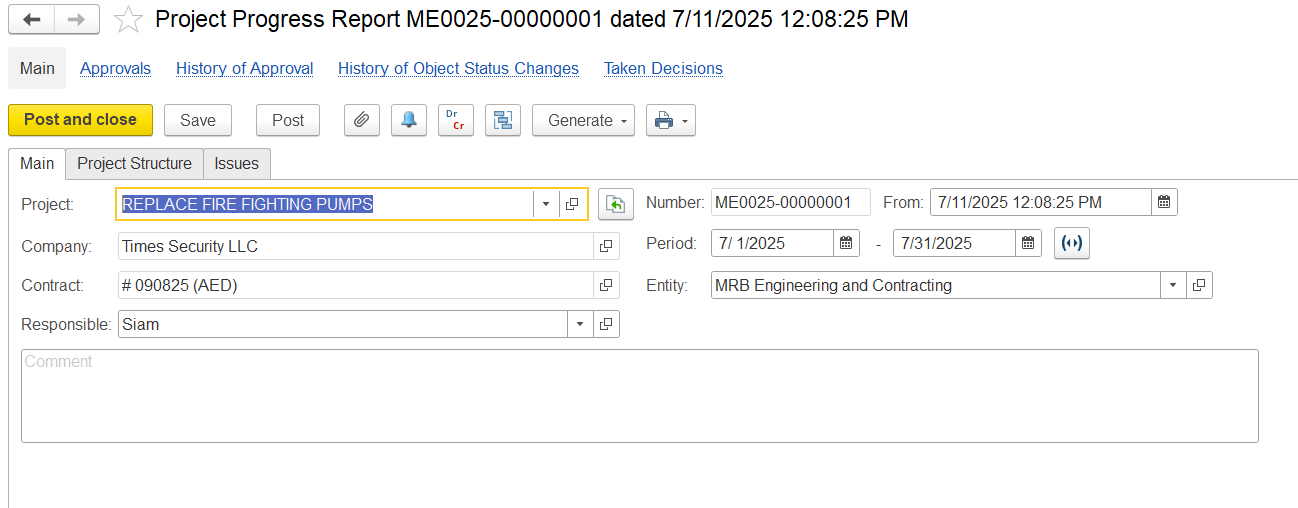
Main Tab
The Main Tab contains key header information relevant to the project progress report. It captures the following details:
- Project- Indicates the project for which the progress is being tracked.
- Company- Refers to the client or project owner.
- Contract- Specifies the contract number and currency under which the work is being executed.
- Responsible- the person accountable for updating and submitting the progress report.
- Period- Defines the timeframe for which the progress is being reported.
- Entity- Specifies the Entity responsible for the physical work on site.
...
Project Structure tab
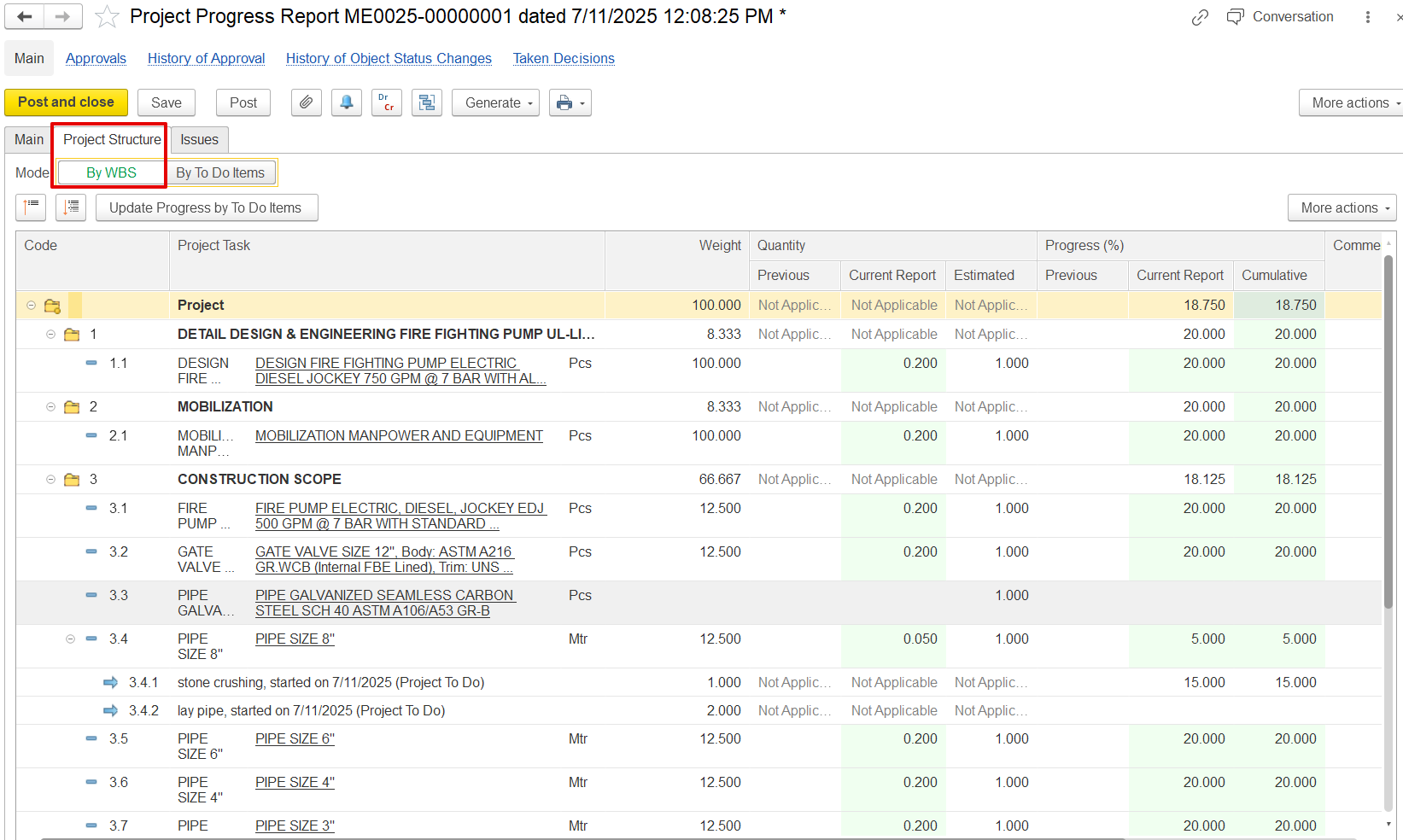
The Project Structure Tab outlines the breakdown of tasks in a structured, hierarchical format based on the Work Breakdown Structure (WBS). It includes:
...
Cumulative – Total progress so far.
Example: For the "PIPE SIZE 8" task, 30.000% cumulative progress is shown, all of which comes from this report.
Issues Tab
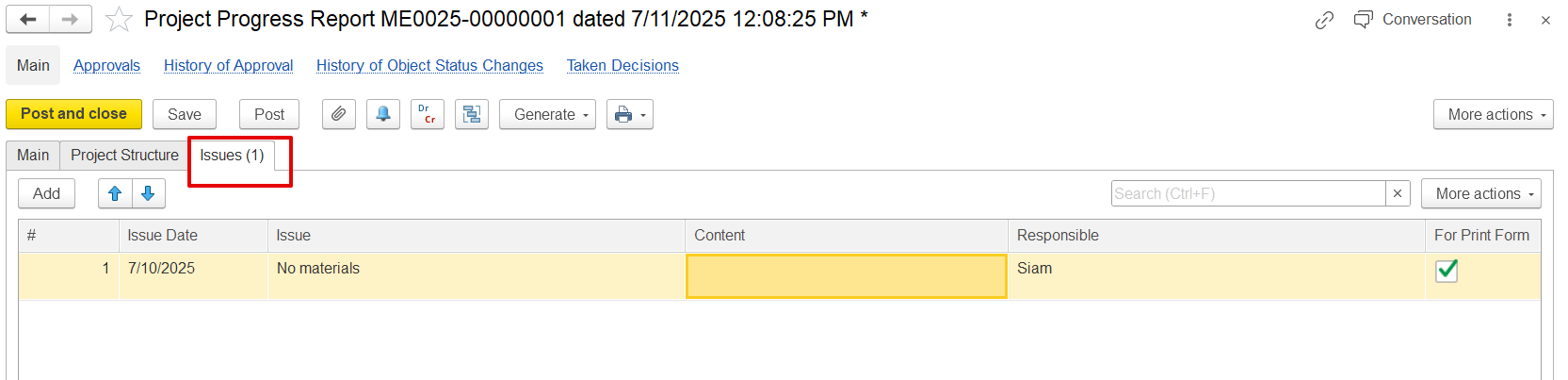 The Issues Tab records any problems or obstacles encountered during the reporting period that may affect project progress. It includes:
- Issue Date: The date the issue was identified.
- Issue: A short title or summary of the problem (e.g., "No materials").
- Content: Additional explanation or context (optional).
- Responsible: The person assigned to resolve or follow up on the issue (e.g., "Siam").
- For Print Form: A Checkbox to indicate whether this issue should appear in the printed version of the progress report.