...
Here is an explanation of the field-
In the main tab
Company - The organization responsible for issuing the credit note.
...
Warehouse - The location of the inventory involved, if applicable.
...
Inventory tab
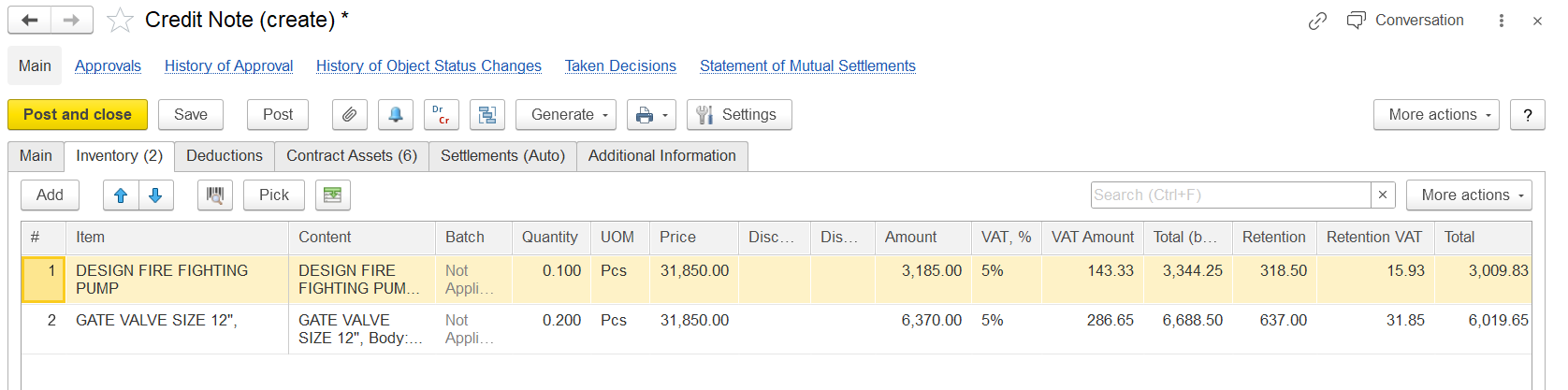
Item Description - Name of the returned or reversed item
...
Project Task / WBS – Connection to a particular segment of the project
...
Deduction Tab
The Deduction tab is used to record and manage any deductions related to the credit note, such as penalties, withholding taxes, or other amounts withheld before settling the credit.
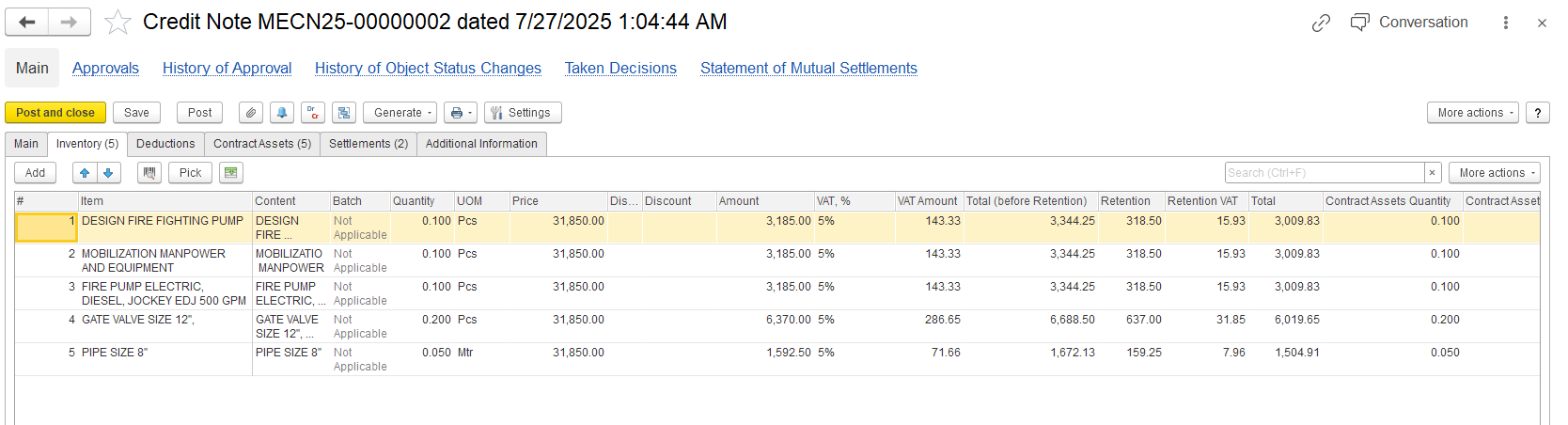
Item - Name of the item being credited
Content - Short description or reference, often repeating the item name
Quantity - Number of units being credited
UOM (Unit of Measure) - Measurement unit
Price - Unit price of the item
VAT% - Value Added Tax percentage applied to this item
VAT Amount - Tax amount calculated from the price
Amount - Total pre-tax value of the item
...
Contract assets Tab
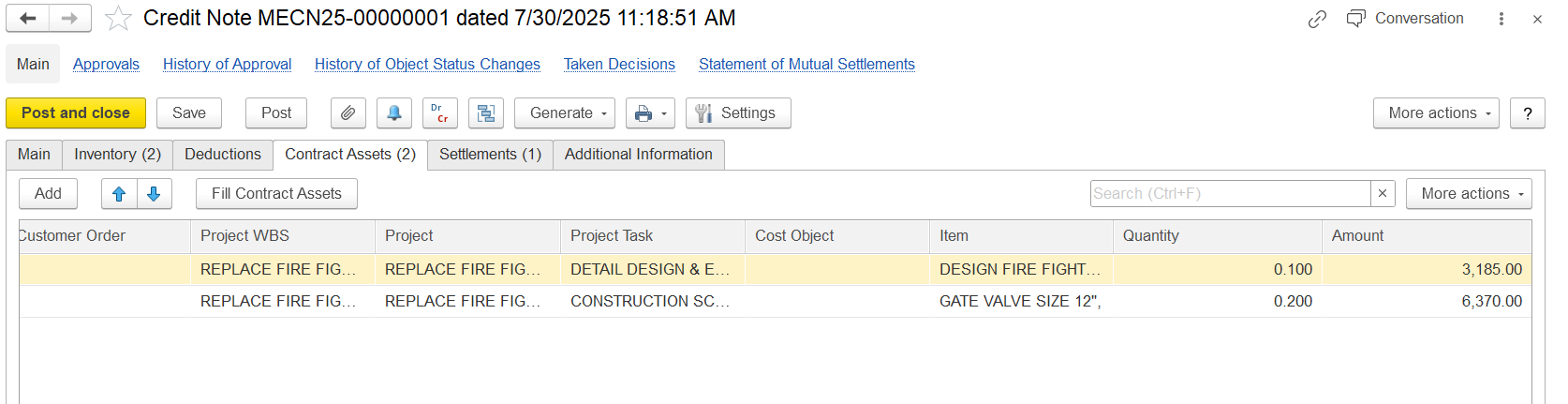
Customer Order – Reference to the client’s request for work
...
Amount – The credited value calculated by multiplying quantity by price
...
Settlements
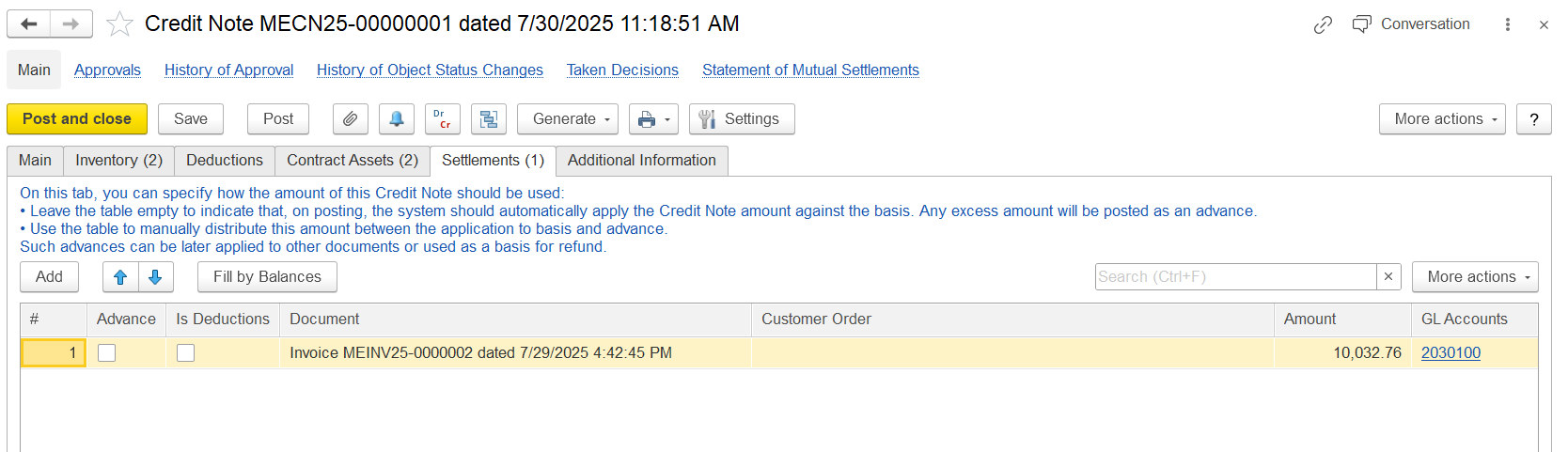
This tab displays the automatic allocation or settlement of the credit note amount:
...
GL Accounts – General ledger accounts linked to the credited amount
...
Additional Information tab
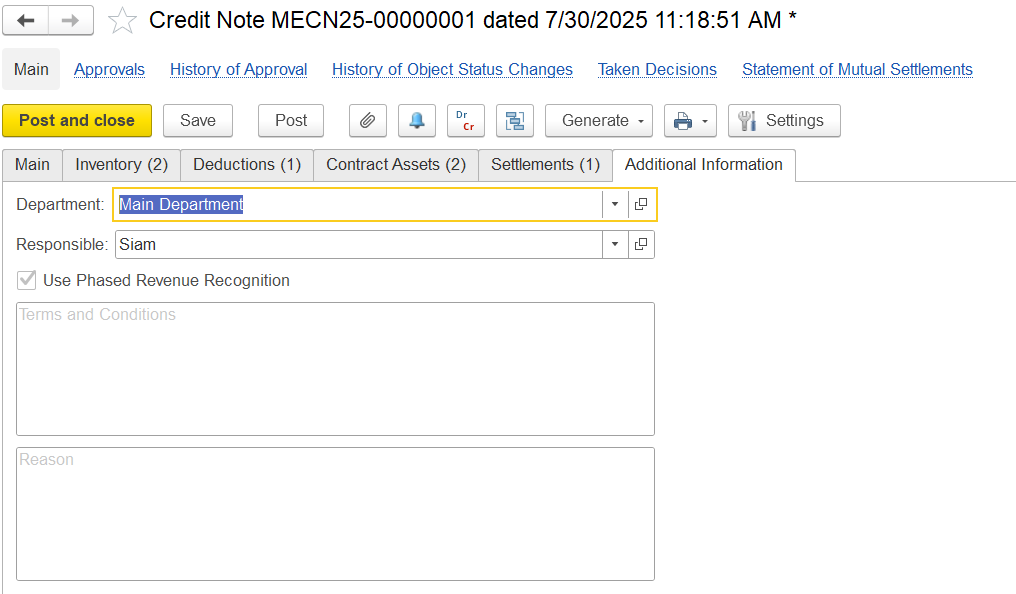
Department - Specifies the internal division that issued the credit note
Responsible - Name of the employee responsible for the transaction
Use Phased Revenue Recognition - Checkbox indicating whether phased revenue recognition is applied
Terms and Conditions - Text field for contract-specific terms
Reason - Describes the reason or justification for issuing the credit