As before
- main tab attributes. explain about contract settings.
- Can be used for issuing Advance invoice.
- Table: how to fill, columns description.
- Advance offset button and form. for planned advance offset.
- Summary linked table .
The Payment Certificate Received document is used to record and confirm the certified value of work completed on a project, as assessed and issued by the client or consultant.
...
Alternatively, it can be generated using the "Generate" option in the Payment Application Issued document.
...
How to create
Click Create, then select the Project. The certificate details will be automatically filled based on the chosen project.
...
Company: The legal company that issues or receives the certificate.
Contract: Defines Sets the rules for billing and certification rules based on the selected chosen contract type.
Includes It includes project scopedetails, involved parties, currency, and governs handling of rules for VAT, retention, advances, and pricing.
Enables automatic fetching of Also, it automatically pulls in BOQ/Estimation lines items and populates fills in Terms & Conditions.
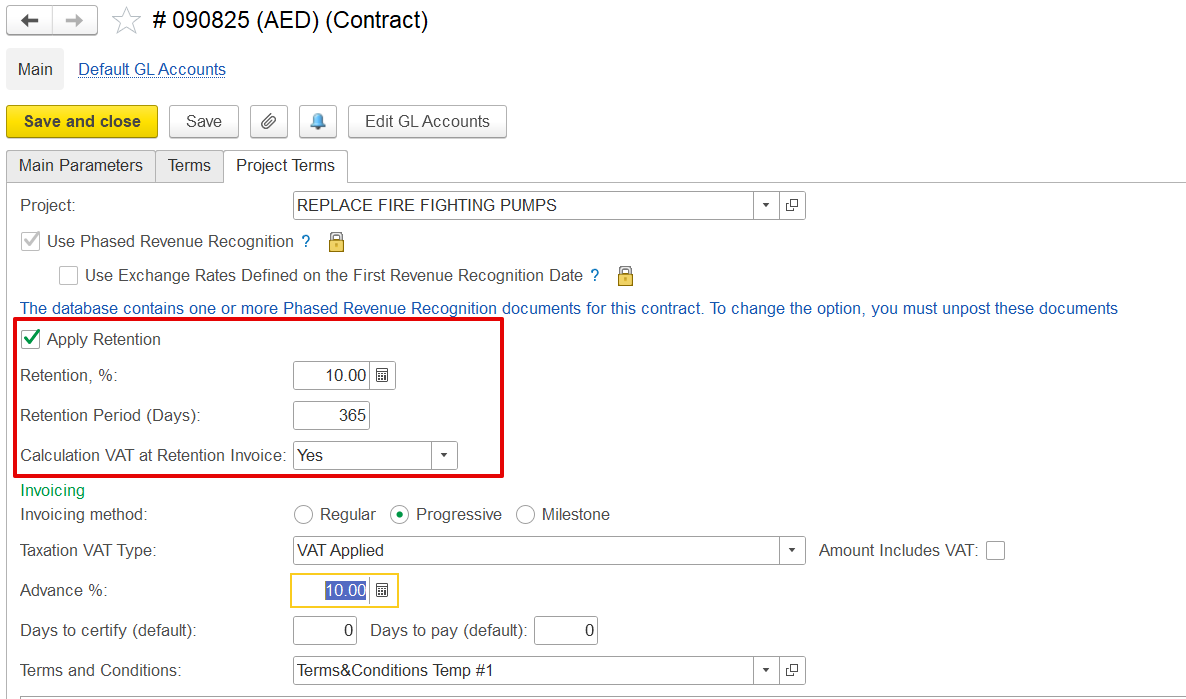
Retention: Amount withheld (percentage or fixed) from the certified value, calculated based on contract settings.
...
Comment: Field for entering additional notes, remarks, or instructions.
Project structure
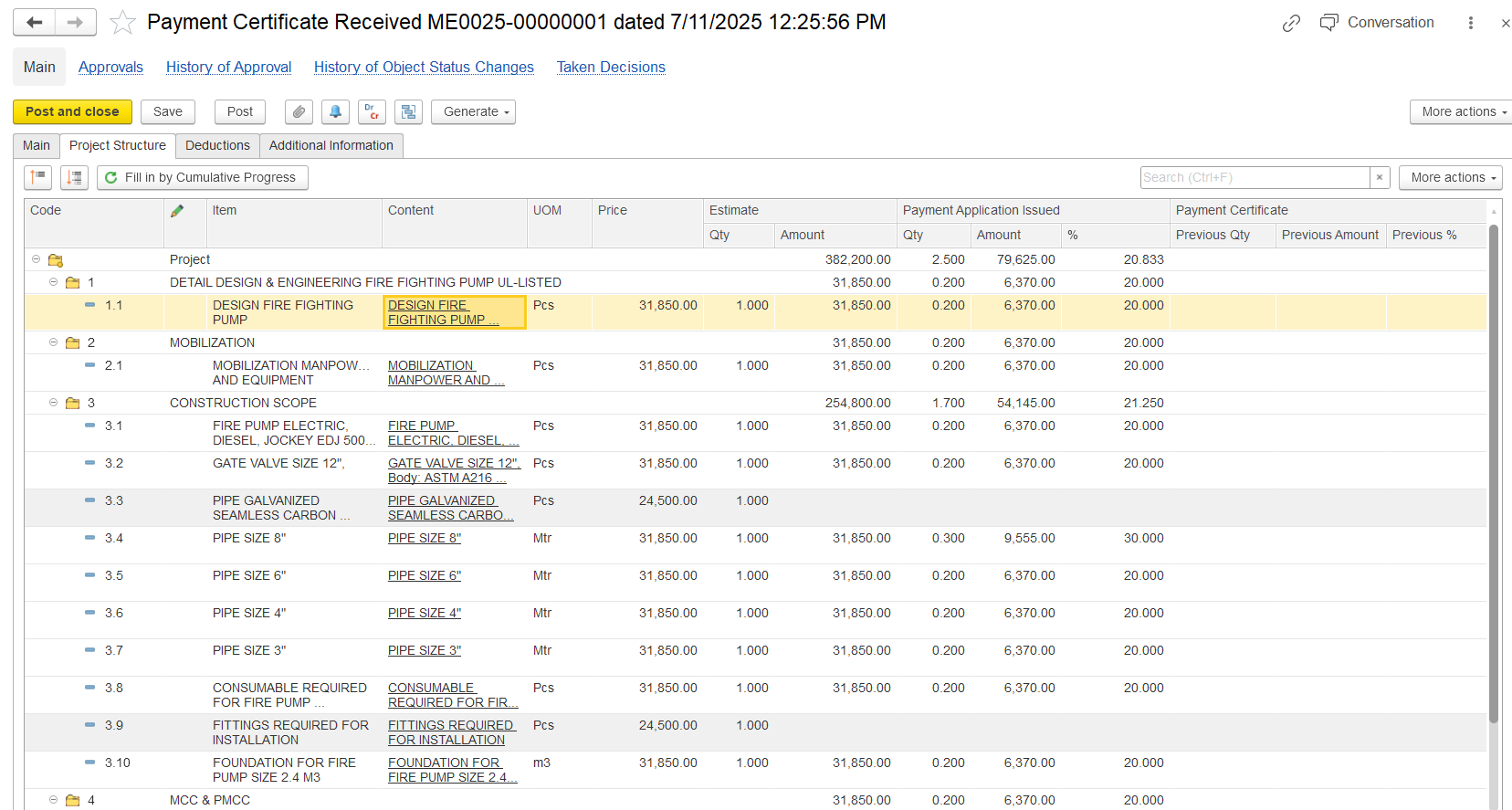
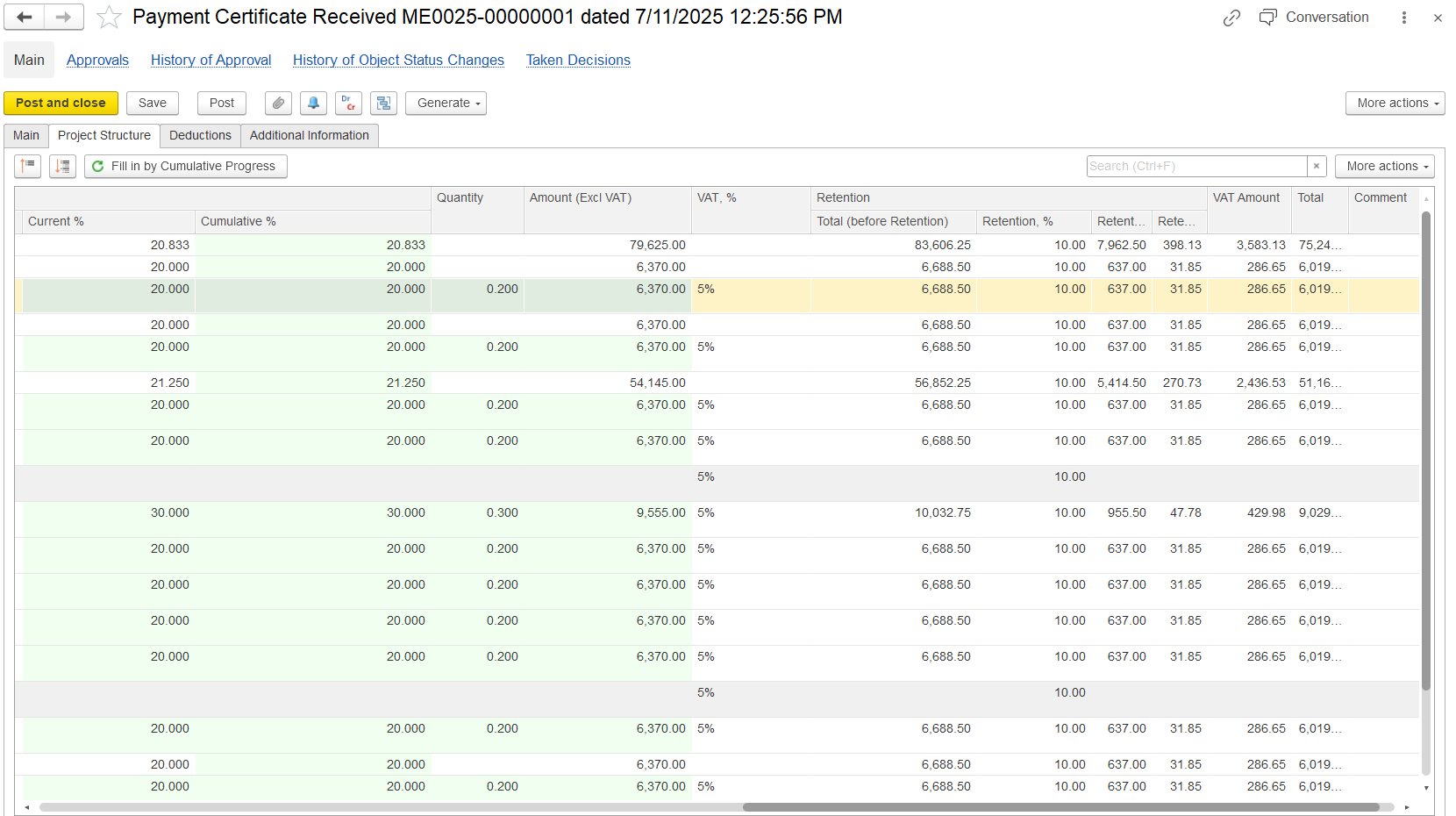
The table under the Structure tab is auto-filled based on project progress or can be manually edited.
...
Select Item/Content: Choose the appropriate service or work item related to the project.
...
Enter BOQ Estimated Amount: This is pre-filled from the contract or BOQ but can be edited.
...
Set Progress % or Quantity: Represents the amount of work completed. Can be negative for corrections or reversals.
...
Adjust Unit, Price, Discounts: Define the unit of measurement, rate per unit, and any applicable discounts.
...
Review Calculated Fields: The system computes amount, VAT, retention, and totals based on entered data.
...
Code - BOQ or WBS code identifying each work item in the project structure.
Item / Content - Description of the service or work item selected for certification.
UOM (Unit of Measure) - Unit in which the work is measured (e.g., Pcs, Mtr, m³).
Price - Unit rate as per the contract or BOQ.
Estimate Qty / Amount
- Estimate Qty: Planned quantity for the item.
- Estimate Amount: Total planned amount for that item (Qty × Price).
Payment Application Issued – Qty / Amount / % - Shows the quantity, value, and progress percentage already applied for in submitted payment applications.
Payment Certificate – Previous Qty / Amount / % - Displays the quantity, value, and percentage that were certified in earlier Payment Certificates.
Current% - Progress certified in the current period only.
Cumulative% - Total progress certified to date.
Quantity - Quantity of work certified in this certificate.
Amount (Excl. VAT) - Certified amount excluding VAT.
VAT % - VAT rate applied (e.g., 5%).
Retention Total (before retention) - Total amount before applying retention.
Retention % / Amount - Retention percentage and corresponding deduction.
VAT Amount - VAT value calculated on the amount.
Total - Final amount payable (including VAT, after retention).
Comment - Optional notes for clarification or remarks.
Summary Tab
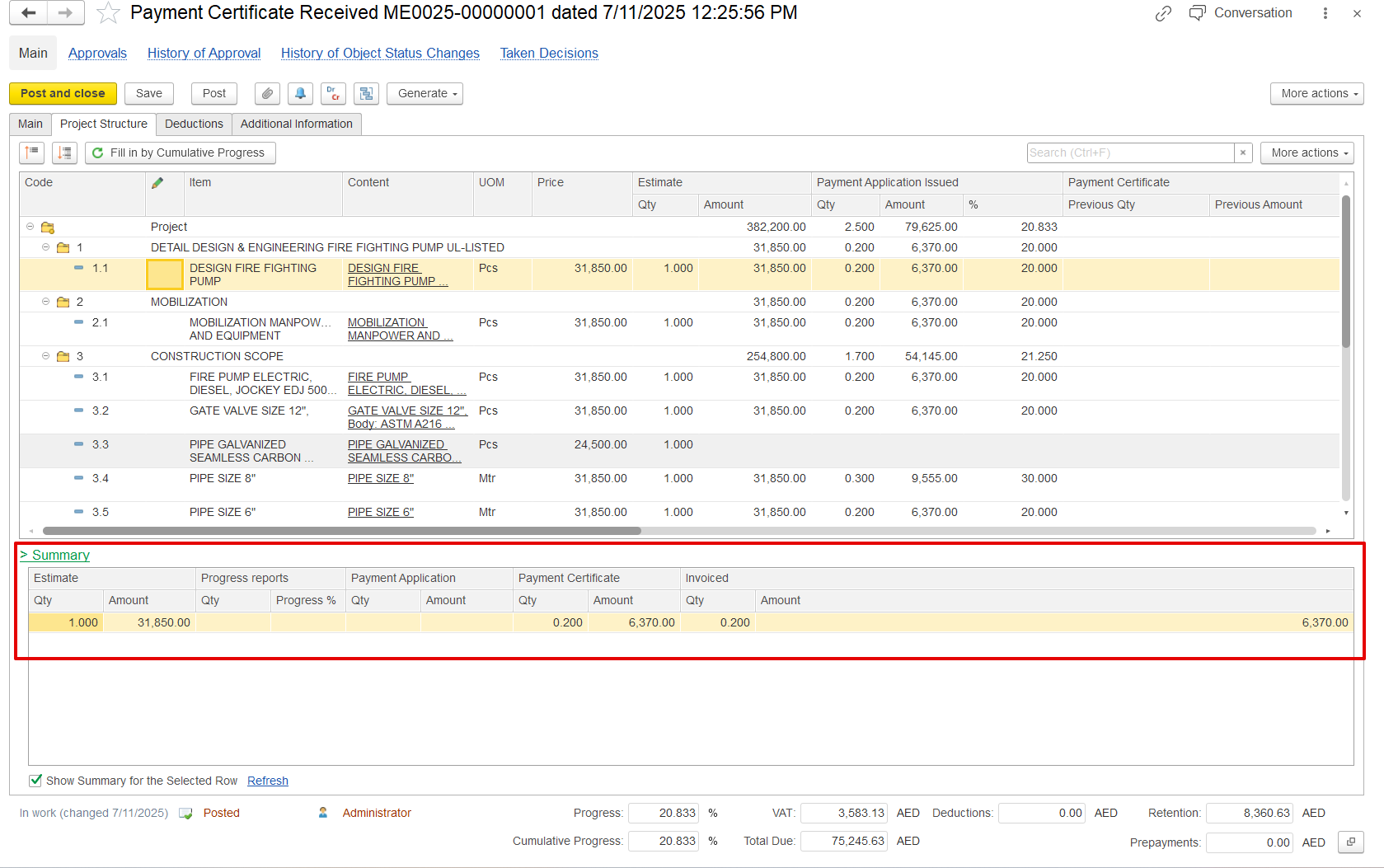
This tab provides a consolidated, read-only view of certification vs application. It’s not editable but is critical for validation. Here’s what it shows:
...
When the Advanced option is selected, an Advance Advanced tab appears. This means the certificate is being used to request or record an advance payment, not to reflect actual work done.
...