...
Click Create, then select the Project. The certificate details will be automatically filled based on the chosen project.
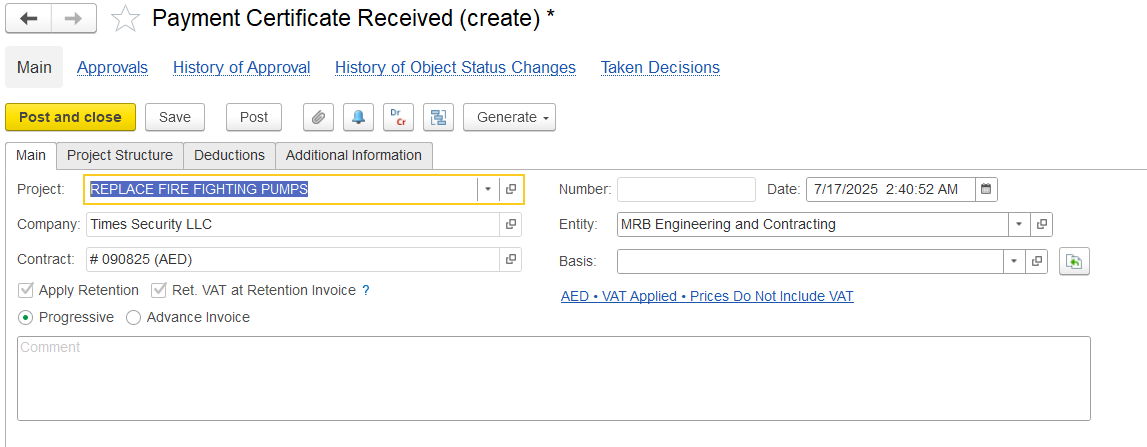
In the main tab,
Project: The This project is connected to this associated with the certificate. It helps the system automatically fill details like the WBS, cost tracking, and the Services tab.
...
Contract: Links the document to a contract. Enables contract-specific settings like , such as retention, billing terms, and linked documents (e.g., Payment Applications, Invoices).
Retention: The portion of money held back, either as a percentage or a fixed amount. It’s automatically calculated from the certified amount. This will be taken from contract.
Entity: The customer or vendor. Pulls default settings like currency, VAT, and payment termslegal entity issuing or receiving the certificate.
Basis: Shows if the certificate is created from a Payment Application or entered separately as progress.
...