As before
- main tab attributes. explain about contract settings.
- Can be used for issuing Advance invoice.
- Table: how to fill, columns description.
The Payment Application is used to request payment for completed project works, based on the progress achieved. It links project estimation, actual progress, and contractual terms to calculate the amount due for the current period. This document forms the basis for generating the Payment Certificate and eventually the Progressive Invoice.
It can be accessed from
Project costing→ Project Progress Reports → Payment Application
...
Note: Based on the selected invoice type, the relevant tabs, fields, and calculations will automatically adjust to suit the billing method.
...
If the Progressive option is enabled, below tabs will be available
Project Structure tab
It displays the list of project tasks with their hierarchy, estimates, progress, and billing details for preparing the payment application.
...
Previous Qty / Amount / % – Work quantities, values, and percentages previously billed.
Current% % – Percentage of work being claimed in this application.
Cumulative% – Total completed percentage including current and previous.
Quantity – Calculated from cumulative % and estimate.
Amount (Excl. VAT) – Net value of current application before VAT.
VAT% – Tax rate applied (e.g., 5%).
Retention Total / % / Retention – Gross amount before retention, retention rate, and retained amount.
Retention VAT – VAT applied on the retained amount.
VAT Amount – VAT on the payable amount after retention.
Total – Final payable amount (amount minus retention plus VAT).
Comment – Any additional remarks, if needed.
Summary linked table
At the bottom of the Project Structure tab, a financial summary section provides a quick view of all key billing values for the current period.
...
Invoiced Qty & Amount – The value already invoiced, typically matching the certified amount unless split or deferred.
Deduction tab
The Deductions tab is used to apply reductions like penalties or back charges before calculating the net payable amount.
...
Total: Represents the complete billing amount, which may include VAT depending on system logic.
Additional Information tab
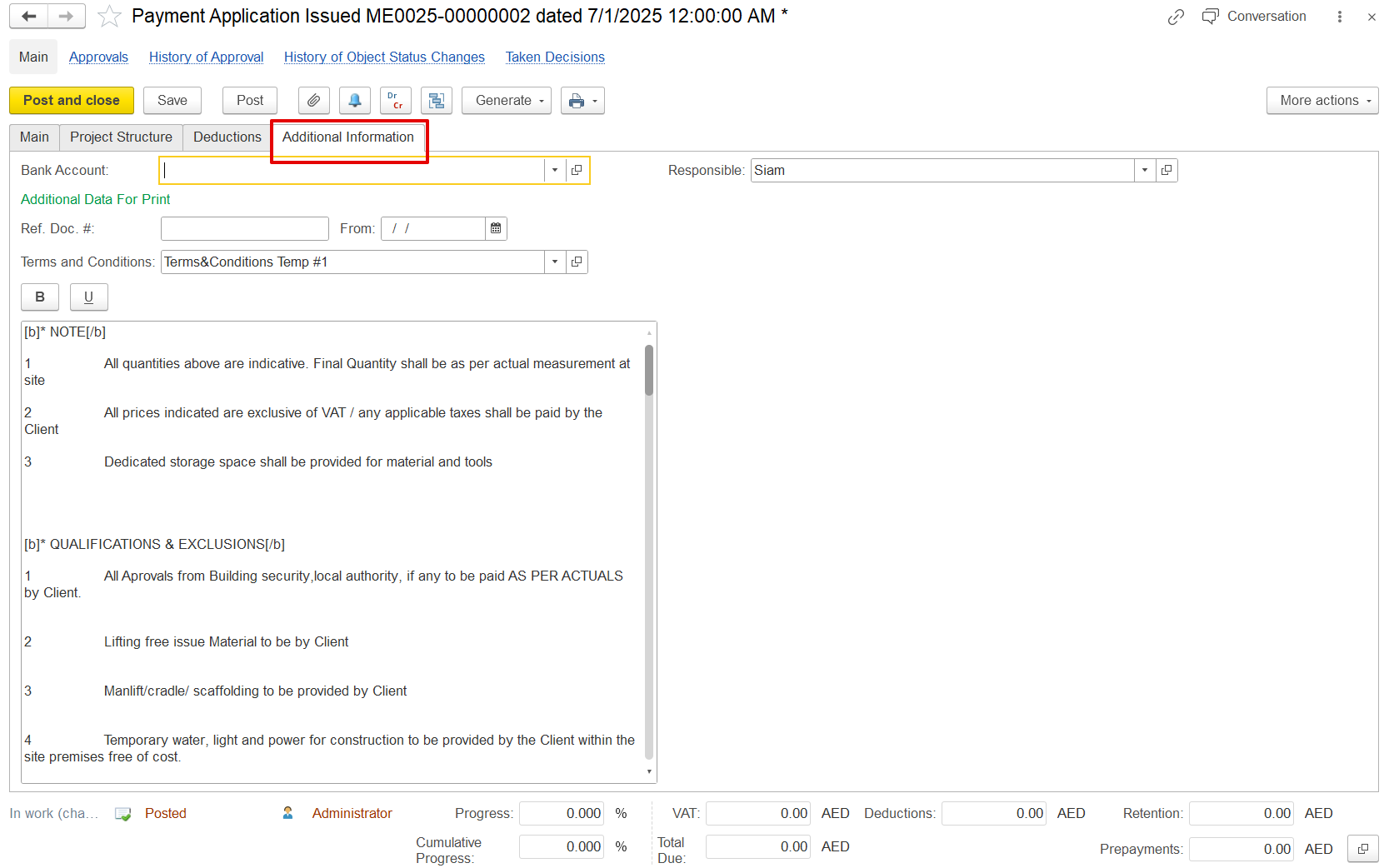
This tab is used to include extra project and contract-related details that support documentation and printed outputs. It contains fields like:
Bank Account – Client bank details
Additional Data for Print – Custom reference info for printed forms.
Terms and Conditions – Standard clauses or payment terms.
These fields do not affect accounting, but they ensure clarity in printed documents like the payment certificate and invoice.
...
2. If the Advance option is enabled, below tabs will be available
...