...
1. Record Progress in To-Do Item
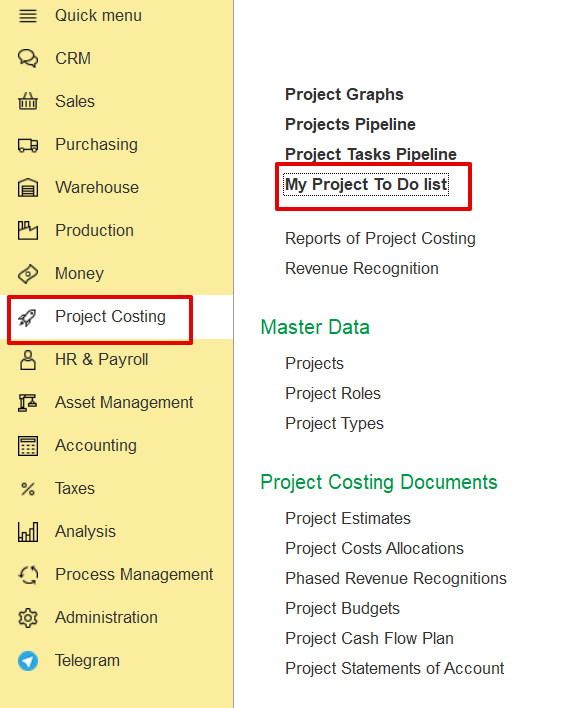
Open My Project To-Do List from Project Costing, click .
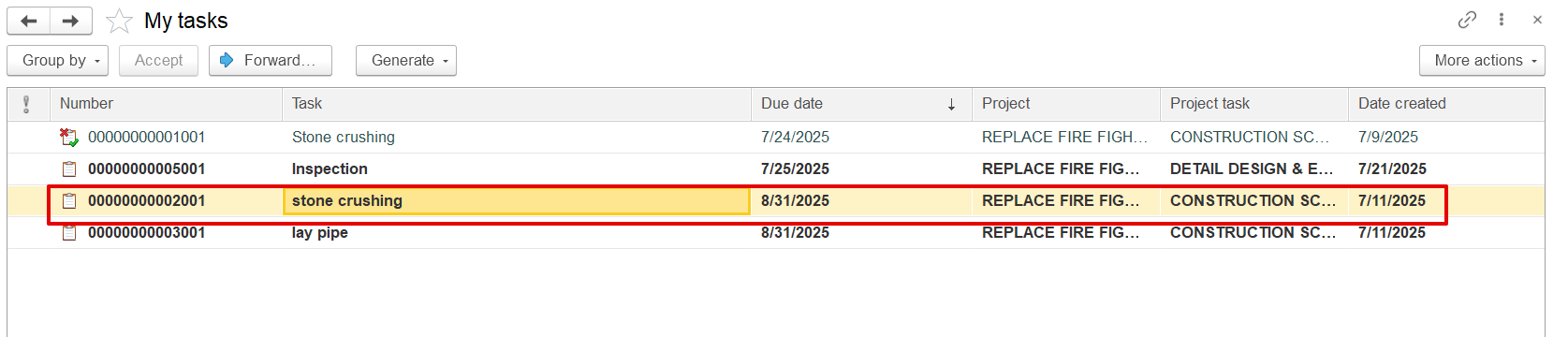
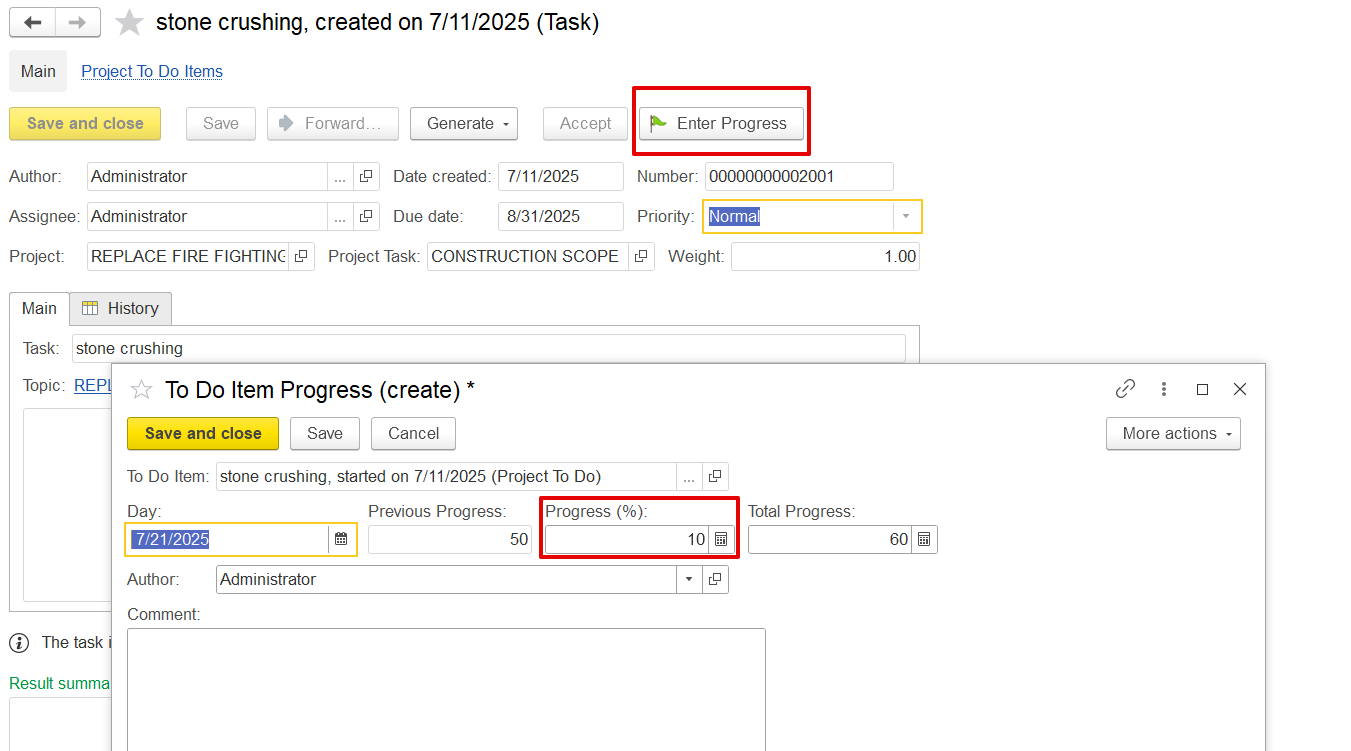
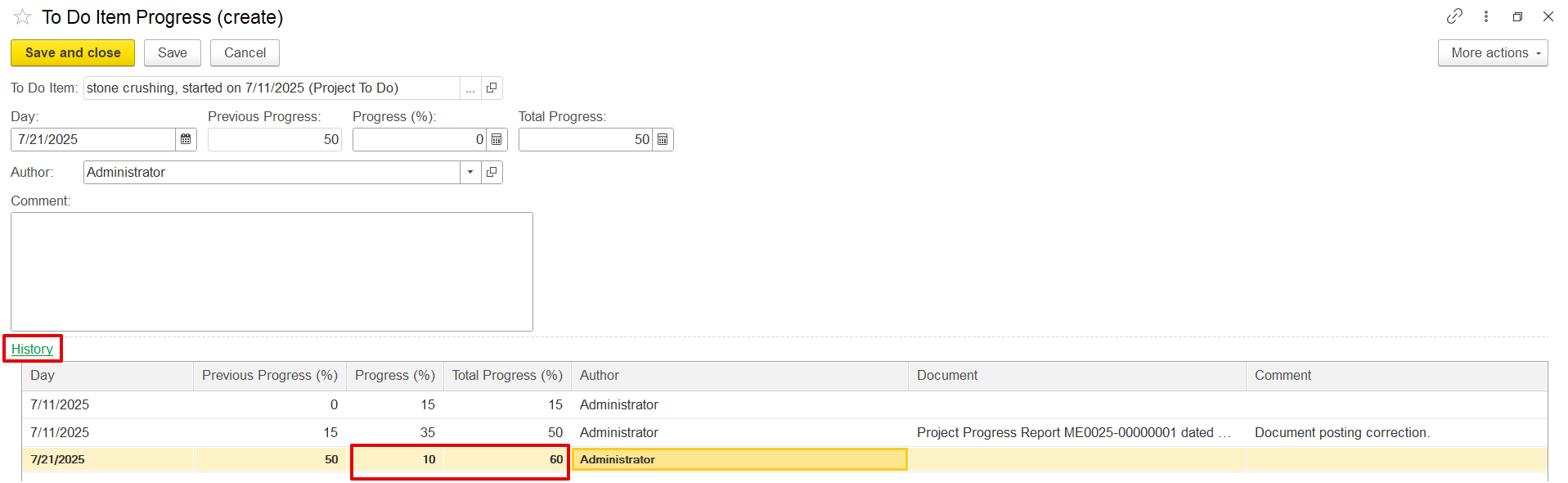
Click Enter Progress, input the current progress (e.g., 15%), and save. The update is recorded with a timestamp in the progress history.
2. Update Project Progress from To-Do Items
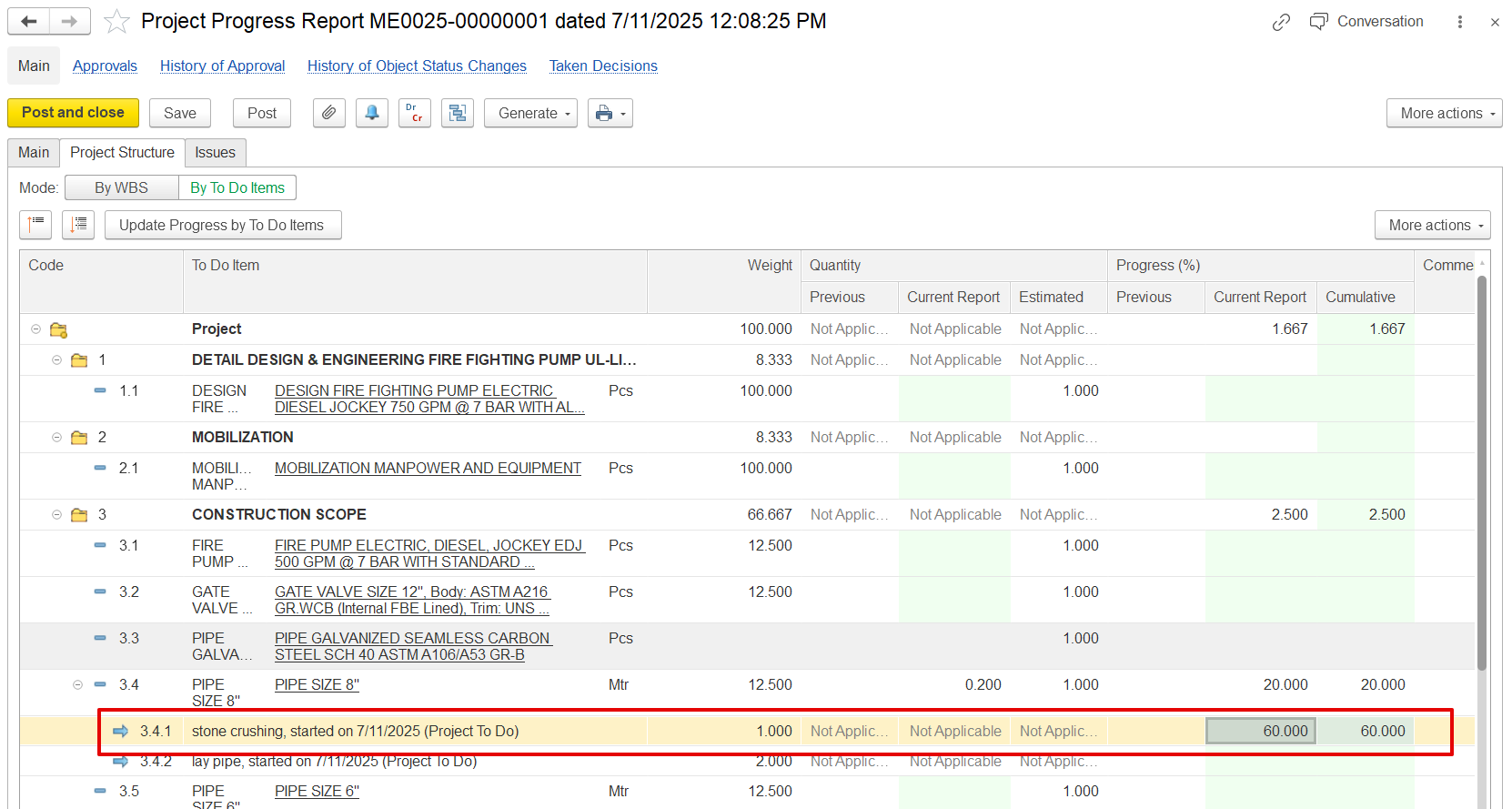
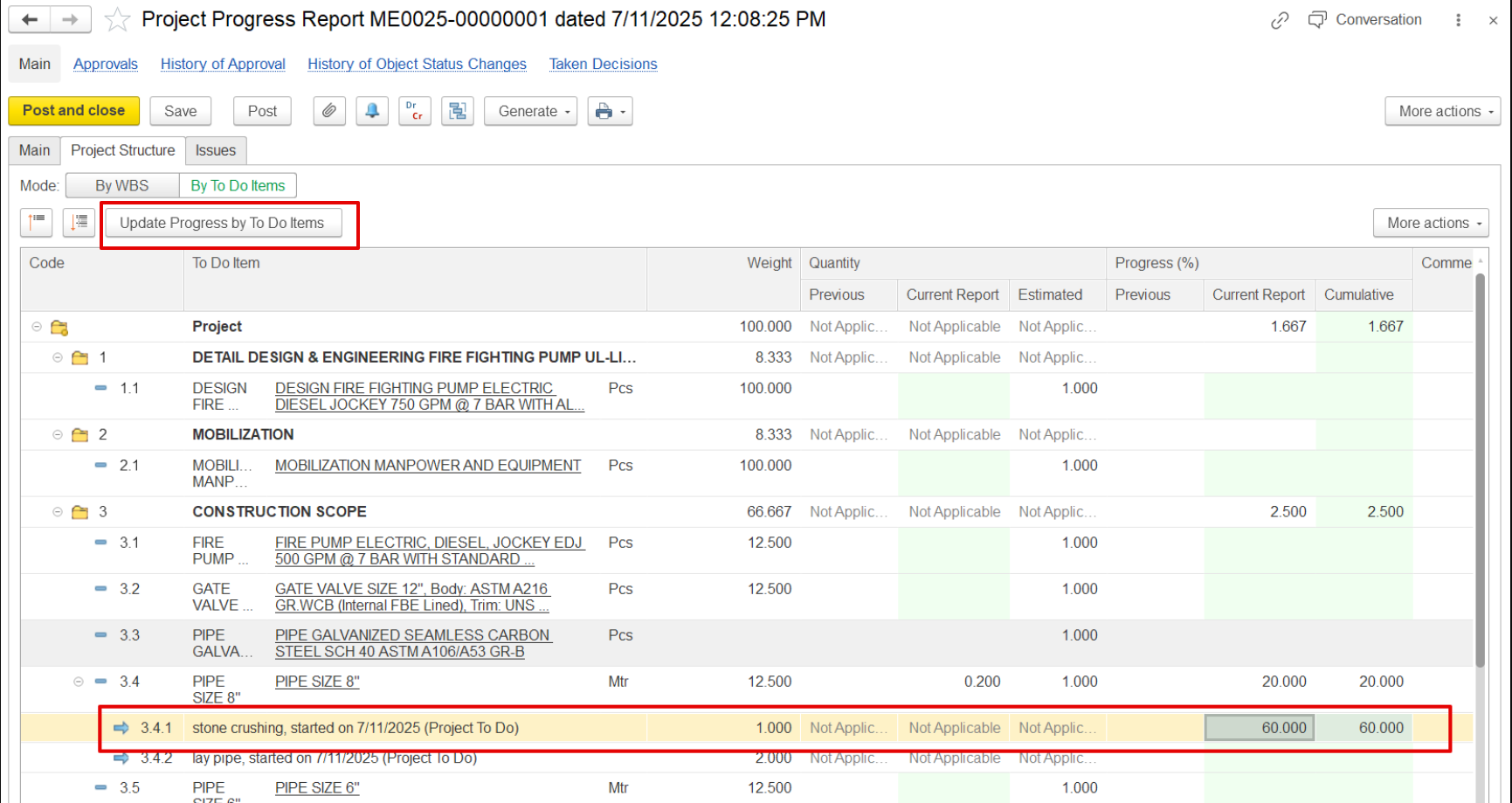
Open the Project Progress Report, select the period and project, and click "Update Progress by To-Do Items". The system retrieves the latest progress from the To-Do list and applies it to the BOQ line. User The user can also manually adjust the percentage (e.g., from 50% to 70%).
If progress is recorded this way, it appears in the To-Do history as "Recorded by Project Progress Document."
Note:
- If several To-Do items are linked to one BOQ line, their progress is combined and recalculated automatically.
- If a BOQ line was canceled through a variation, its To-Do items will still show, but no new progress can be added.
- Progress is tied to the reporting period; only updates within the selected period will be shown.