...
Project Costing → Project Progress → Project Progress Report.
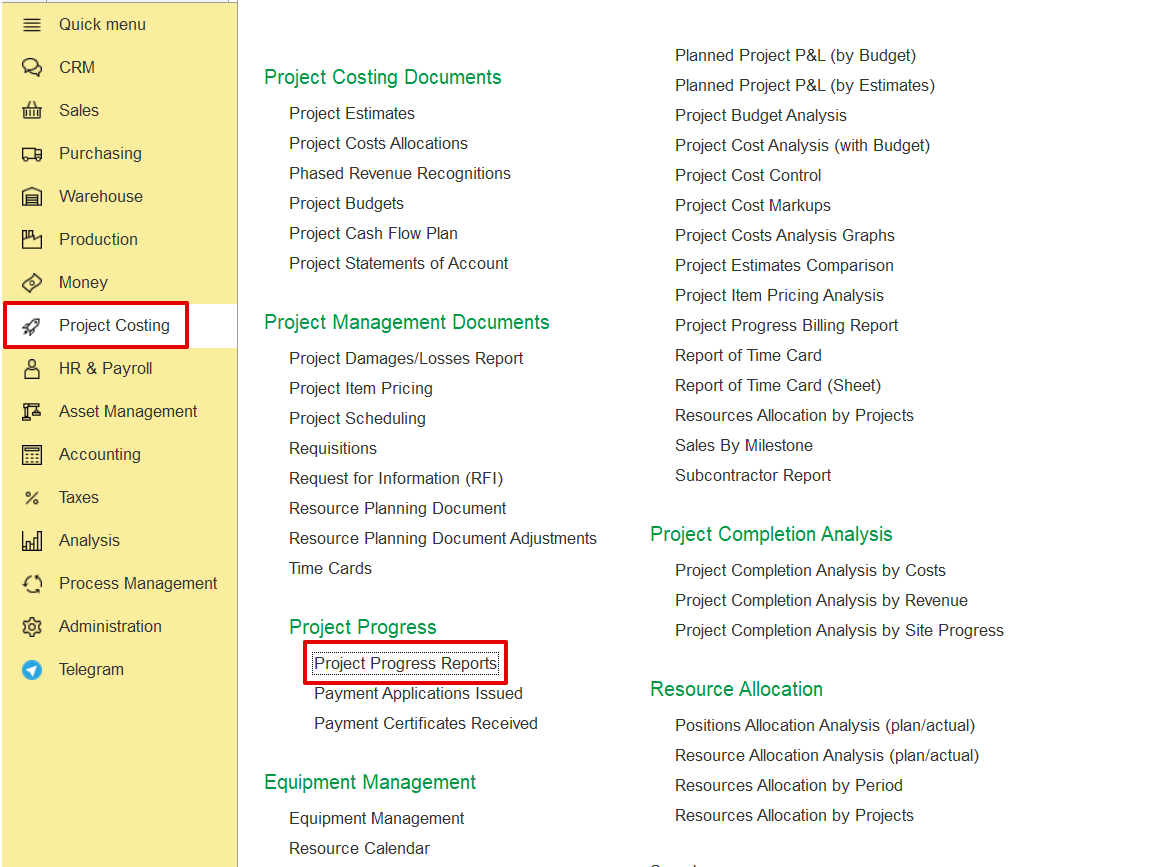
Click
...
Create and select the required Project from the list.
The system automatically fills in the fields using the defined project structure and associated parameters.
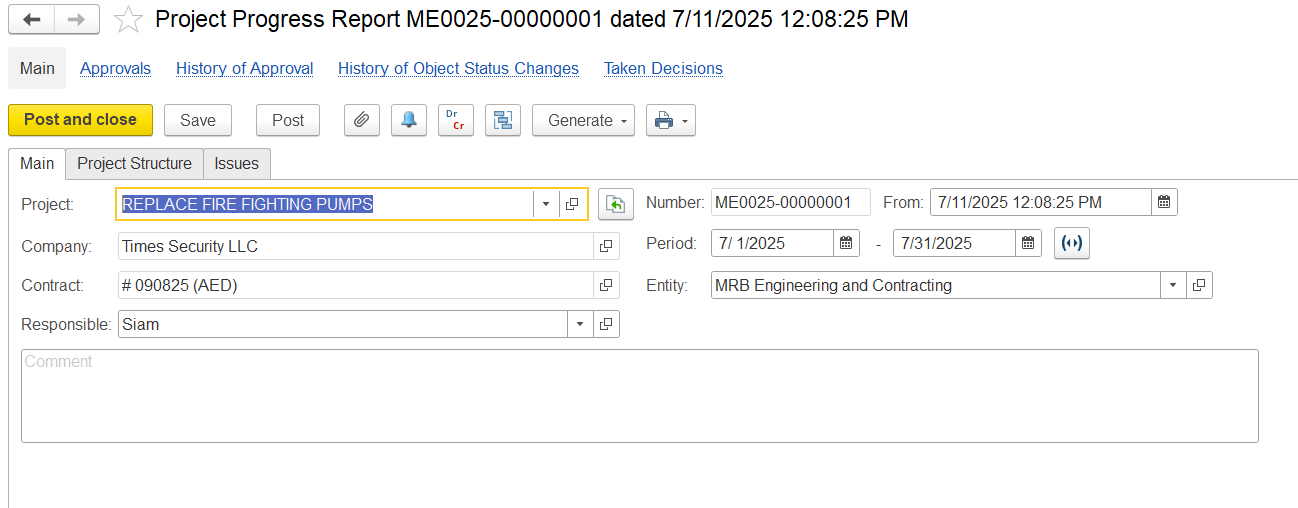
In the main Tab, fill in the details below as needed.
Project- Indicates the project for which the progress is being tracked.
...
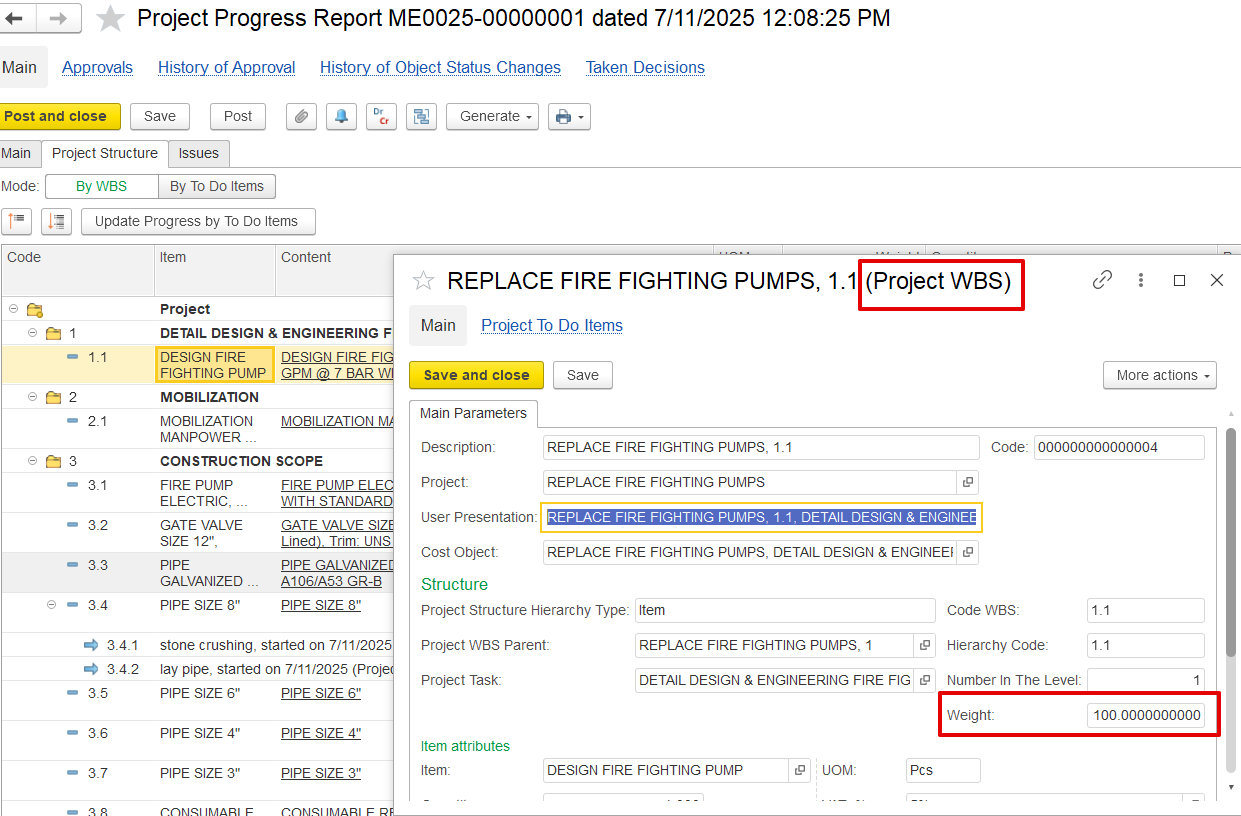
1is the main task “Detail Design & Engineering…”1.1Is the subtask “Design Fire Fighting Pump…”
Project Task – - Describes each activity or deliverable. Tasks may be general (e.g., "CONSTRUCTION SCOPE") or detailed (e.g., "PIPE SIZE 8").
Weight- Itis set during estimation and distributed proportionally across tasks. It shows how much each task contributes to the overall project progress
Quantity – Shows work progress in terms of units and is divided into:
...