...
Planned Project P&L (By Budget)
...
...
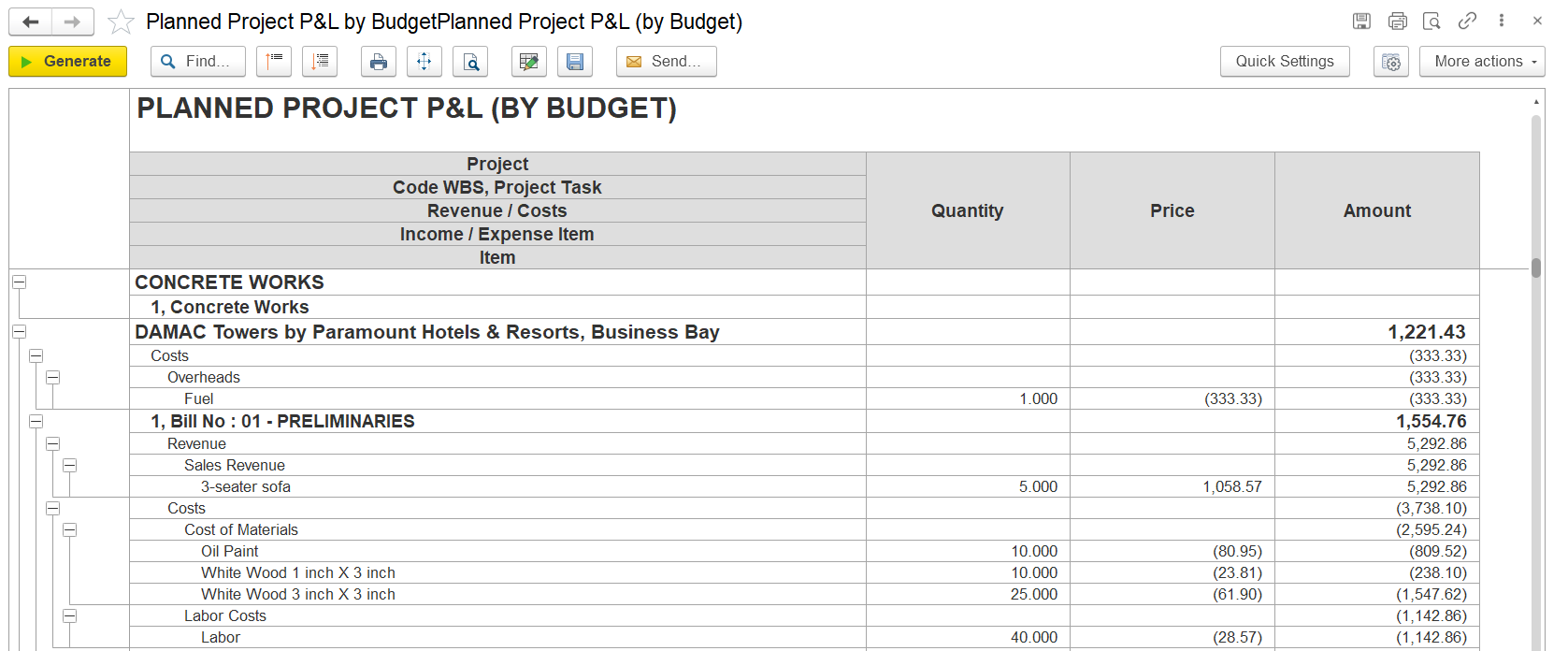
The Planned Project P&L (By Budget) report provides a detailed breakdown of the planned profit and loss for a project, based on budgeted figures. It displays outlines both revenue and cost components across various project tasks, allowing enabling effective monitoring of expected financial outcomes.
Structure
Organized in a hierarchical format, including:
Project Level: Displays the overall project.
Budget Sections / Cost Heads: Major divisions of the project budget.
Project Tasks / WBS Items: Detailed breakdown of work packages under each section.
Revenue and Cost Breakdown:
Revenue: Shows budgeted income for each task.
Costs: Includes budgeted expenses such as equipment, labor, subcontractors, overheads, and transportation.
Each line includes columns for quantity, unit price, and total amount.
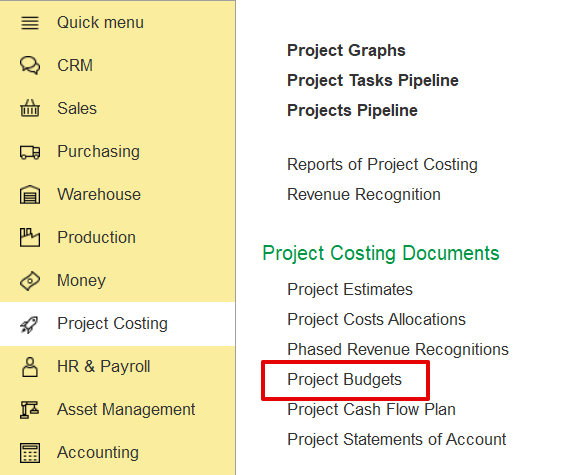
The report is structured hierarchically, starting from the project name, followed by major budget sections projected financial performance. The data is sourced from the project budget document generated through the Project Costing module.
Structure
Project-Name of the project (e.g., DAMAC Towers).
Code WBS / Project Task-Breakdown of project into phases or tasks (e.g., Concrete Works, Preliminaries).
Revenue / Cost- Identifies if the line is income (revenue) or an expense (cost).
Income / Expense Item-Category of the transaction (e.g. Sales Revenue, Material Costs, Labor).
Item-specific material, service, or item being bought or sold (e.g., PreliminariesSofa, Crete Works), and further divided into specific work items or WBS elements. Each task displays budgeted revenue and associated cost components such as equipment, labor, overheads, subcontracting, and transportation.Wood).
Revenue entries show quantities, unit prices, and total amounts, while cost entries are listed as negative values, reflecting planned expenditures. Totals are provided per section and summarized at the project level to reflect the net planned result.
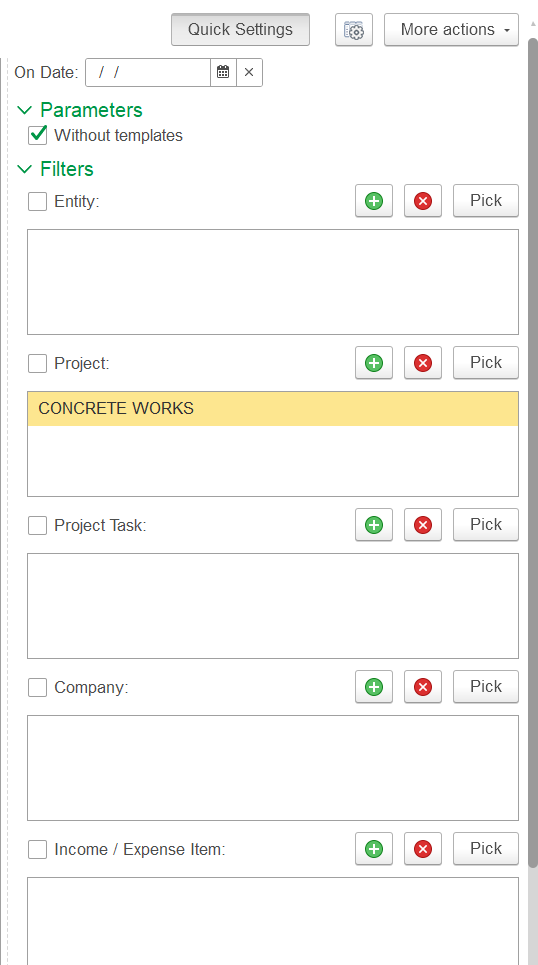
Filters on the right panel allow the user enable users to refine the output by entity, project, project task, company, or income/expense item. The “Generate” button refreshes the report according to selected parameters. The “Without templates” option ensures that only actual planned data is shown, excluding template-based assumptions.
This report is essential for project managers and finance teams to assess expected margins, The report is useful to show the budgeted profitability of a specific project phase (before actuals). Comparisons between planned revenue vs. planned costs for each task/item in the project. plan resources efficiently, and support informed decision-making throughout the project lifecycle.
Planned Project P & L (By Estimates)
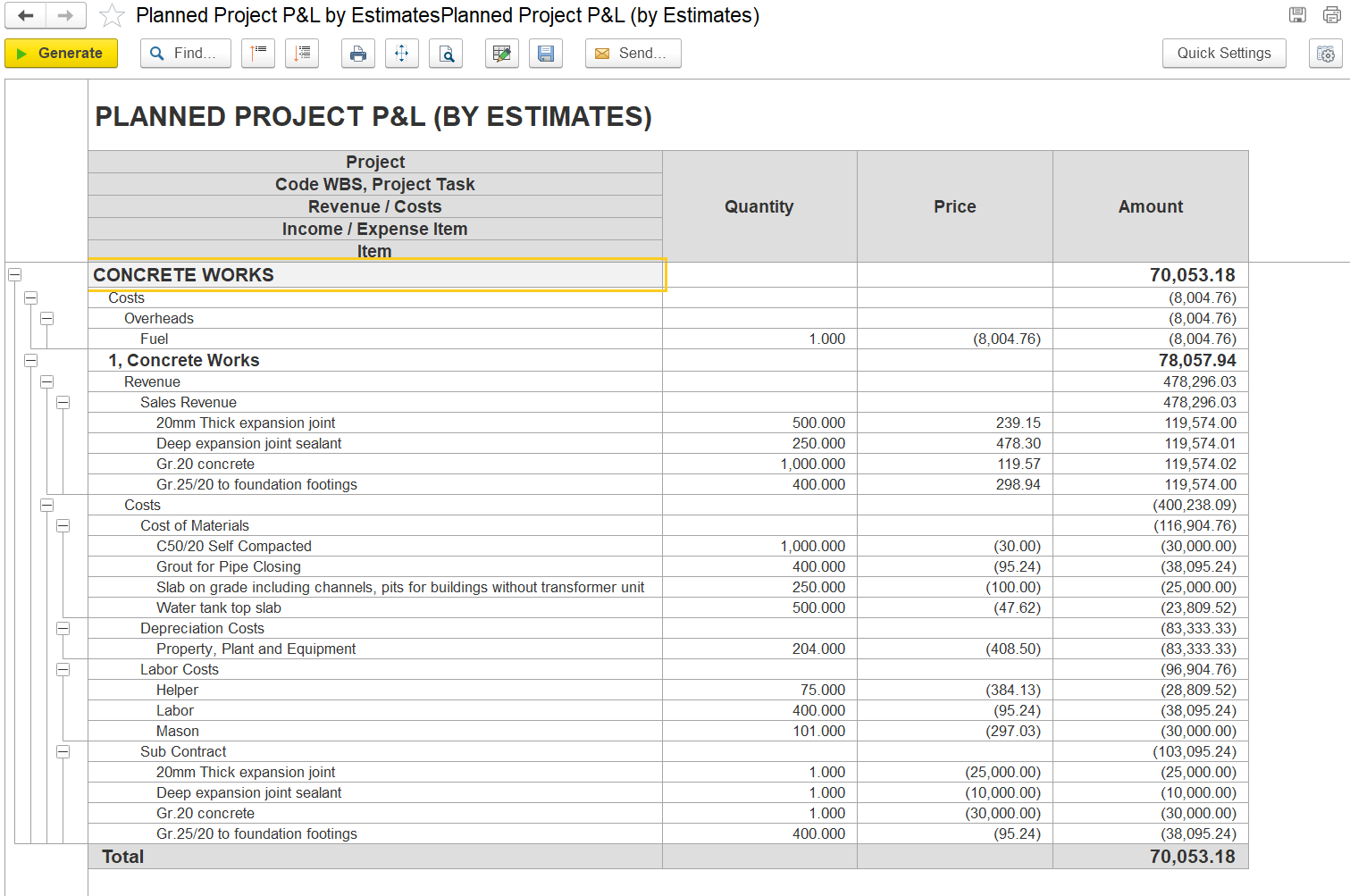
This report provides a detailed financial overview of a project based on planned (estimated) figures. It outlines both expected revenues and associated costs categorized by task and item level, supporting effective budgeting and cost control during project planning.
Field Descriptions
...