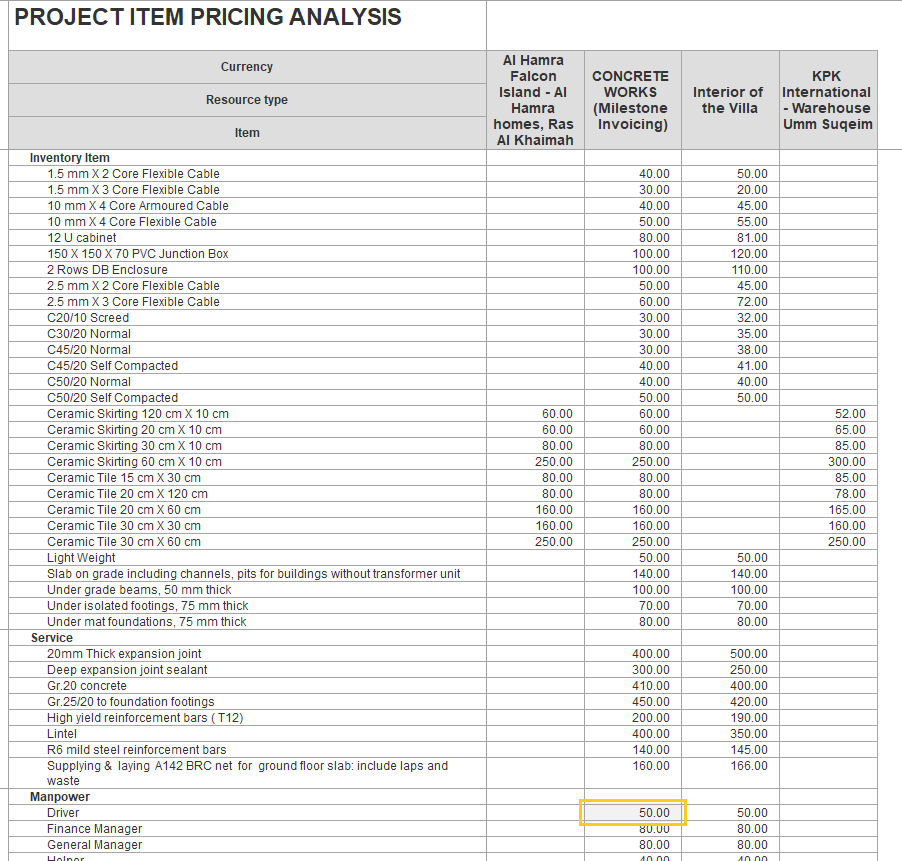
This report provides an itemized view of inventory, service, and manpower costs linked to specific projects. It displays the cost of each item across projects side by side, making it easy to compare prices. This helps in planning budgets, monitoring expenses, and generating accurate invoices. By identifying where costs are high or vary between projects, you can make informed decisions and manage spending more effectively
Report Structure
Inventory Item: This section lists all materials, services, and manpower related to the projects. Items are grouped by resource type, with each item displayed under its category.
Project Columns: Each project appears as a separate column, showing the unit price or cost for each inventory item as it applies to that specific project.
Filters and Parameters
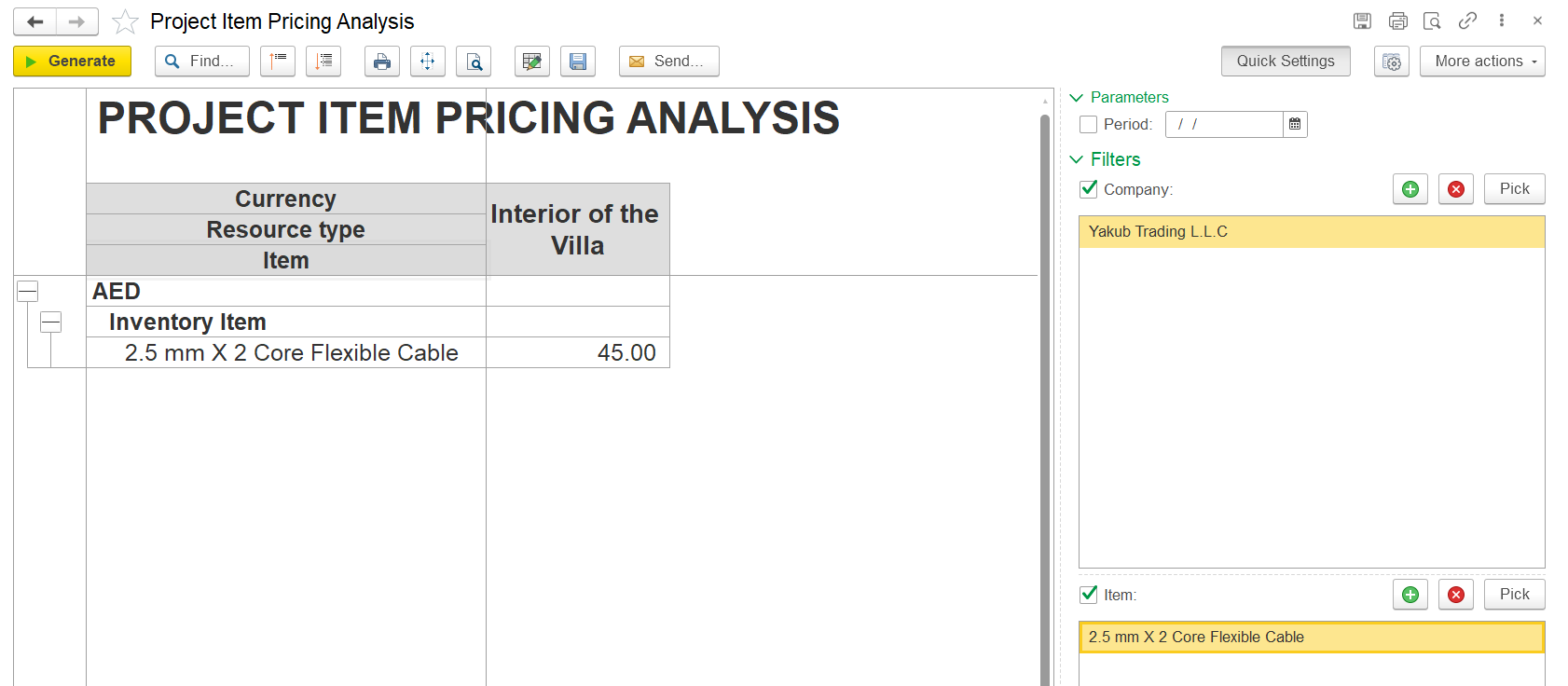
Allows you to filter the report by:
- Period – select a specific date range
- Company – choose one or more companies
- Specific Items – filter by particular inventory, service, or manpower items.
These filters help narrow down the data displayed in the main table for a more focused view.