...
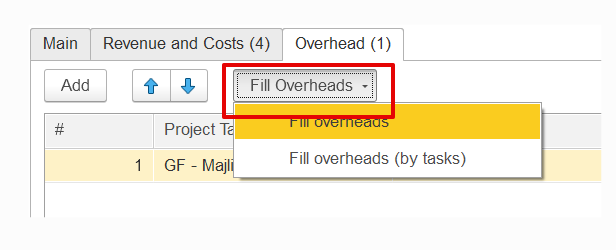
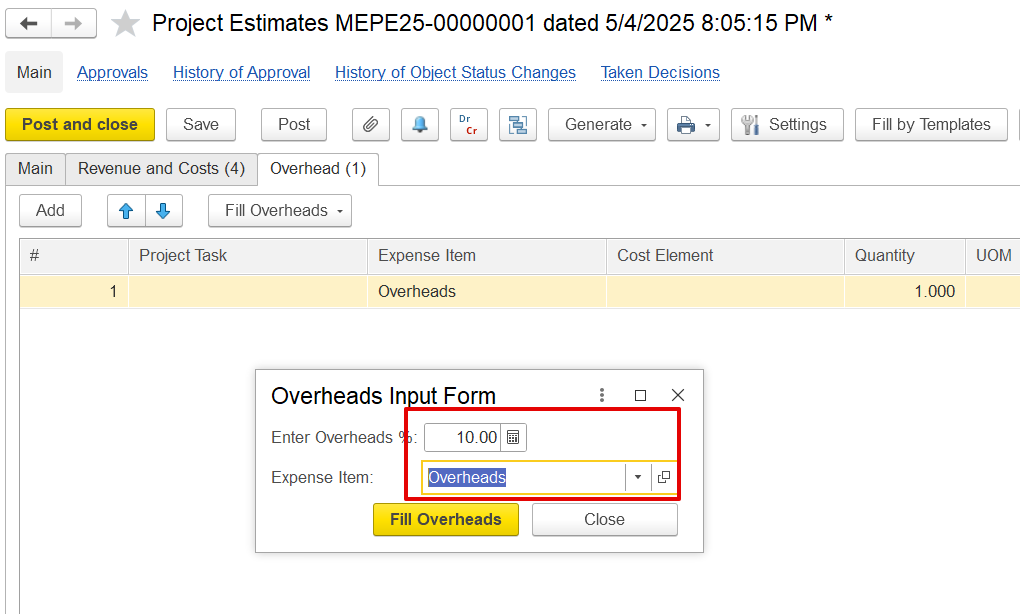
This option is used to calculate overhead based on a percentage of the costdirect costs listed in the Costs table. When the "Fill Overhead" option is selected, two choices are available: "Fill Overheads" and "Fill Overhead (by Task)." Once an option is selected, a dialog box will appear, prompting the user to enter the overhead percentage and select the relevant expense item. If "Fill Overhead (by Task)" is selected, the system will create separate overhead entries for each project task.
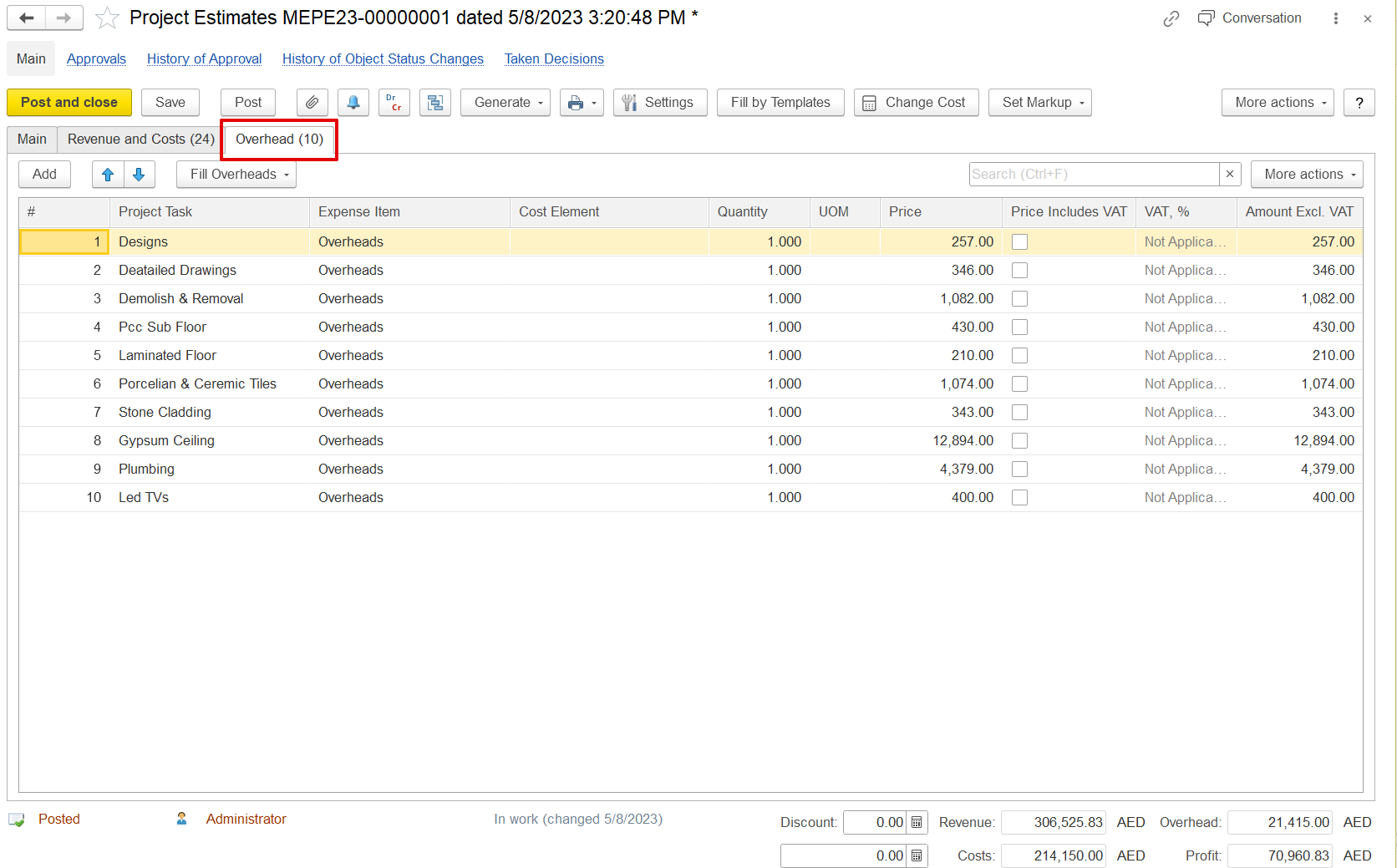
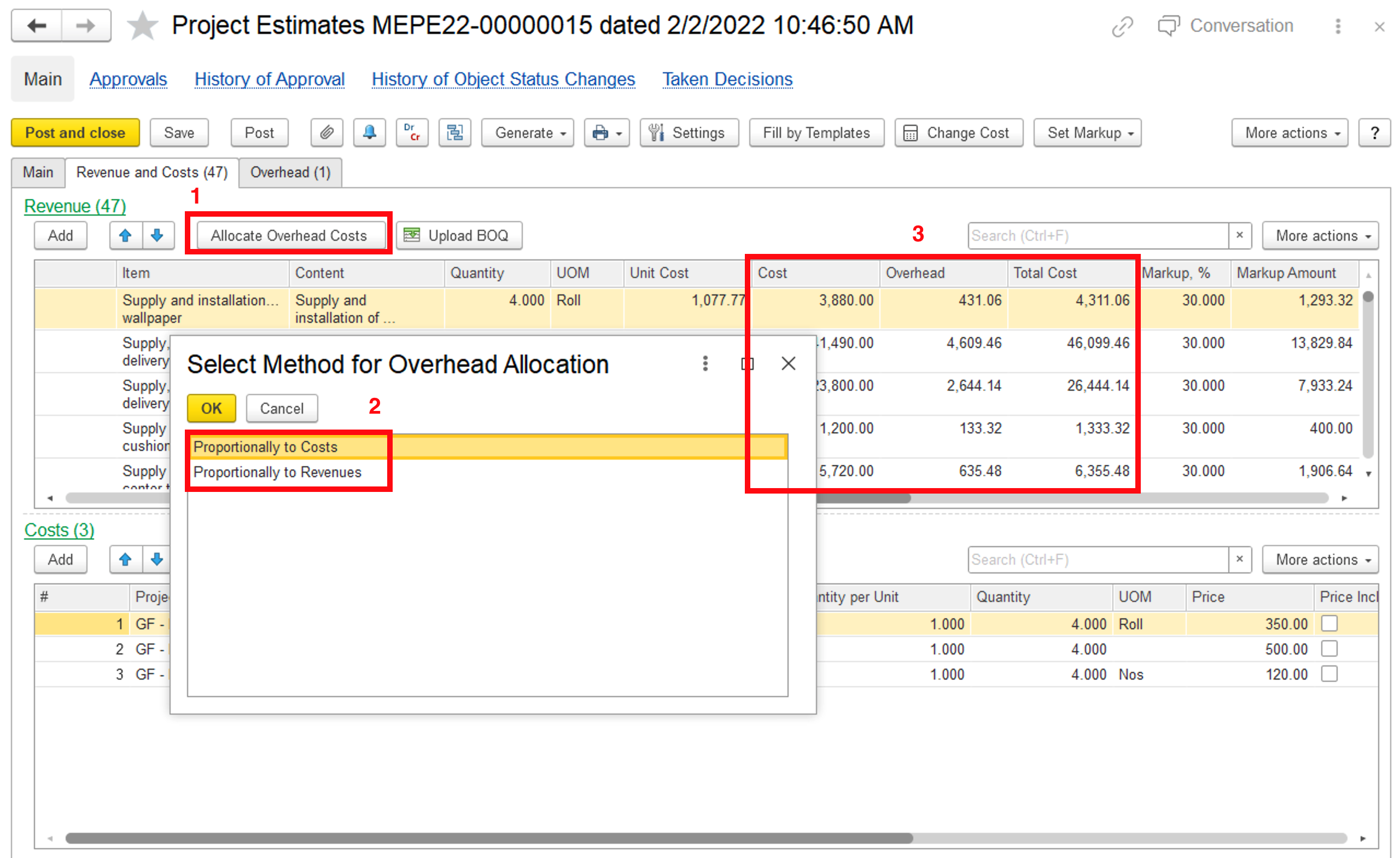
Once overheads are entered, they should be distributed across the revenue lines for accurate total cost calculation. This helps apply markups that include both direct and overhead costs.