...
Select a new status for the project in the Status field. Optionally, you can edit the date of the status change.
Then, click Save to to assign the selected new status.
To add a new status, go to the Project status section within the project, open any document from the status change history, and select Show all.

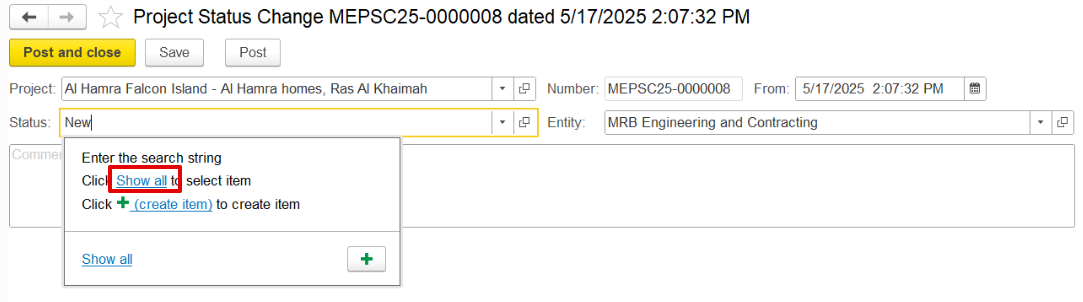 Costing (the left panel) →Master Data→Project Statuses.
This will display the list of all project statuses. If needed, a new status can be created by clicking the Create button, which opens the New (Project Statuses) form.
...