...
- Change Row – Marks an existing line as cancelled. The system creates a reversal transaction and generates a new editable line for modifications.
- Cancel Row – Reverses the selected line by marking it as cancelled, without creating a new editable line.
- Add Line – Allows the addition of new lines to account for extra or additional work.
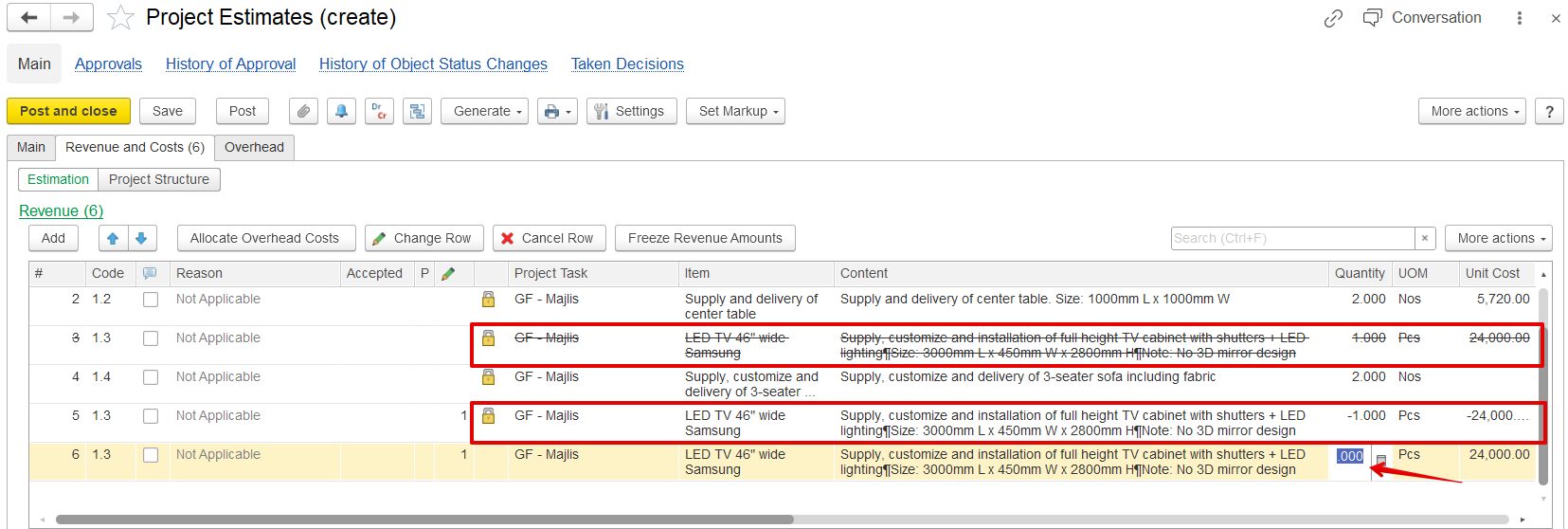
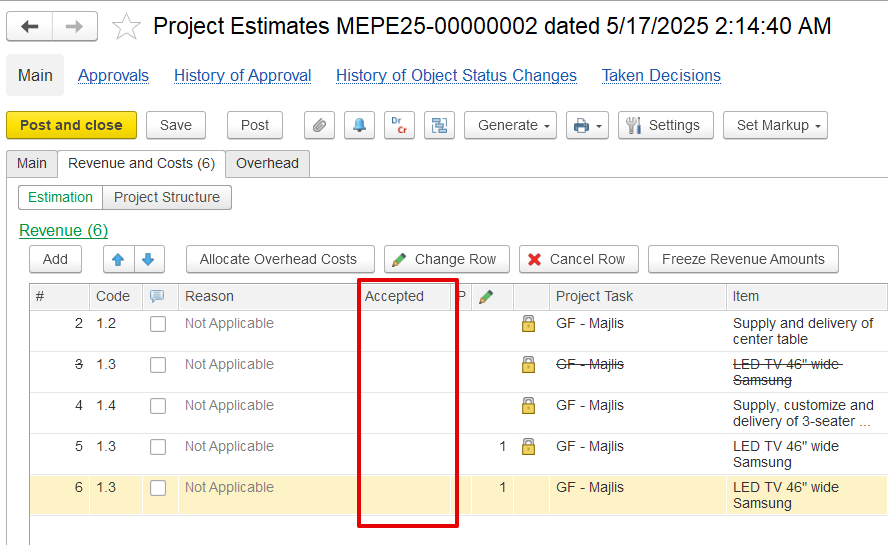
After posting Once a variation order is posted, the changes are are not considered accepted by default. The revenue section will show a A new "Accepted" column , which remains blank appears in the revenue section, but it remains empty until the client formally confirms the variation. You can generate . Client acceptance is not a mandatory option.
If needed, a new quotation document can be generated from the variation and send it to shared with the client for approval. This quotation reflects includes reversed lines, newly added items, and the total value of the proposed changes.
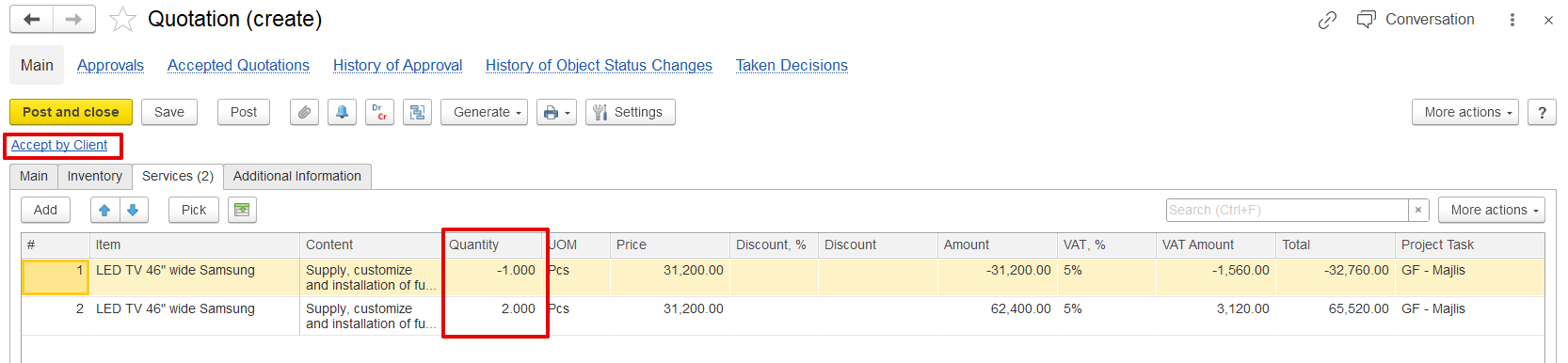
Once the client approves, mark the variation as accepted in the system. You’ll be prompted to enter the acceptance date. Upon acceptance:
...