...
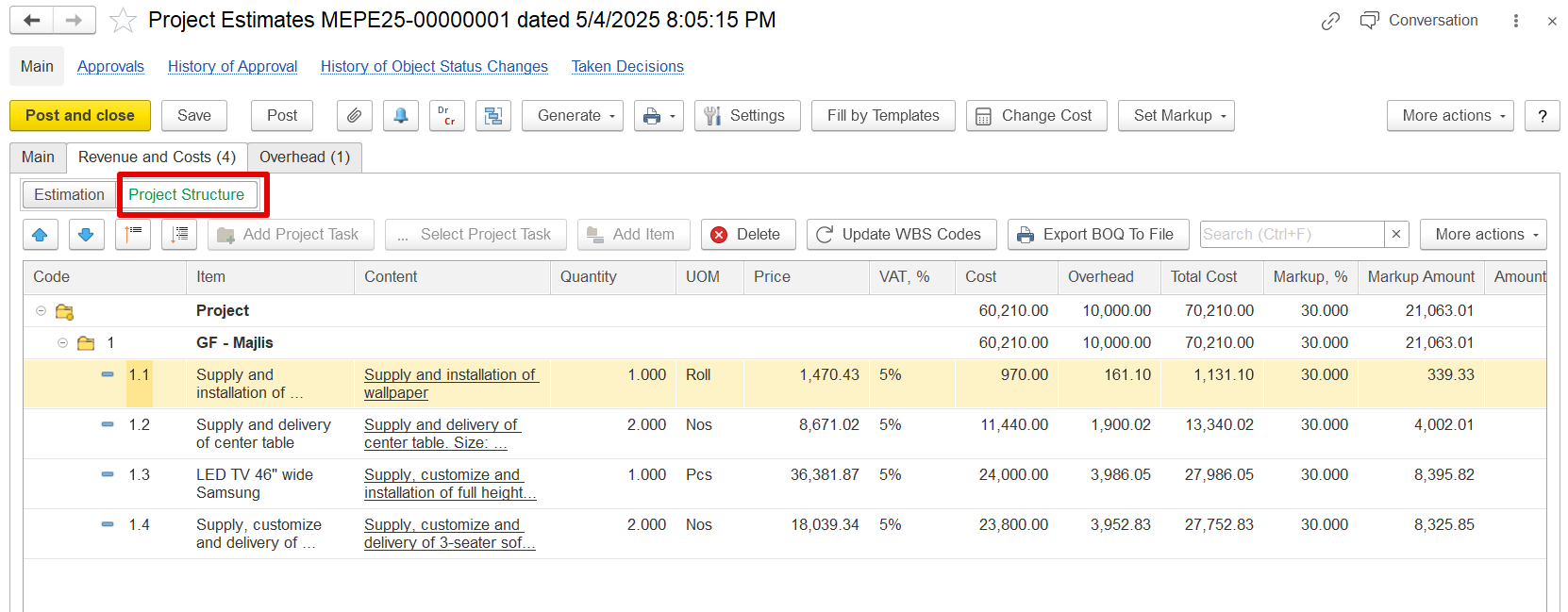
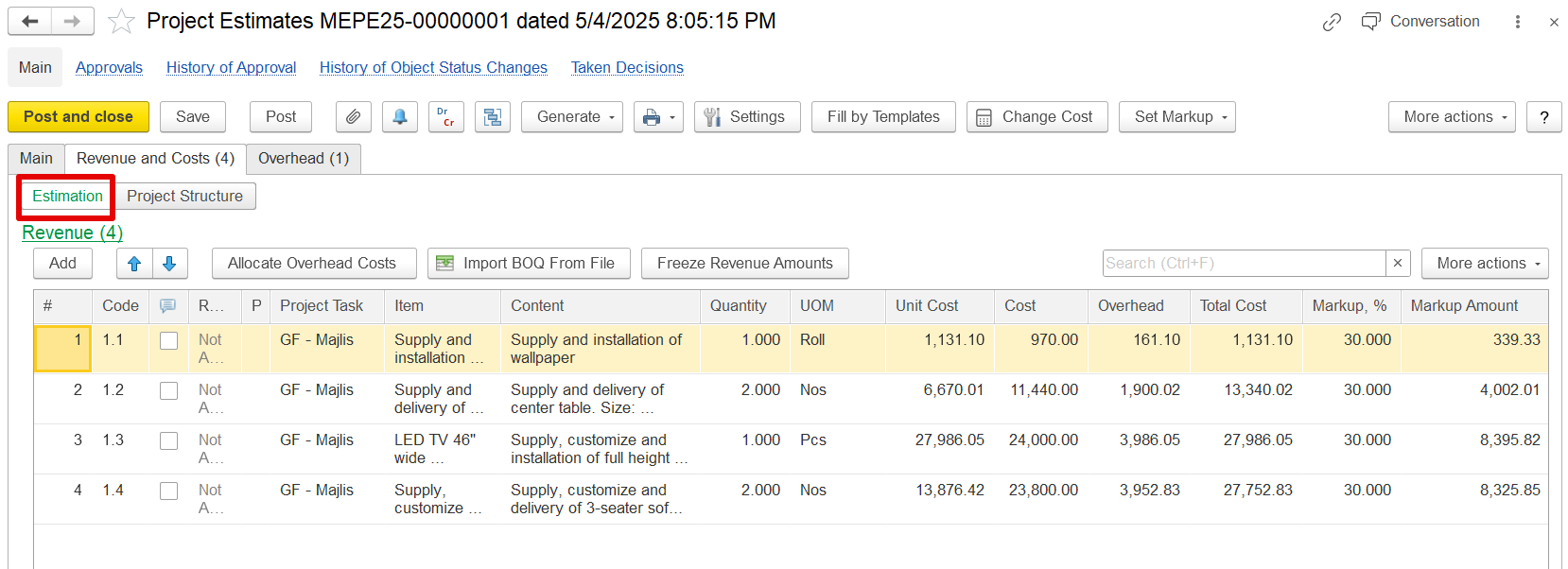
It can be viewed in Estimation mode or Project structure mode.
- Task
- Project Structure shows
This mode presents the hierarchical breakdown of a project by organizing tasks and
their hierarchy (what work is being done and how it's organized).
Details Shown:
work components. It displays task codes (e.g., 1, 1.1, 1.2)
Task along with task names and descriptions
(e.g., "GF – Majlis", "Supply and installation of wallpaper")Used to define where the work happens and how it’s grouped.
Estimation shows each task's cost, providing a clear view of the project’s scope and how work is grouped and sequenced. This mode is essential for understanding the overall project organization and task relationships.
Estimation
This mode focuses on the detailed financial aspects of the project. It is used to adjust specific line-level details, allowing precise entry and modification of costs, overhead, VAT, and markup
...
for each task.
Markup Functionality
The system calculates revenue for each estimation line by applying a markup—either a percentage or a fixed amount—to the entered cost.
...