The Inventory tab contains a list of items with prices and discounts that are offered to the customer in the quotation.
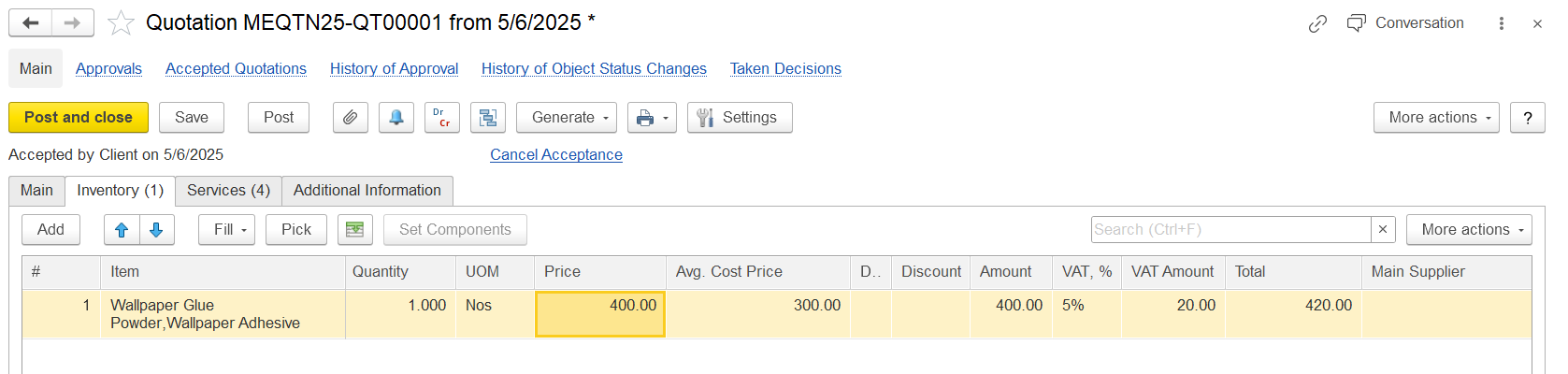
The Inventory tab lists items offered in the quotation. Click Add or Pick to include an item. Select from the item list or create a new one. To import from Excel, use the toolbar button.
Enter the quantity in Quantity, select a unit in UOM (if multiple UOMs are enabled). Content is filled automatically. Characteristic and Batch appear if enabled in settings. Specification is available for sets. Use Set Components to define components for set-type items.
Price is auto-filled from the price list or entered manually. Use Discount % or Discount to add manual discounts. Auto-Discount % and Auto-Discount show automatic discounts; click Auto to recalculate. Double-click these fields to view discount details.
Amount is calculated from price, quantity, and discount. If VAT is applied, VAT % and VAT Amount are shown. Total includes VAT.
Main Supplier, Supplier Price, and margin fields show cost and profitability info if available. Use Comment for any extra notes.