...
Task codes (e.g., 1, 1.1, 1.2)
Task names and descriptions (e.g., "GF – Majlis", "Supply and installation of wallpaper")
Used to define where the work happens and how it’s grouped.
Estimation shows each task's cost, overhead, VAT, and markup (how much the work will cost and what revenue it will generate).
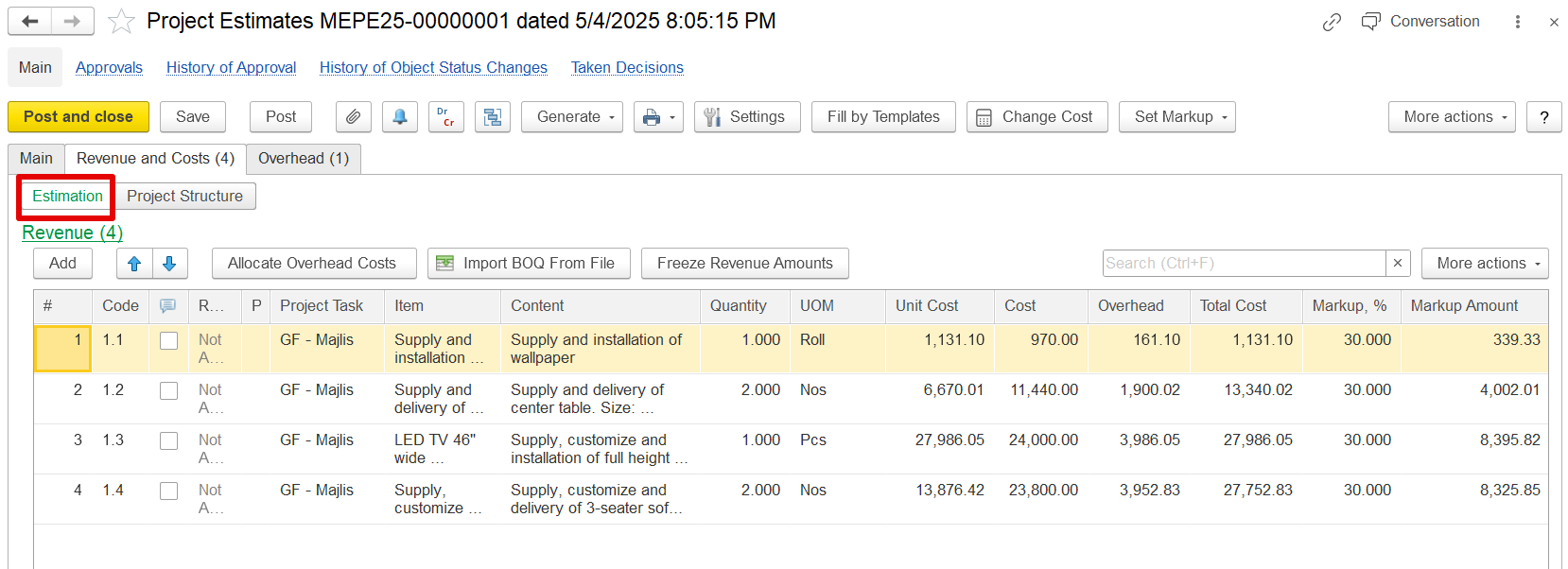
Markup Functionality
The system calculates revenue for each estimation line by applying a markup—either a percentage or a fixed amount—to the entered cost.
...
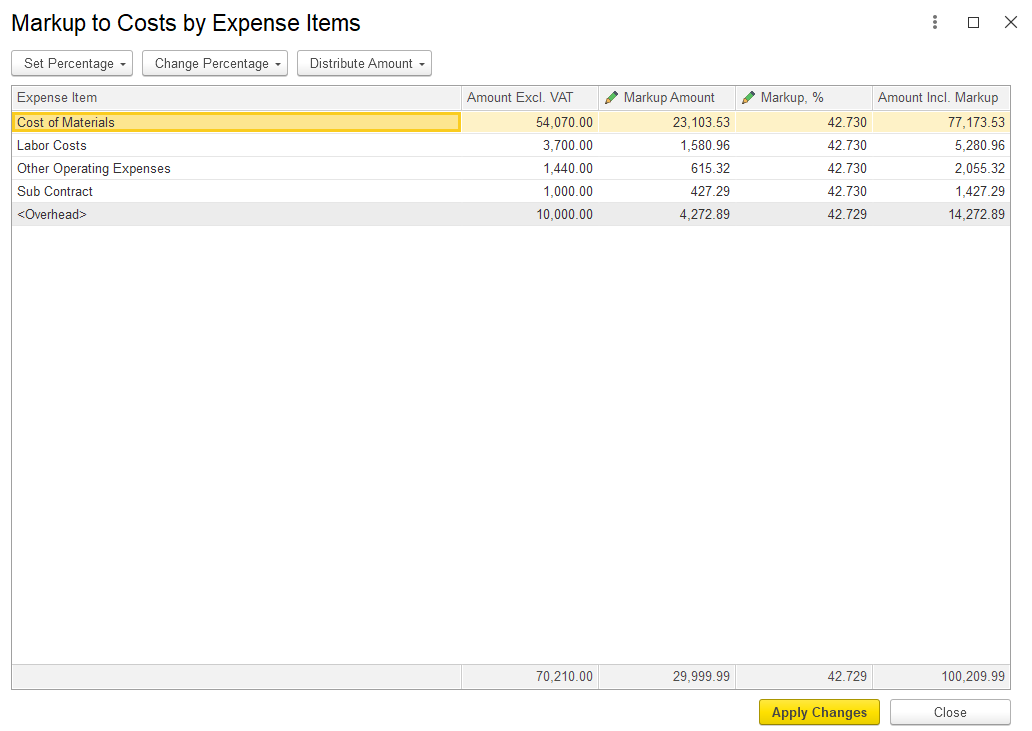
c) Based on Expense Item:
This option enables markup to be applied to specific expense items. Both the markup amount and percentage can be adjusted as needed.
Freeze Revenue Amounts
In practice, once revenue is agreed with a client, it should remain fixed, even if internal costs change. To support this, the Estimation Document includes a "Freeze Revenue Amounts" button that modifies the system’s recalculation behavior.
...
Example:
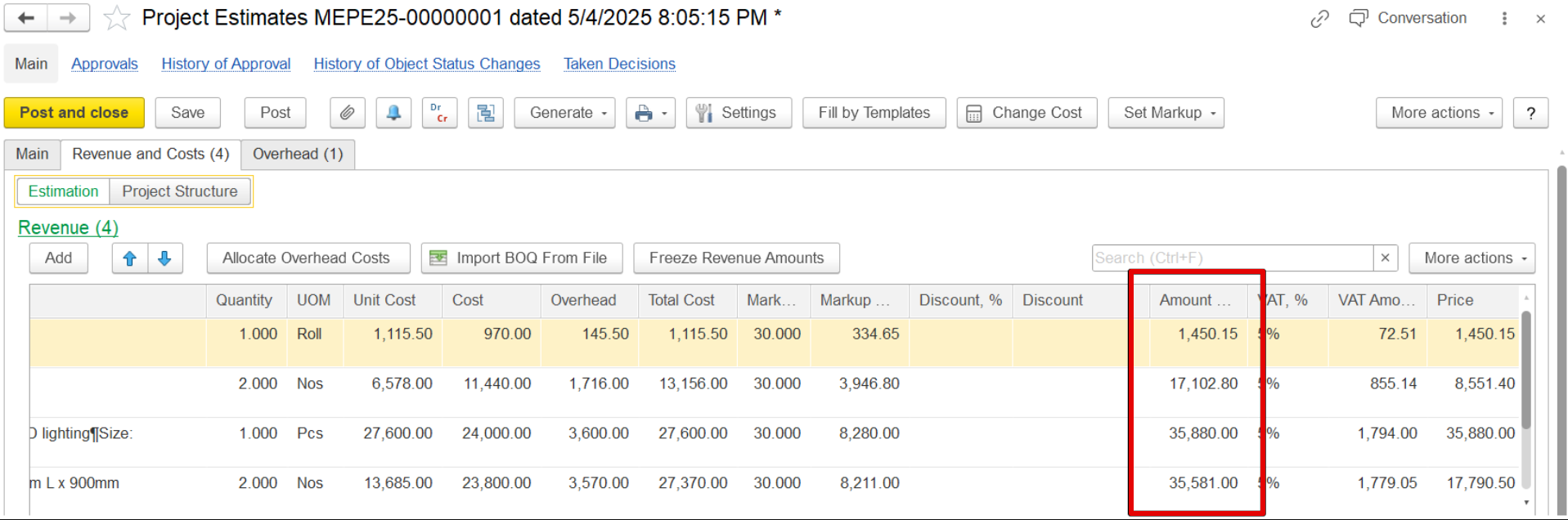
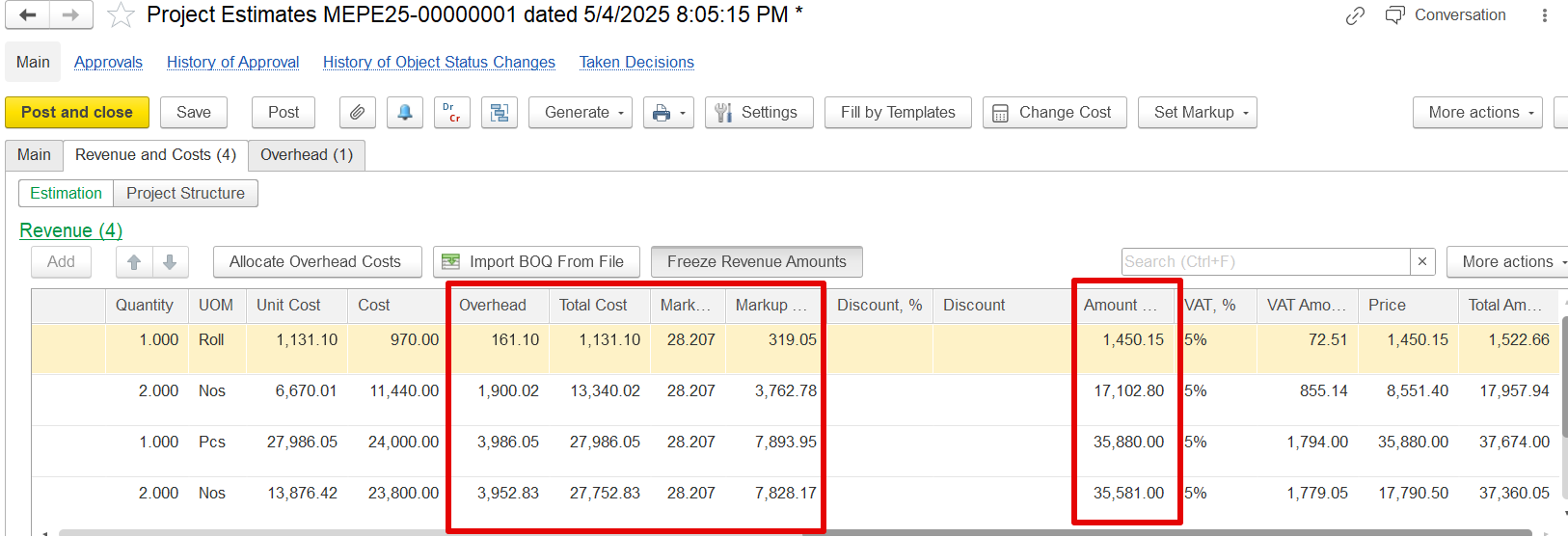
If a revenue value of 1,450.15 is frozen, and overheads are amended and adjusted using the "Allocate Overhead Costs" function, the revenue will remain unchanged, as seen when comparing the screenshots. Only the overheads, total cost, and markup will be updated accordingly.
Import BOQ from file
This feature simplifies the process of entering BOQ data by importing it from an Excel file instead of manually typing each line.
...