...
It can be viewed in Estimation mode or Project structure mode.
- Project Structure shows the breakdown of project tasks and their hierarchy (what work is being done and how it's organized).
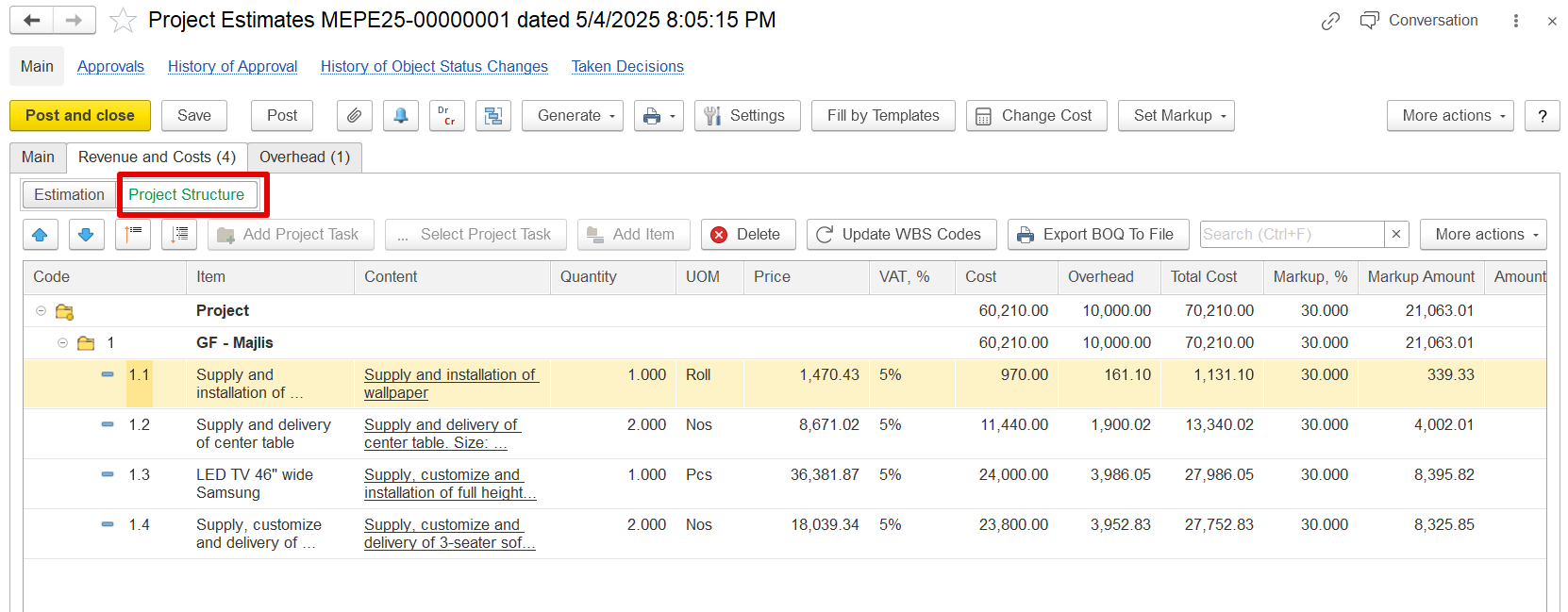
Details Shown:
Task codes (e.g., 1, 1.1, 1.2)
Task names and descriptions (e.g., "GF – Majlis", "Supply and installation of wallpaper")
Used to define where the work happens and how it’s grouped.
Estimation shows the cost, overhead, VAT, and markup for each task (how much the work will cost and what revenue it will generate).
...
Example:
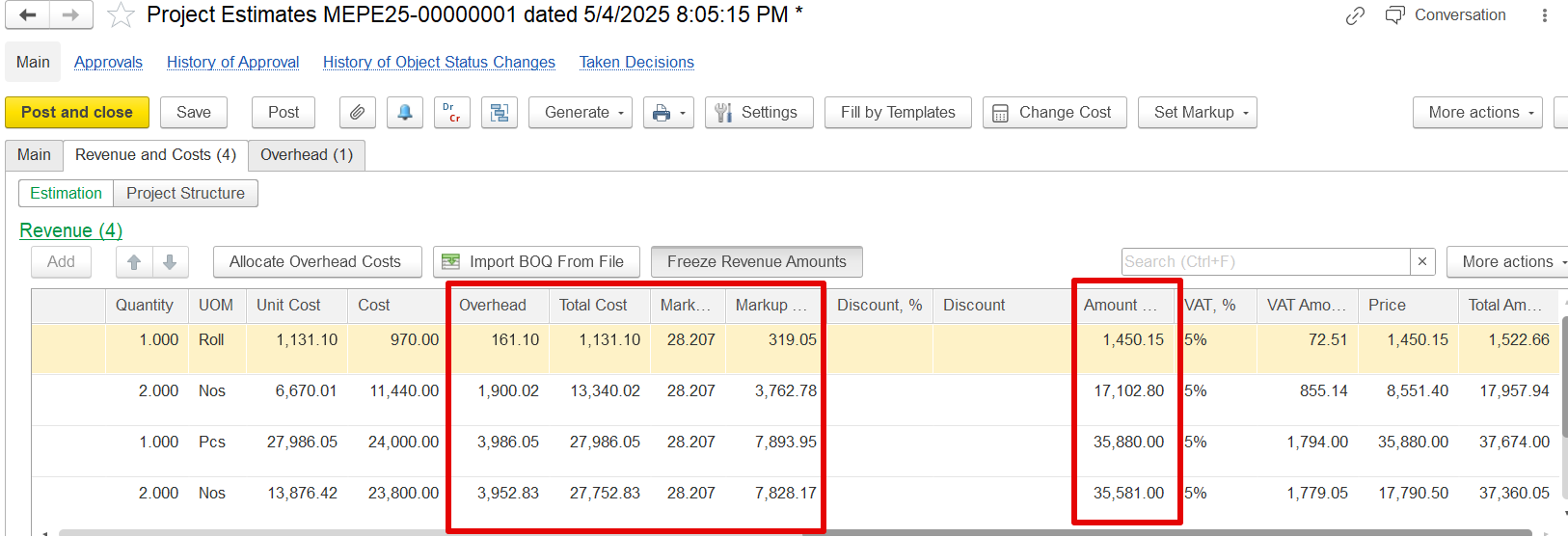
If a revenue value of 1,450.15 is frozen, and overheads are amended and and adjusted using the "Allocate Overhead Costs" function
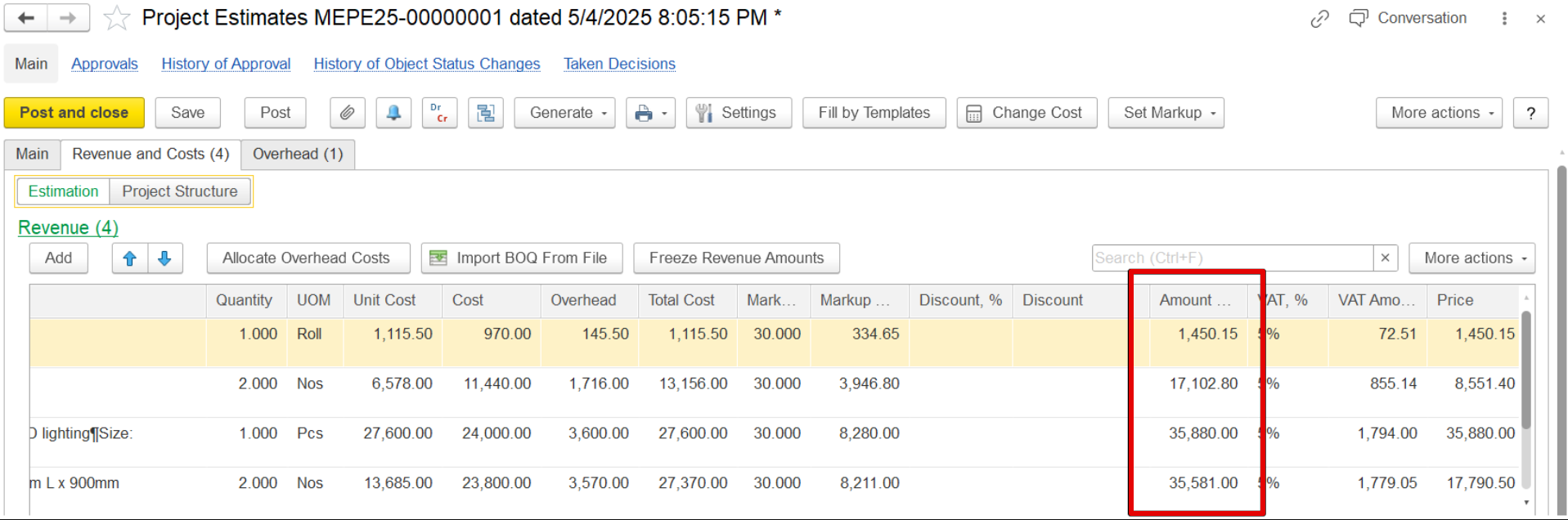
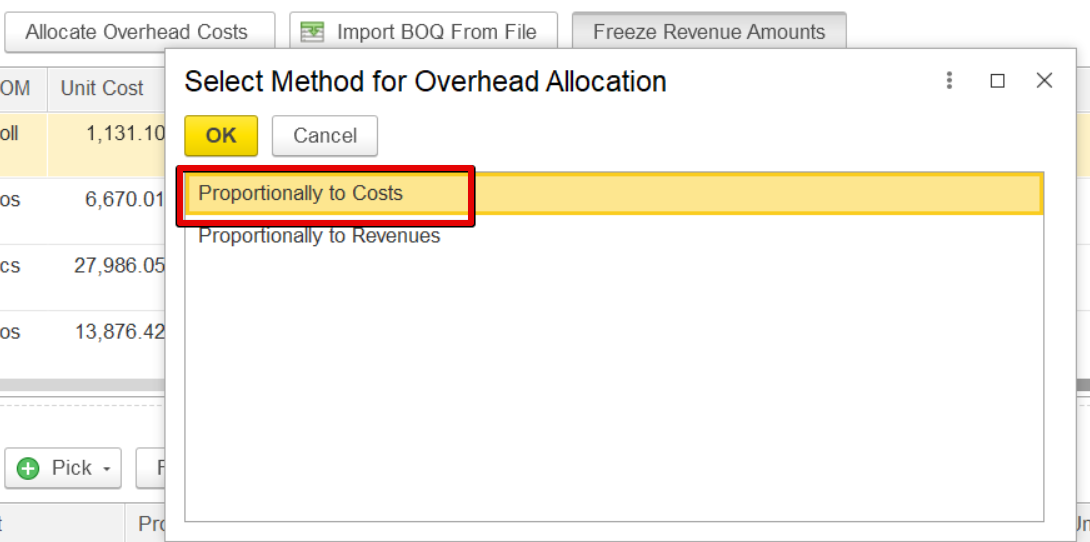
The , the revenue will remain the same, but the overhead, Total cost unchanged, as seen when comparing the screenshots. Only the overheads, total cost, and markup will be changed. For example, previously the revenue was 1450.15 and changed in overhead, it remained the same.updated accordingly.
Import BOQ from file
...
Hierarchy Code – Code indicating the level or structure of the BOQ item in the project hierarchy.
WBS Code – Work Breakdown Structure code for organizing work packages.
Is Is Group – Boolean –Boolean (yes/no or 1/0) to indicate if the item is a group header.
Item Code – Unique code for the BOQ item.
Description – Short description of the item.
Full Description – Detailed description of the item (optional).
Quantity – Number of units required.
UOM – Unit of Measure (e.g., m², kg, hr).
Comment Only – Optional notes for reference only (not used in calculation).