...
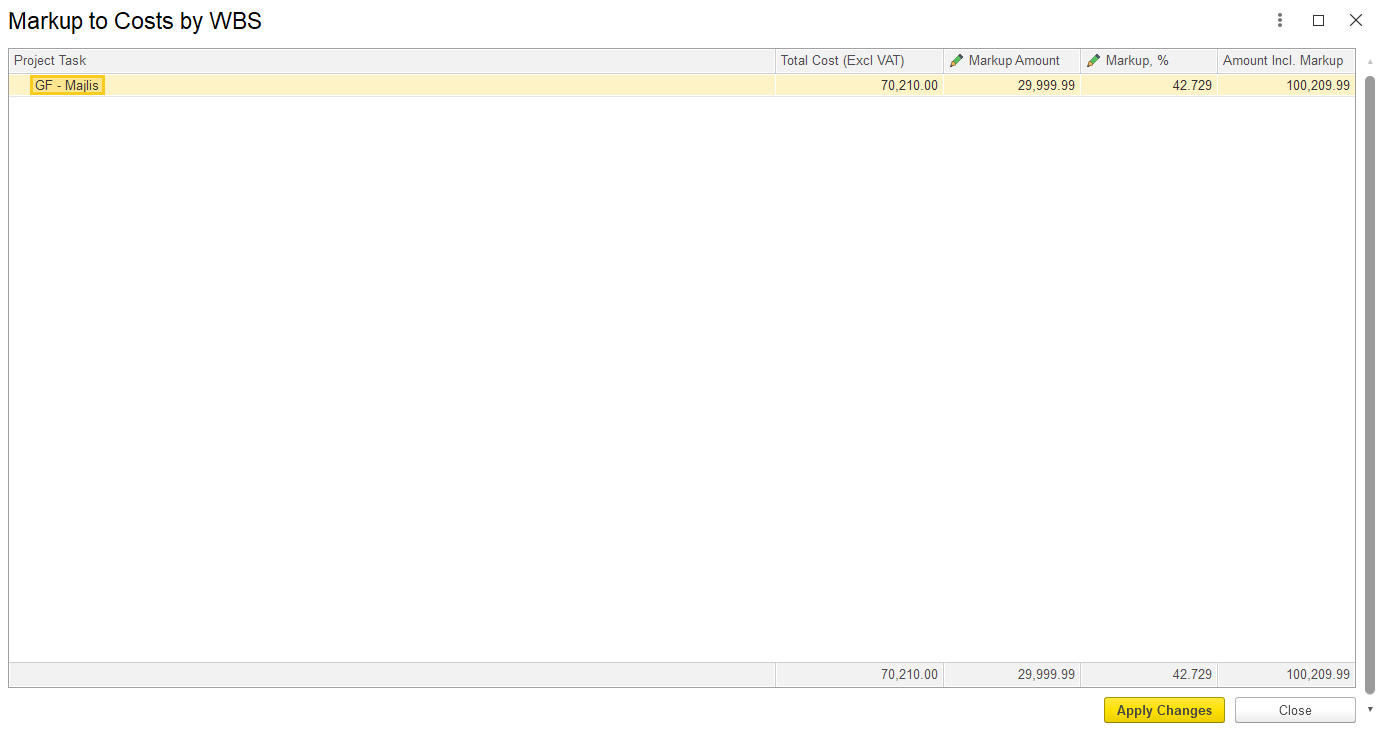
b) By WBS – This option applies markup based on the Work Breakdown Structure (WBS). In the dialog box, either a markup amount or a percentage can be entered, which will then be allocated to the respective project tasks. Separate markup values can be defined for each task.
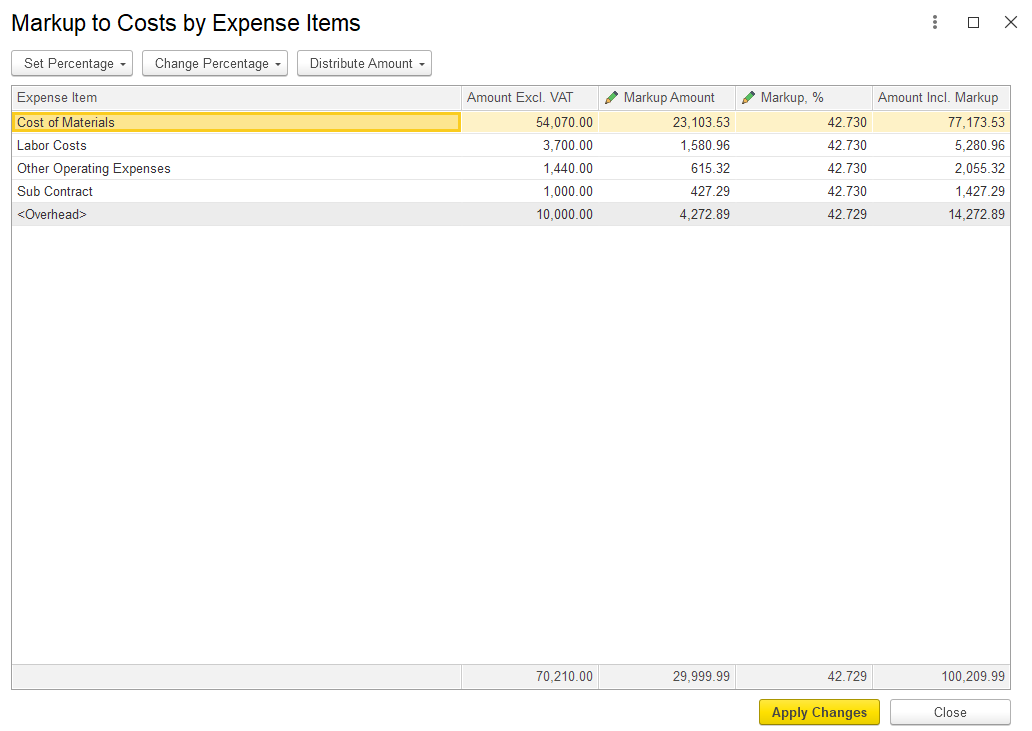
c) By Expense Item-
It can be updated based onThis option allows markup to be applied according to specific expense items. It allows amendment of markup amount and percentage.
Freeze Revenue Amounts
In practice, once revenue is agreed with a client, it should remain fixed, even if internal costs change. To support this, the Estimation Document includes a "Freeze Revenue Amounts" button that modifies the system’s recalculation behavior.
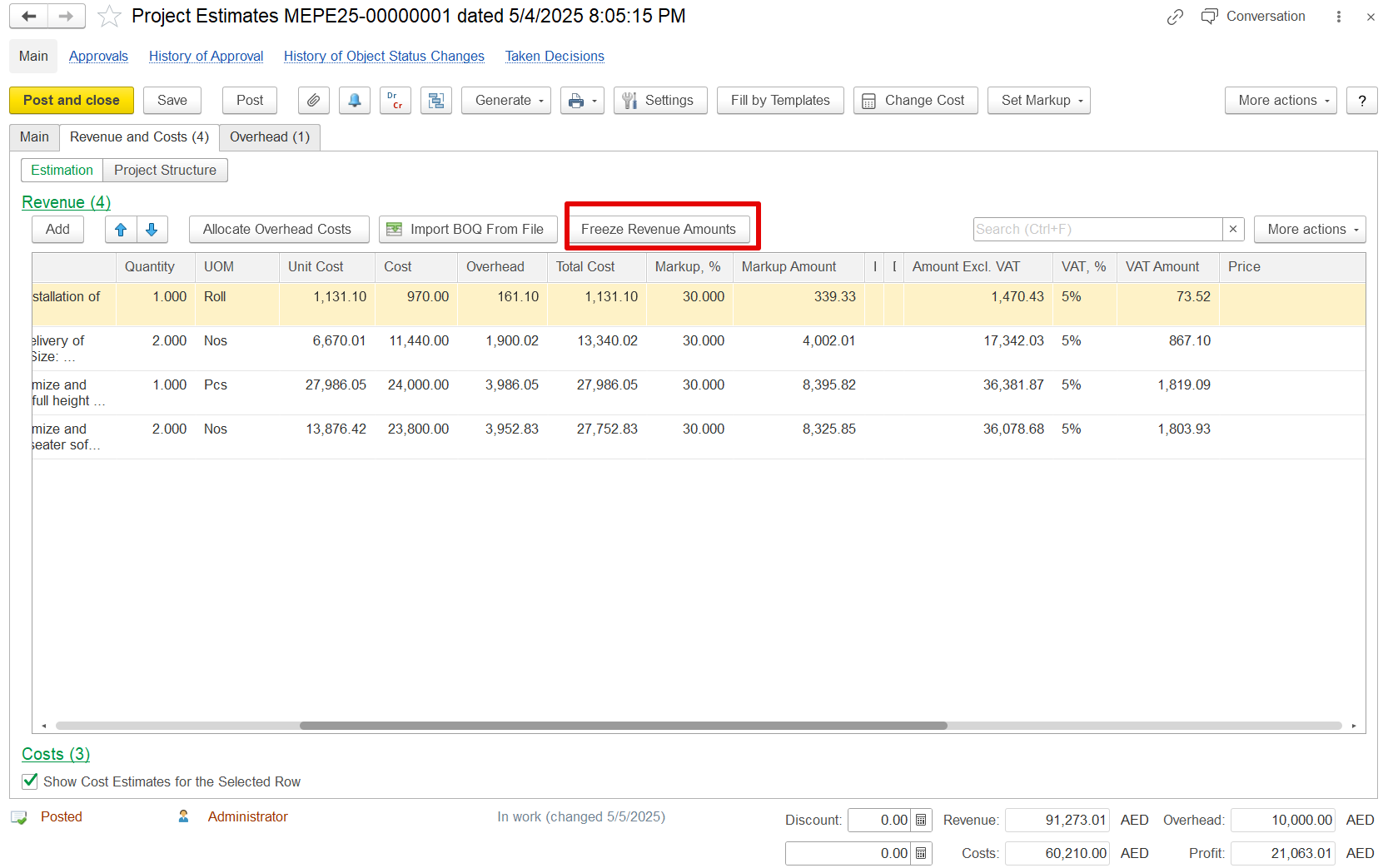
If the Freeze Revenue Amounts button is pressed:
Revenue amounts in parent estimation lines are locked and no longer update automatically.
Cost and markup values continue to recalculate as needed.
This applies to both manual cost changes and overhead reallocations.
Example:
If a revenue value of 1,450.15 is frozen, and overheads are amended and adjusted using the "Allocate Overhead Costs" function, the cost and markup will update, but the revenue will stay at 1,450.15, instead of changing to 1,470.43.
If the Freeze Revenue Amounts button is pressed:
Revenue values in parent lines remain fixed.
Only the associated costs and markups are recalculated.
This applies both to direct cost modifications and to overhead allocations performed through the allocation functionality.
Suppose an estimation line shows a revenue amount of 1450.15. If the overhead amount is changed, and the "Allocate Overhead Costs" option is used to reallocate those costs, this revenue figure would normally be recalculated to reflect the updated overheads as 1,470.43
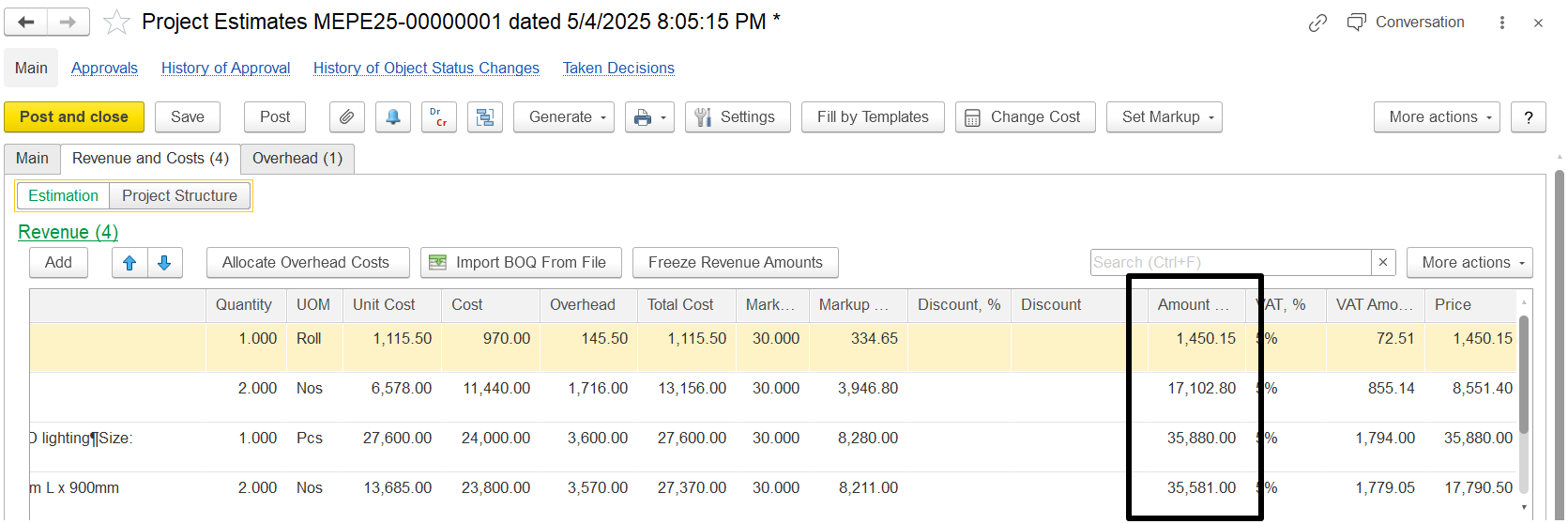
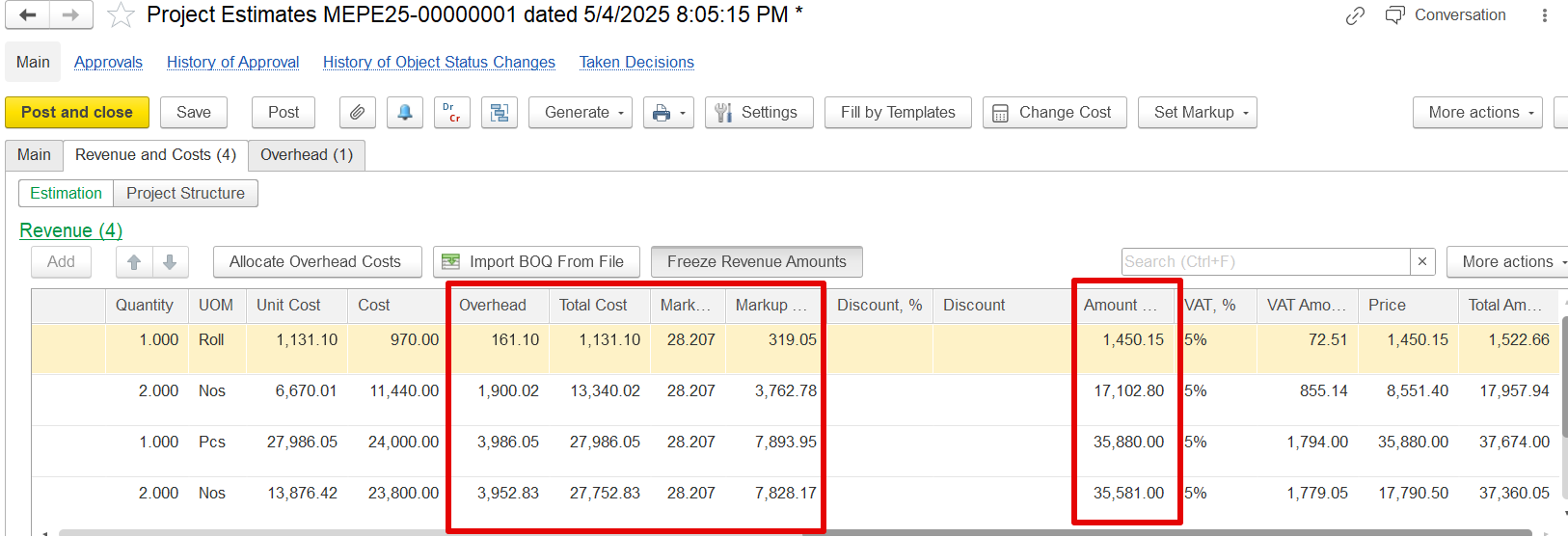
But if the Freeze Revenue Amounts button is pressed before making changes, then even after changing the overhead and allocating it again, the revenue stays the same at AED 1,450.15.
Only the overhead cost, total cost, and markup will change. This helps keep the revenue fixed, even when the costs are updated.
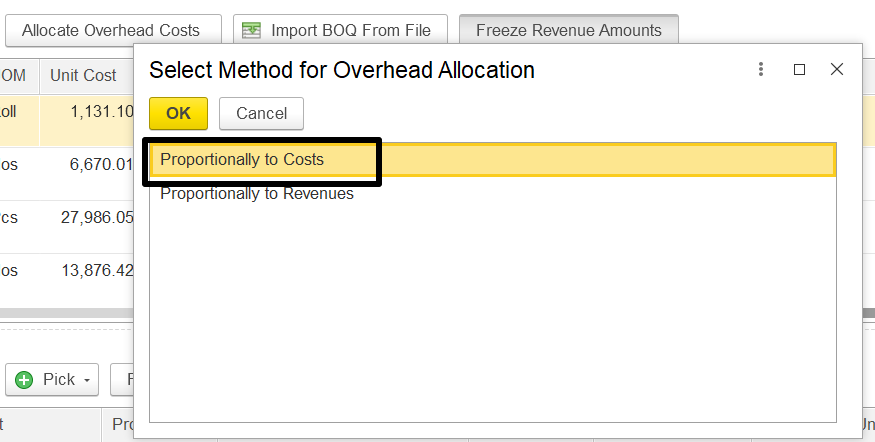
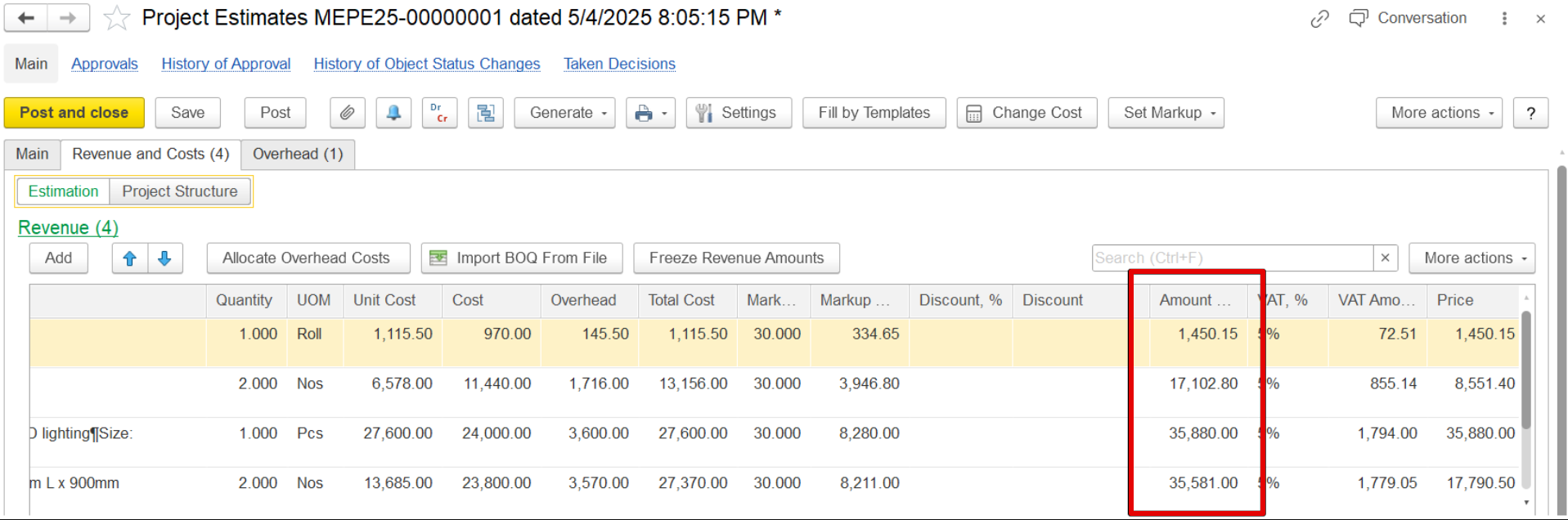
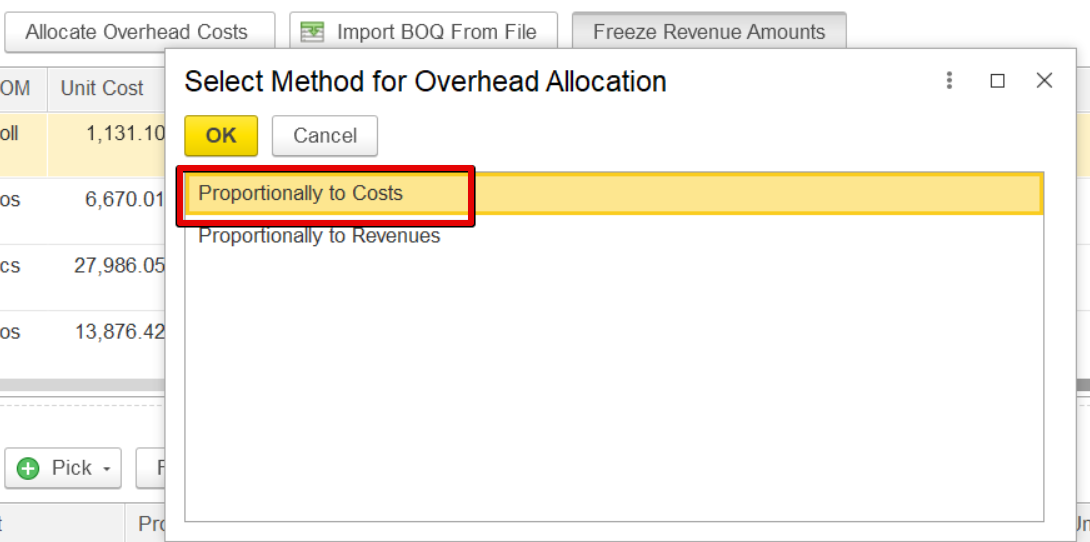
The revenue will remain the same, but the overhead, Total cost and markup will be changed. For example, previously the revenue was 1450.15 and changed in overhead, it remain remained the same.
Import BOQ from file
...