...
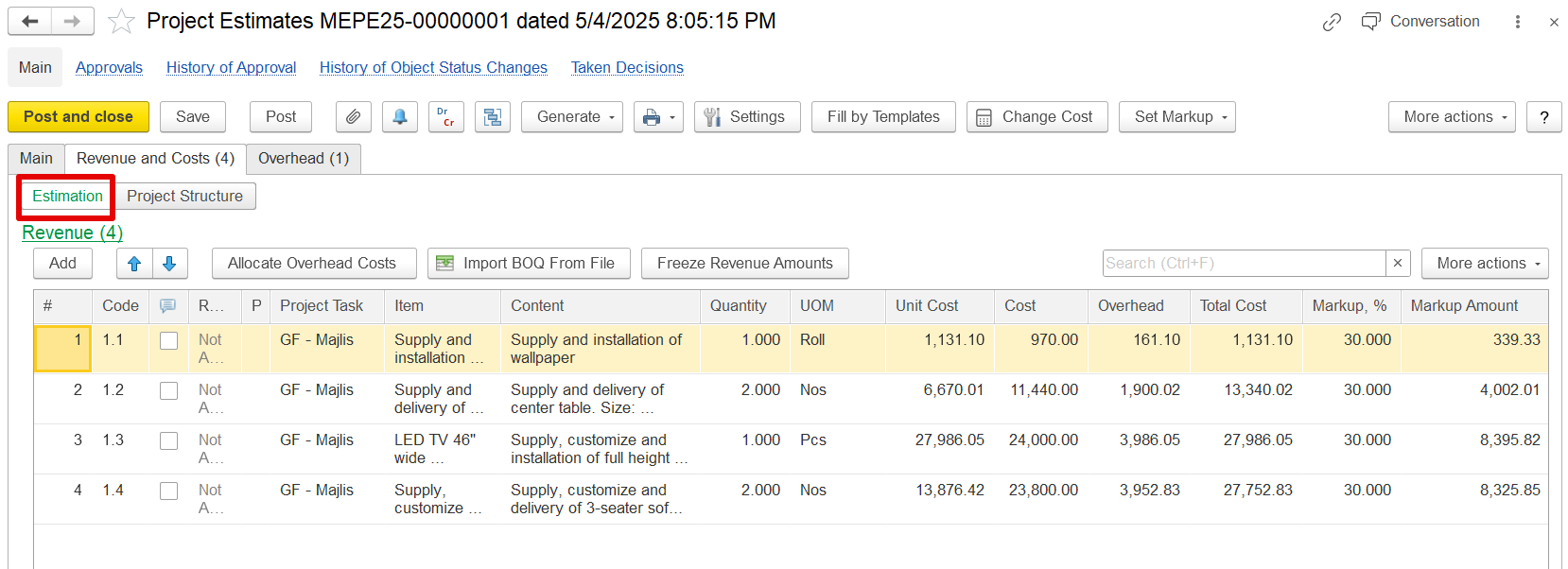
Task codes (e.g., 1, 1.1, 1.2)
Task names and descriptions (e.g., "GF – Majlis", "Supply and installation of wallpaper")
Used to define where the work happens and how it’s grouped.
Estimation shows the cost, overhead, VAT, and markup for each task (how much the work will cost and what revenue it will generate).
Markup Functionality
The system calculates revenue for each estimation line by applying a markup—either a percentage or a fixed amount—to the entered cost. When the cost is updated and Apply is clicked, the system recalculates the revenue based on the new cost and existing markup settings.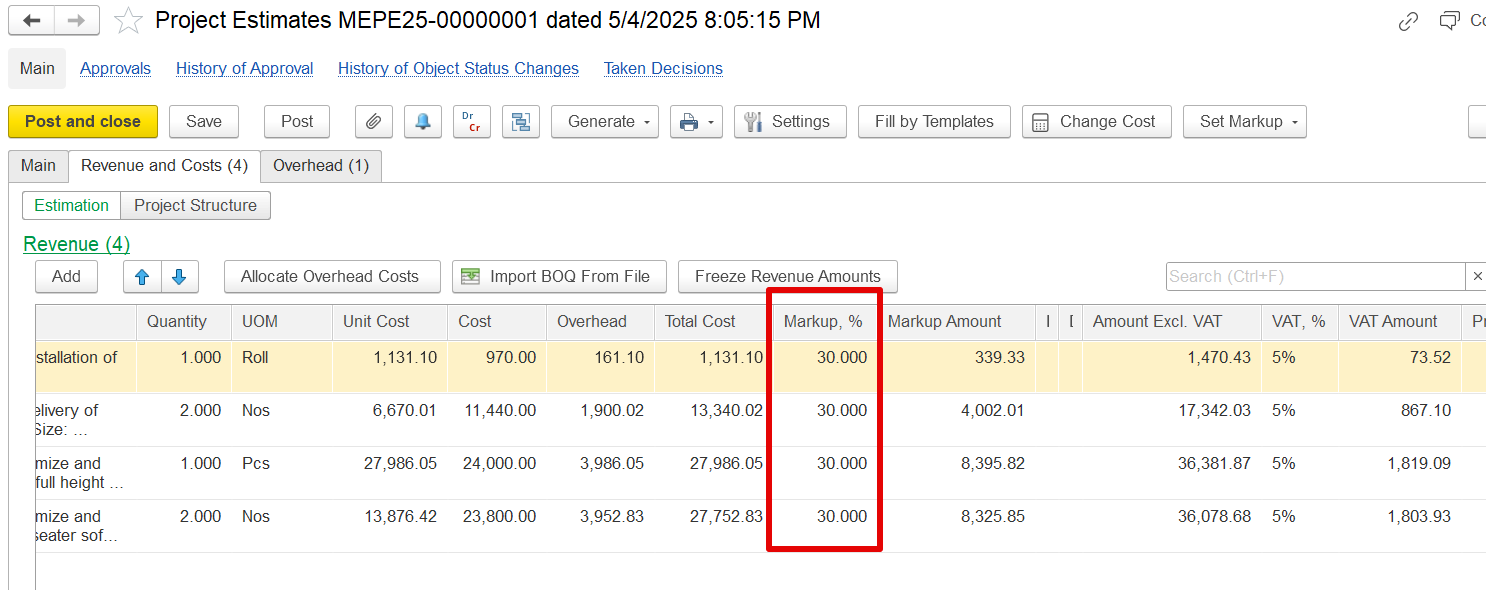
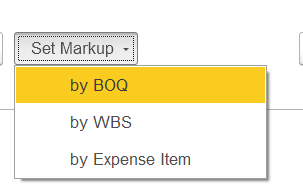
a) By BOQ- The markup will be applied based on the individual line items specified in the BOQ. The percentages are entered in the dialog box and are then applied to each corresponding line item.
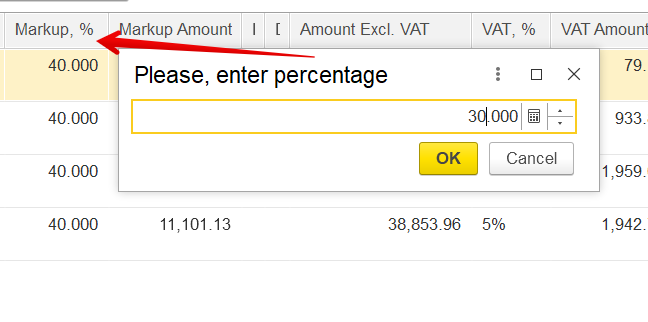
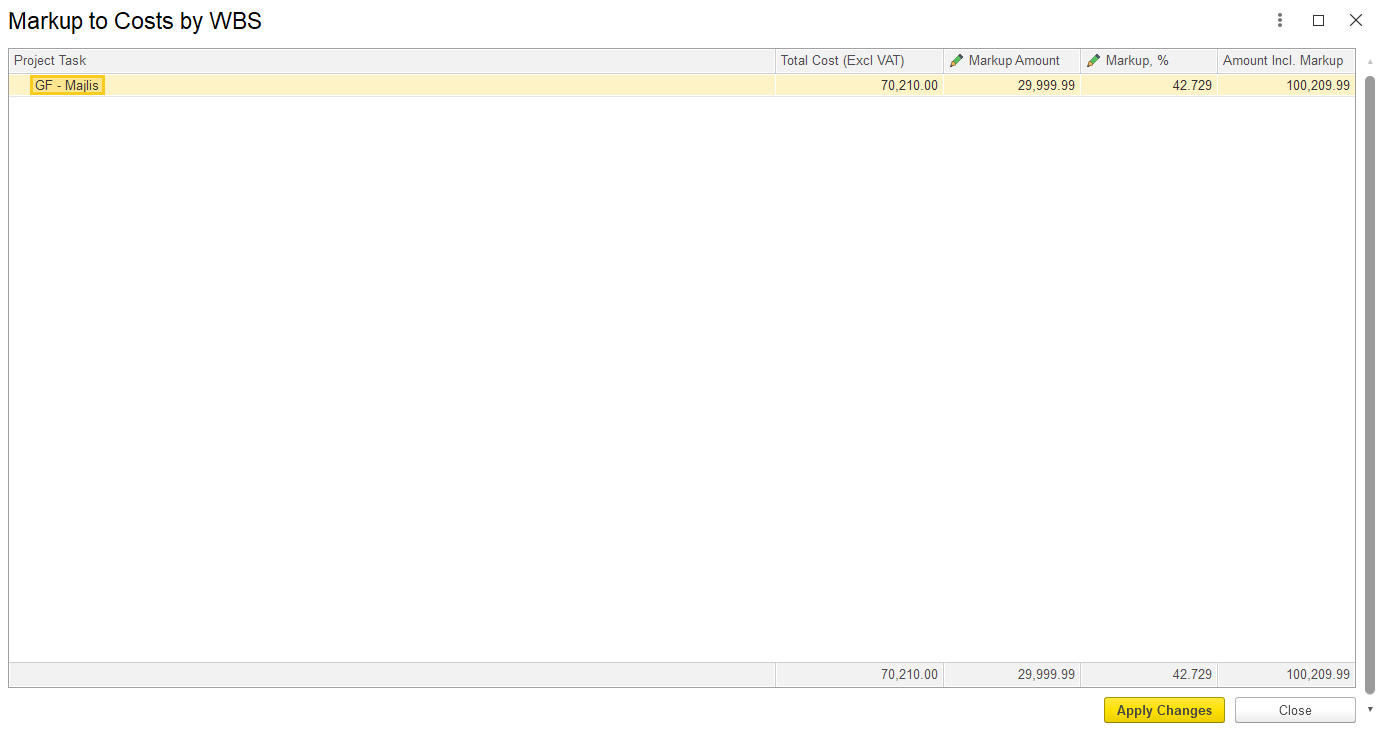
b) By WBS – This option applies markup based on the Work Breakdown Structure (WBS). In the dialog box, either a markup amount or a percentage can be entered, which will then be allocated to the respective project tasks. Separate markup values can be defined for each task.
c) By Expense Item-
It can be updated based on
Freeze Revenue Amounts
In practice, once revenue is agreed with a client, it should remain fixed, even if internal costs change. To support this, the Estimation Document includes a "Freeze Revenue Amounts" button that modifies the system’s recalculation behavior.
...