...
It can be viewed in Estimation mode or Project structure mode.
Project Structure shows the breakdown of project tasks and their hierarchy (what work is being done and how it's organized).
...
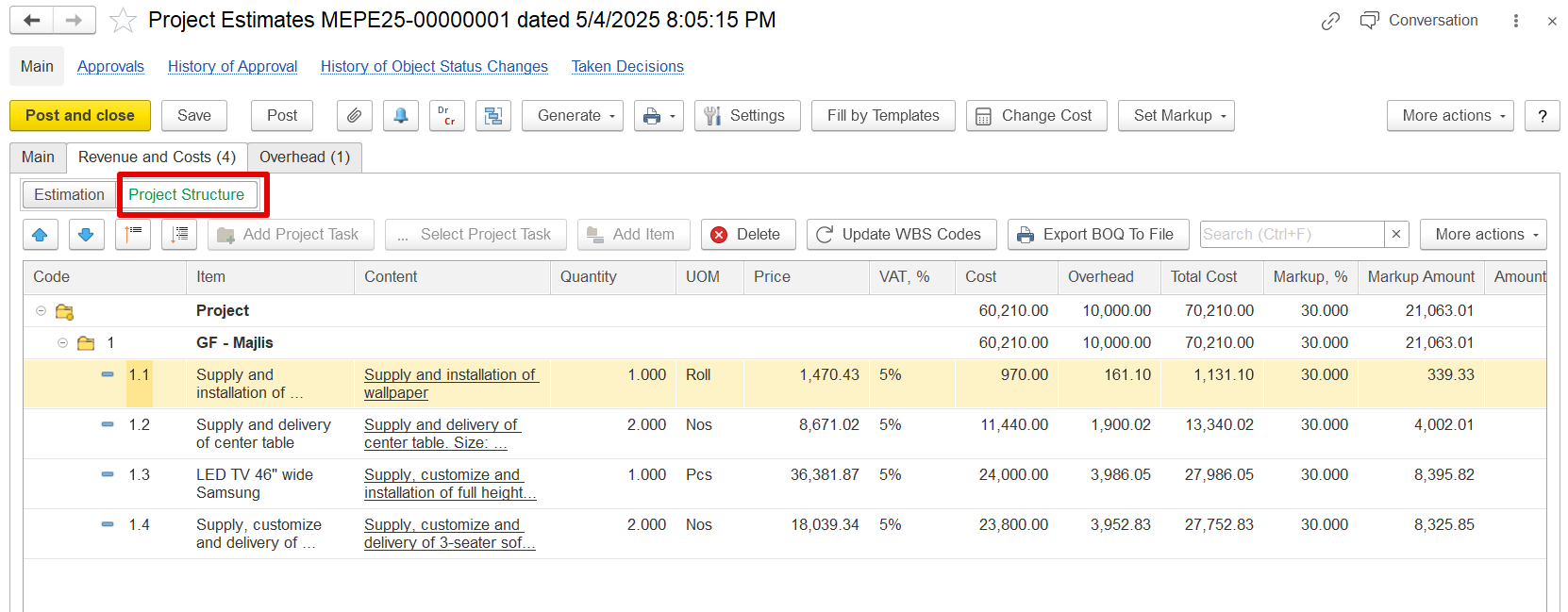
Details Shown:
Task codes (e.g., 1, 1.1, 1.2)
Task names and descriptions (e.g., "GF – Majlis", "Supply and installation of wallpaper")
Used to define where the work happens and how it’s grouped.
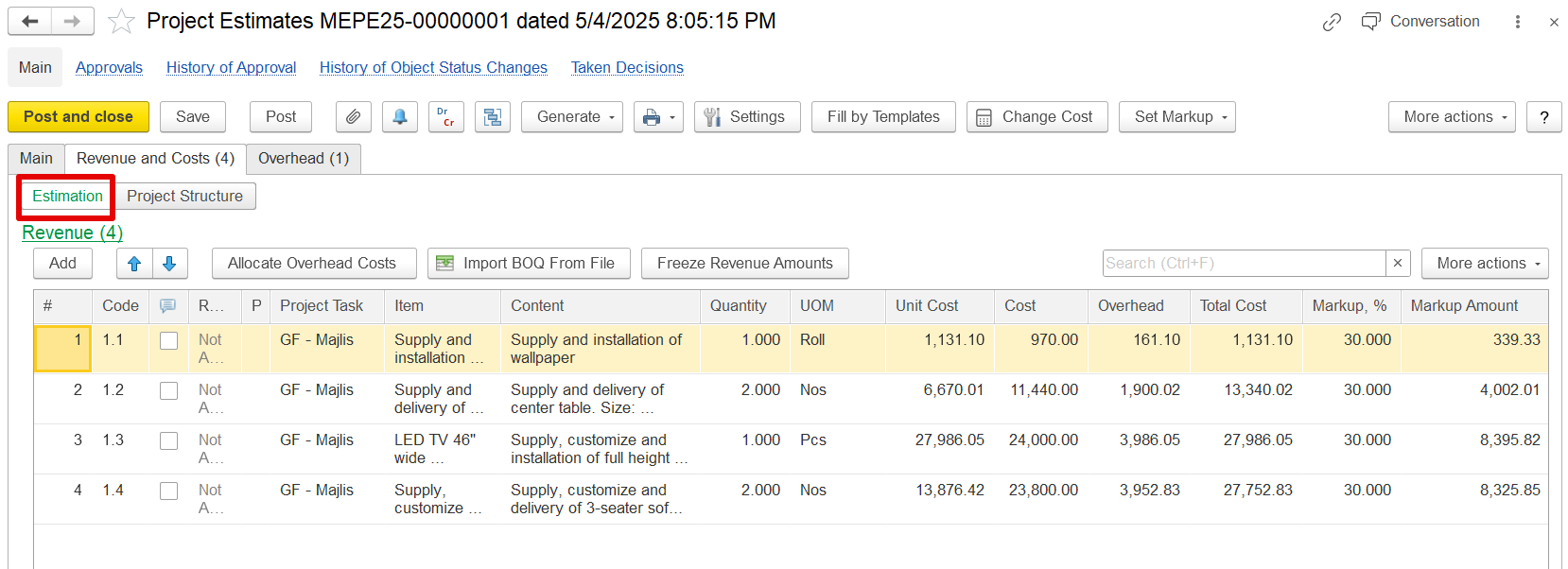
Estimation shows the cost, overhead, VAT, and markup for each task (how much the work will cost and what revenue it will generate).
...
The system automatically calculates markup based on the total cost of each line in an estimation. The markup determines the revenue amount by applying calculates revenue for each estimation line by applying a markup—either a percentage or fixed margin to the total cost.
How It Works:
If an estimation line has a cost value entered, the system calculates:
Total cost
Markup
Revenue amount (based on cost + markup)
For example, if a cost is entered and a markup percentage is applied, the system will automatically update the revenue to reflect the new total.
Recalculation Behavior:
If the cost value is changed and the user clicks Apply, the system will automatically recalculate amount—to the entered cost. When the cost is updated and Apply is clicked, the system recalculates the revenue based on the updated new cost and existing markup rulessettings.
However, in real business scenarios, once the revenue amount 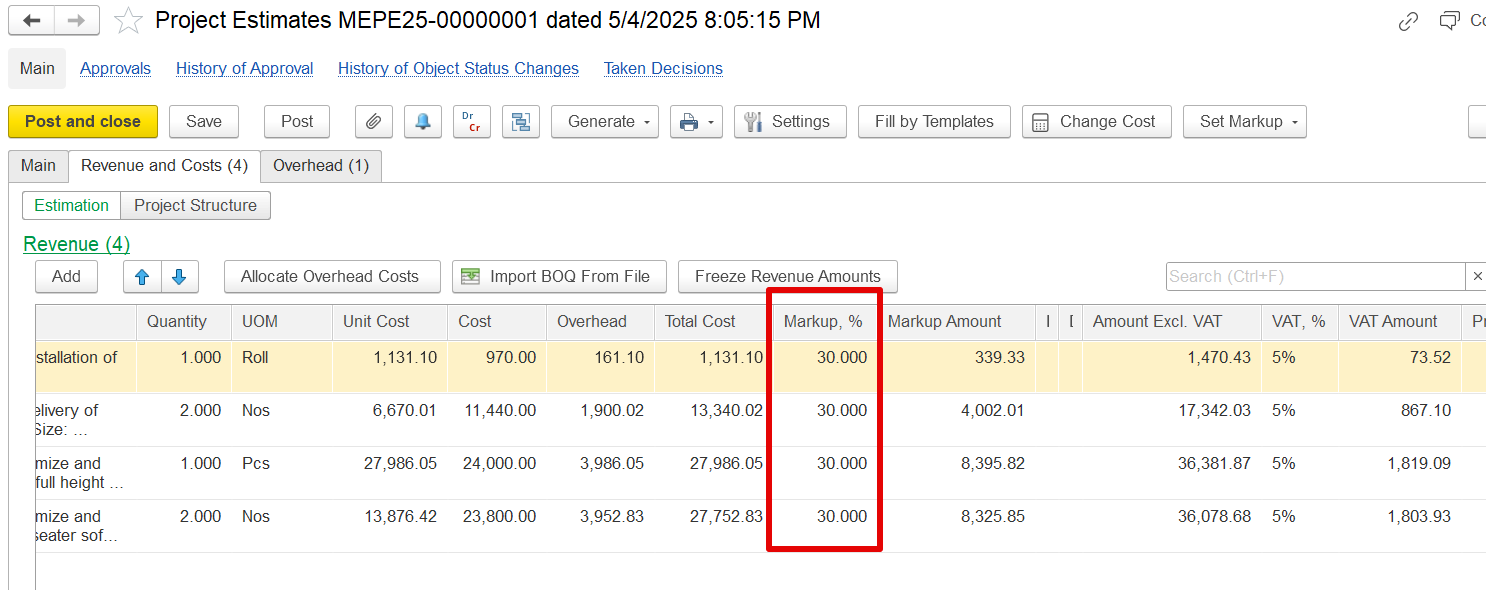
Freeze Revenue Amounts
In practice, once revenue is agreed with a client, any internal changes to cost (e.g., due to new purchase prices or resource updates) should not change the revenue.
Freeze the Revenue amount
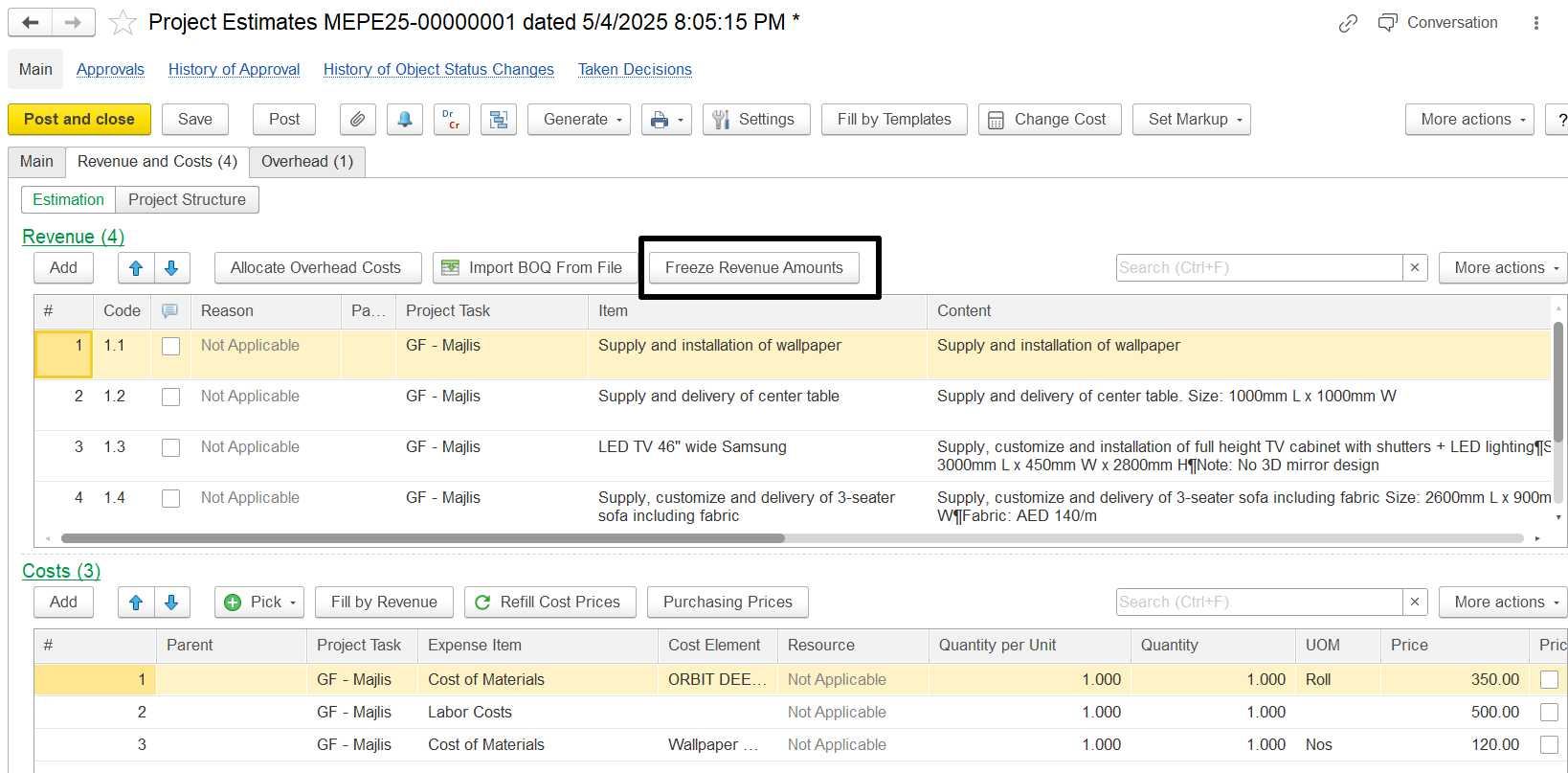
The Estimation Document has a button, "Freeze Revenue Amounts." When this button is activated, it changes the recalculation logic during cost updates., it should remain fixed, even if internal costs change. To support this, the Estimation Document includes a "Freeze Revenue Amounts" button that modifies the system’s recalculation behavior.
Revenue amounts in parent estimation lines are locked and no longer update automatically.
Cost and markup values continue to recalculate as needed.
This applies to both manual cost changes and overhead reallocations.
Example:
If a revenue value of 1,450.15 is frozen and overheads are adjusted using the "Allocate Overhead Costs" function, the cost and markup will update, but the revenue will stay at 1,450.15, instead of changing to 1,470.43.
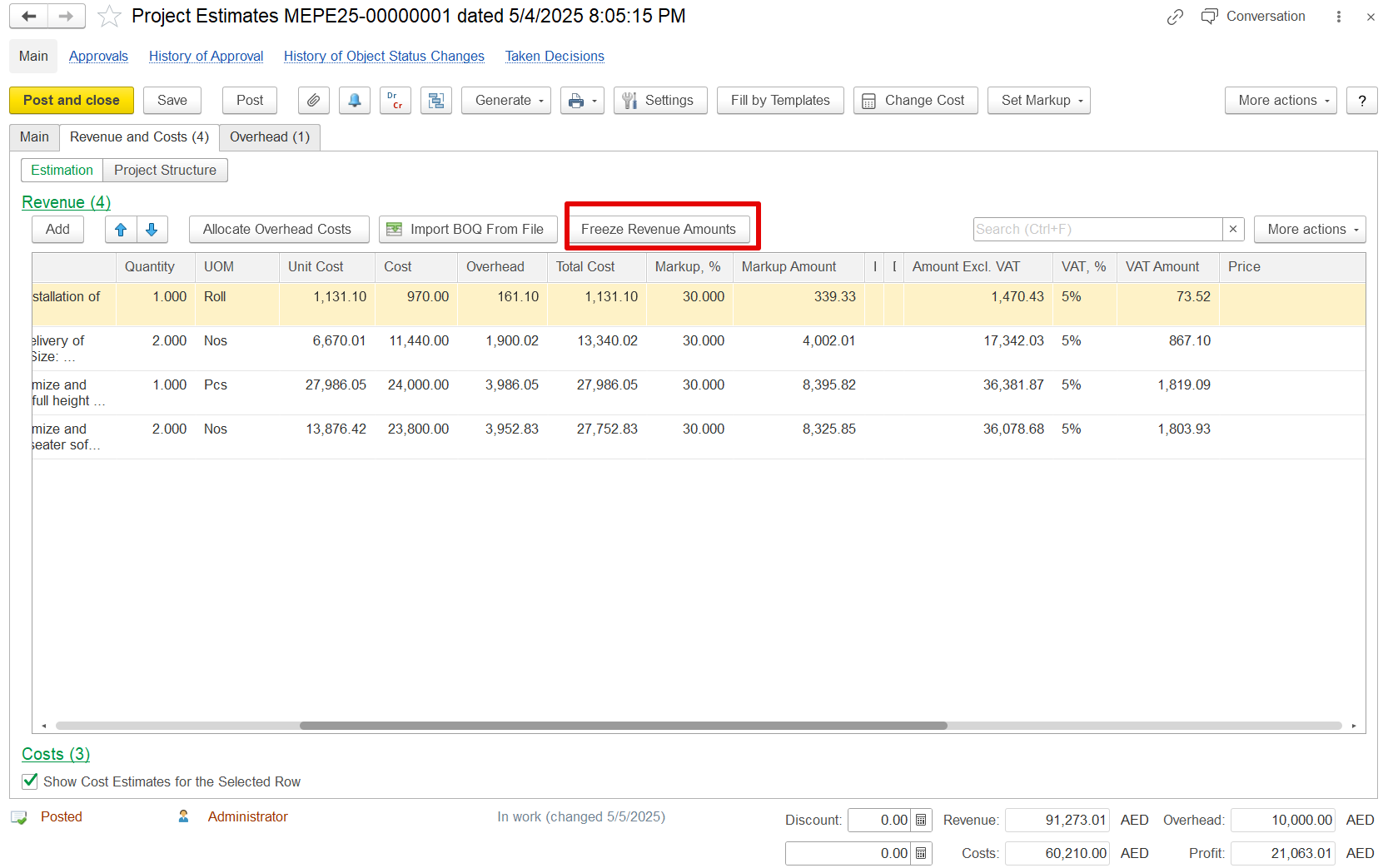
If the Freeze Revenue Amounts button is pressed:
...