...
On this tab, you can enter general information about the project's estimate: the project, customer, project type, entity, and the employee who is responsible for the project. Also, you can specify whether you need to split estimates by planning period.
Depending on the selected method of estimate calculation, the form has different tabs:
- If the Independent Calculation of Revenues and Costs method is selected, there are the following tabs: Main, Costs, and Revenues.
- If the Calculation of Revenues Based on Costs method is selected, there are the following tabs: Main, Revenues and Costs, and Overheads
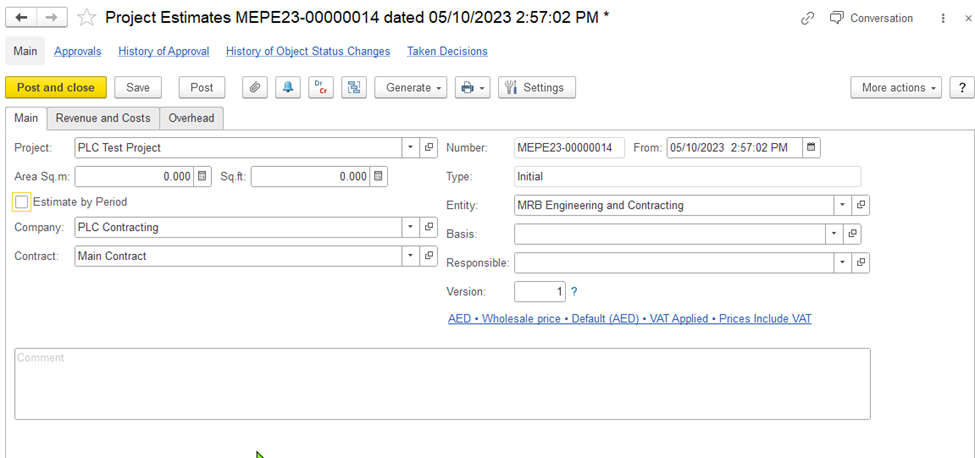
If for any method, the Estimates by Period check box is selected, one more tab, Estimates by Period, appears.
...
Both panes work together to calculate the total project cost and the resulting markup and revenue.
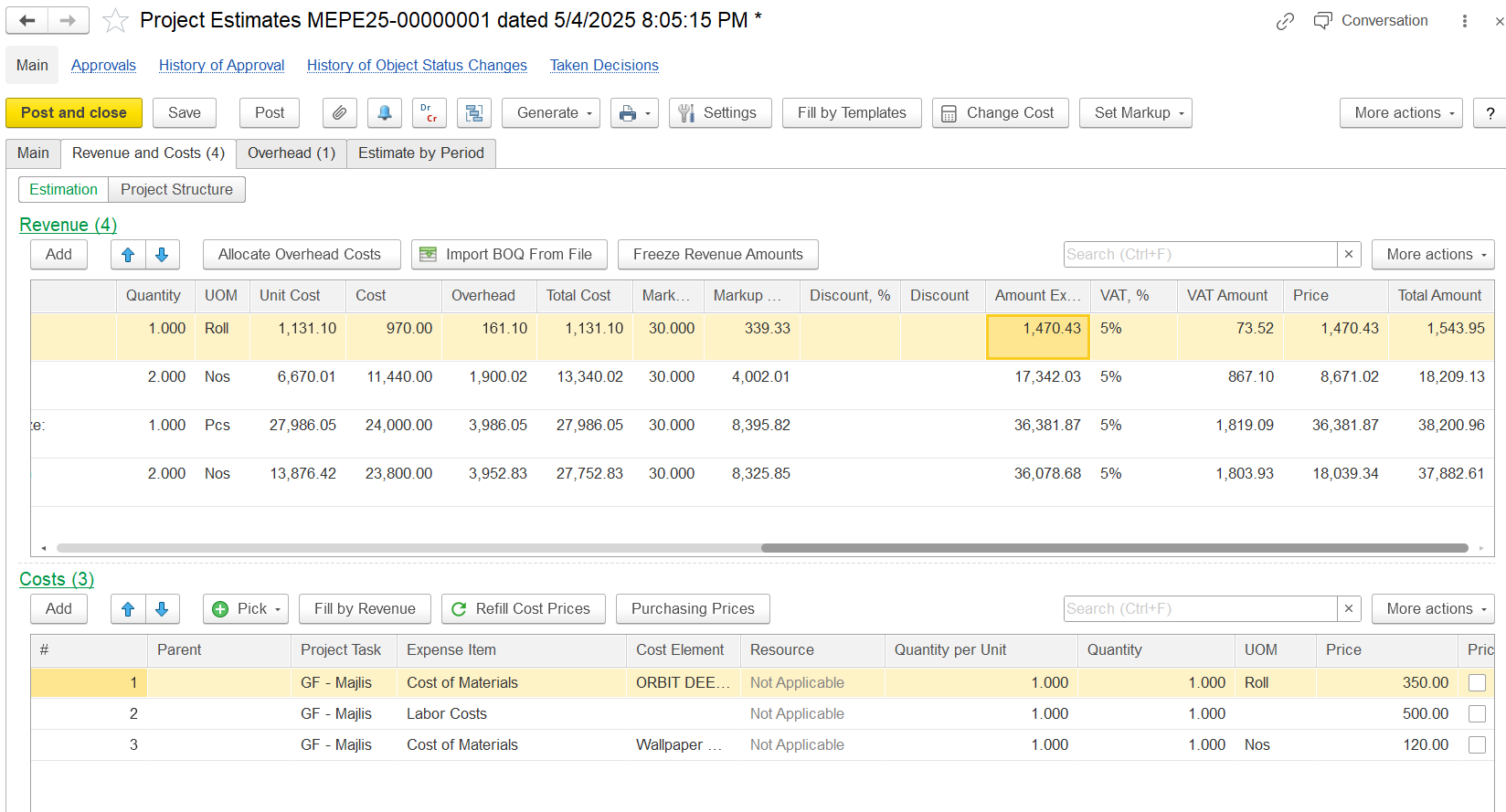
Revenues Pane (Upper Pane)
This pane is used to define revenue items for the project. Each revenue line can be linked to one or more cost lines in the Costs pane.
Project Task: Select the task the revenue is related to.
Item: Choose the revenue item or service.
Content: A description field; auto-filled from the item but can be edited.
Quantity: Enter the number of units for the item.
UOM: Unit of Measure, filled based on the selected item.
Amount: You can enter the estimated revenue amount directly if not using items or markups.
Overhead: Shows other costs related to this item, usually filled from the Overheads tab.
Total Cost: Displays the total cost (including overhead) for the quantity entered.
Markup, %: Enter a percentage to apply a profit margin on the cost.
Markup Amount: Shows the markup value based on the percentage or can be entered manually.
Amount: Shows the calculated revenue amount.
VAT, %: Auto-filled VAT rate based on the item.
VAT Amount: Displays the calculated VAT amount.
Price: Price per unit of the revenue item after applying the markup.
Total Amount: Final revenue amount, including VAT if applicable.
...
Costs Pane (Lower Pane)
This section is used to add and manage the costs associated with the selected revenue item.
...