...
Freeze revenue amounts;- done
Markup Functionality
The system automatically calculates markup based on the total cost of each line in an estimation. The markup is used to determine the revenue amount by applying a percentage or fixed margin to the total cost.
How It Works:
If an estimation line has a cost value entered, the system calculates:
Total cost
Markup
Revenue amount (based on cost + markup)
For example, if a cost is entered and a markup percentage is applied, the system will automatically update the revenue to reflect the new total.
Recalculation Behavior:
If the cost value is changed and the user clicks Apply, the system will automatically recalculate the revenue based on the updated cost and existing markup rules.
However, in real business scenarios, once the revenue amount is agreed with a client, any internal changes to cost (e.g., due to new purchase prices or resource updates) should not change the revenue.
Freeze the Revenue amount
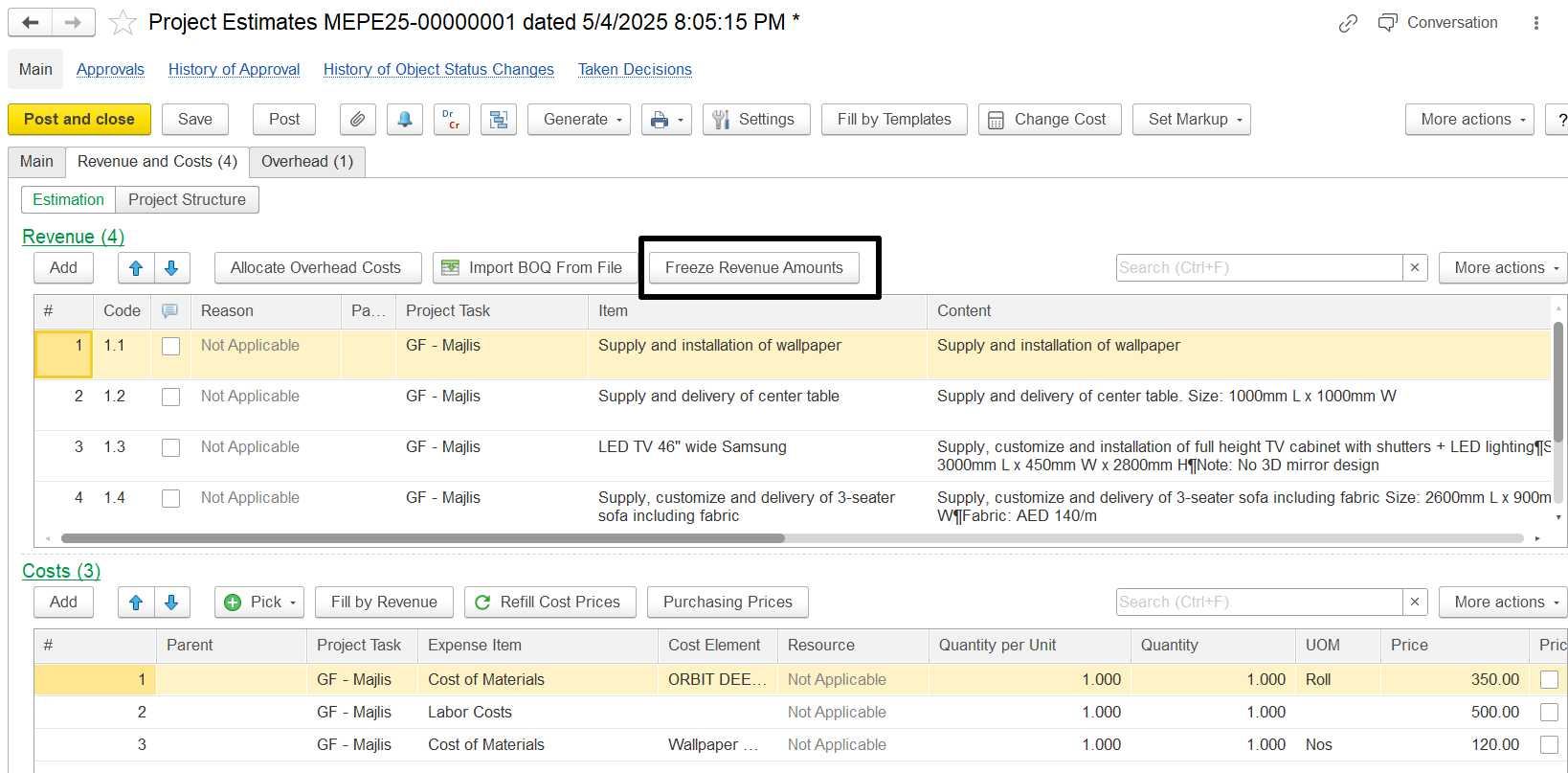
The Estimation Document has a button, "Freeze Revenue Amounts." When this button is activated, it changes the recalculation logic during cost updates.
...