...
The required fields are: Description, Entity, and Project Warehouse.
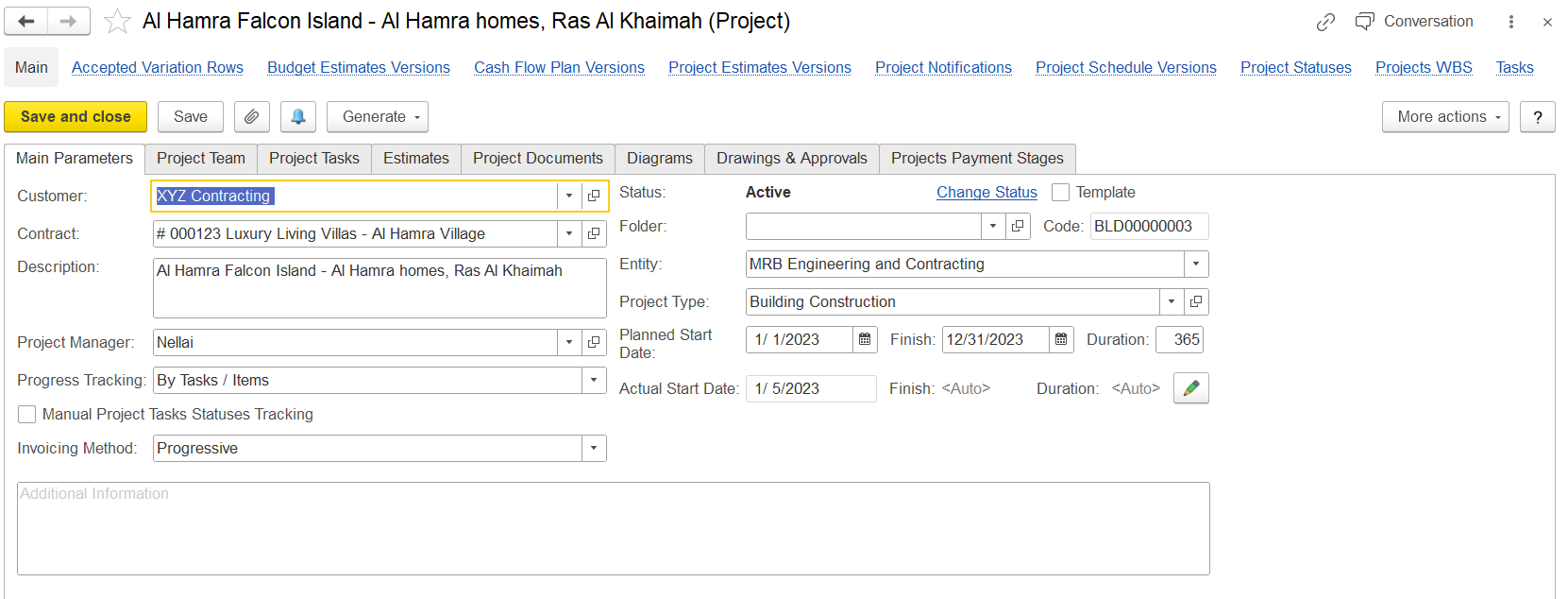
Main Parameters Tab – Field Details
...
The Project Status Change (create) form appears when you click the Change status link.
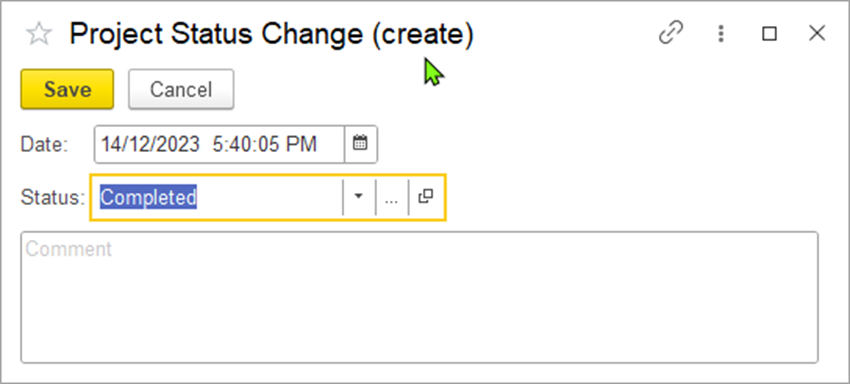
Select a new status for the project in the Status field. Optionally, you can edit the date of the status change.
...
The following links are available at the top of the form under the project title:

- Accepted Variation Rows – Approved changes to project scope, cost, or schedule.
- Budget Estimates Versions – History of budget changes.
- Cash Flow Plan Versions – Versions of projected cash inflows/outflows.
- Project Estimates Versions – History of project cost/resource estimates.
- Project Notifications – Alerts or updates related to the project.
- Project Schedule Versions – Timeline changes tracked over time.
- Project Statuses – Log of project status changes.
- Project Task Pipelines – Current status of tasks.
- Project WBS – Work Breakdown Structure; hierarchy of project tasks.
- Task – Individual unit of work in the project.