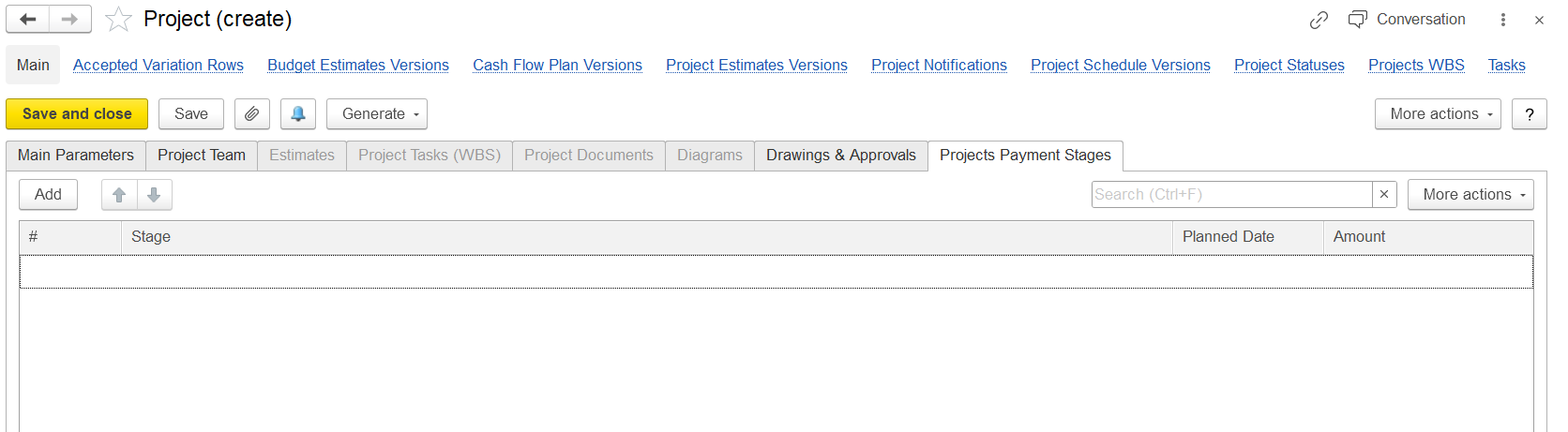
This tab allows defining the Payment stages (or Milestones) for the project's stages.
...
It allows defining payment stages (or milestones) for the project.
...
The Projects Payment Stages tab is used to plan, organize, and track project payments based on progress.
Each payment stage corresponds to a project deliverable, a progress checkpoint, or a
...
scheduled milestone.
The columns shown:
#
—- Sequence number.
Stage
—Name or description of the payment stage (
for examplee.g., "Advance Payment", "Completion of Phase 1", etc.).
Planned Date — Expected date when this payment is supposed to happen.
Amount — The payment amount associated with this stage.
The "Add" button adds new stages to the list.
"More actions" again likely offers options like delete, copy, or import/export.
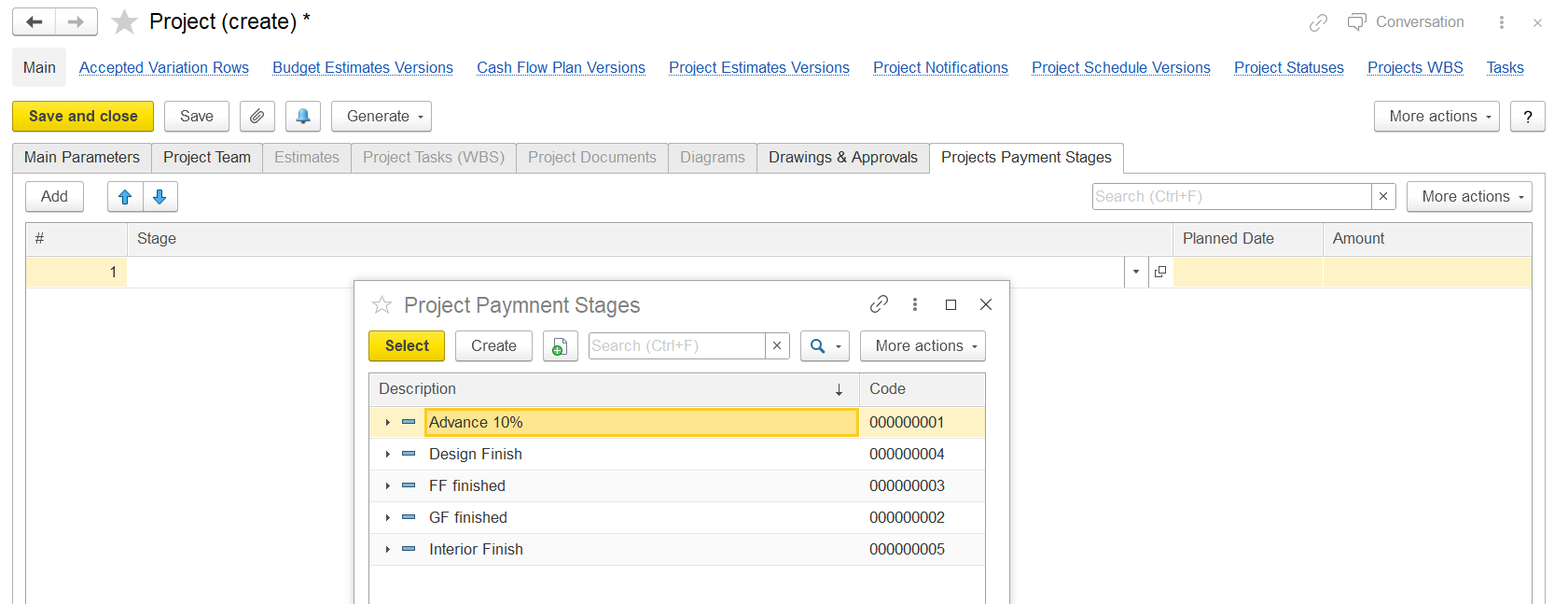
In short, this tab is used to plan and track when and how much money will be received (or paid) during the project's lifecycle This Project Payment Stages window allows selecting predefined payment stages, such as:
- Advance 10%
- Design Finish
- FF finished (probably Final Finish)
- GF finished (Ground Floor finished)
- Interior Finish
- The Planned Date (expected payment date) and Amount (linked payment amount) can then be manually entered.