This tab shows project information using diagrams or tables. You can check how much of the project is completed, both in terms of revenue and cost.
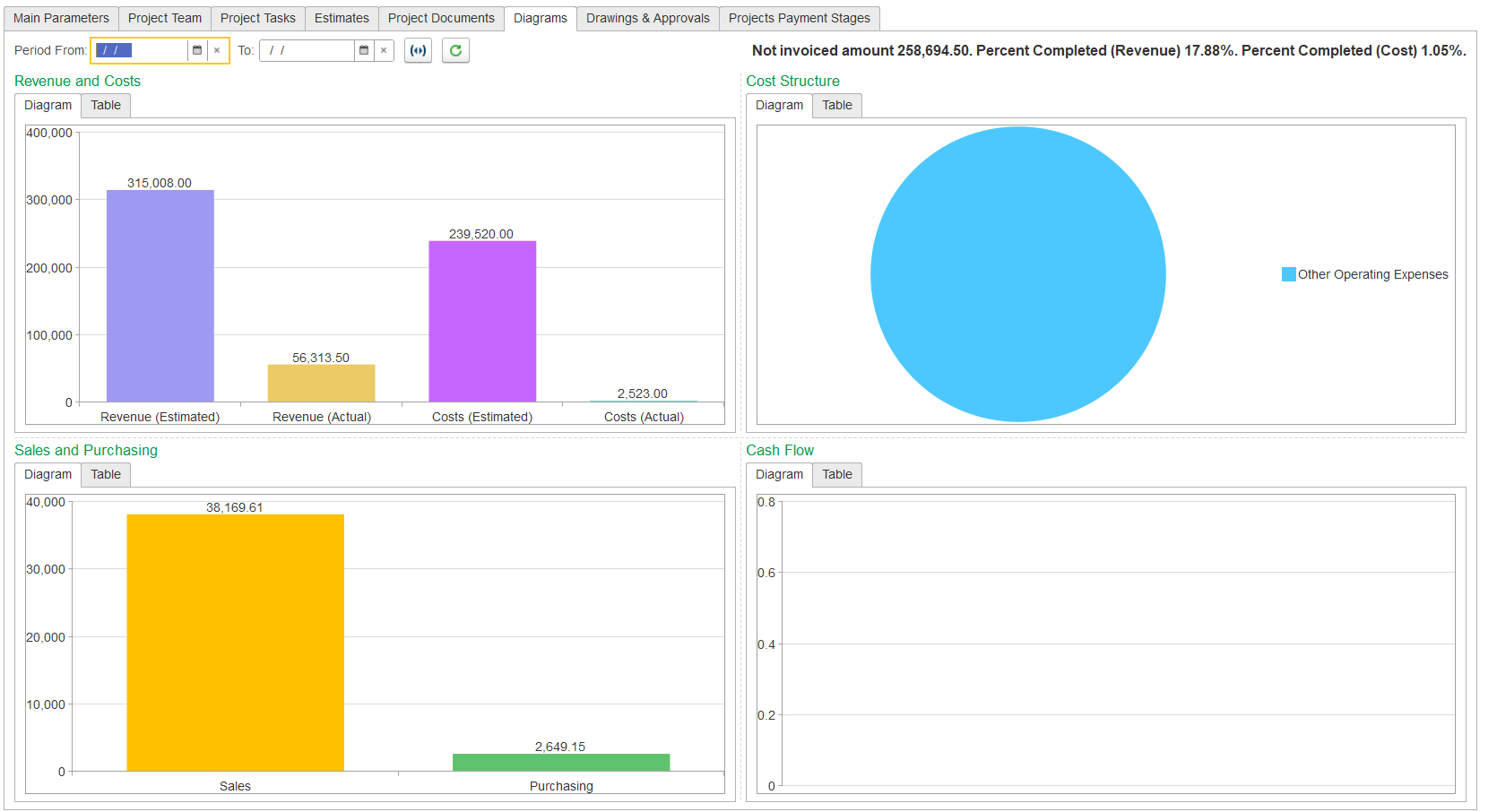
If preferred, switch to the Table tab to see the same data in table format. To view the related documents for a diagram, just double-click on it.
Diagrams Tab (in the “Projects (create)” form)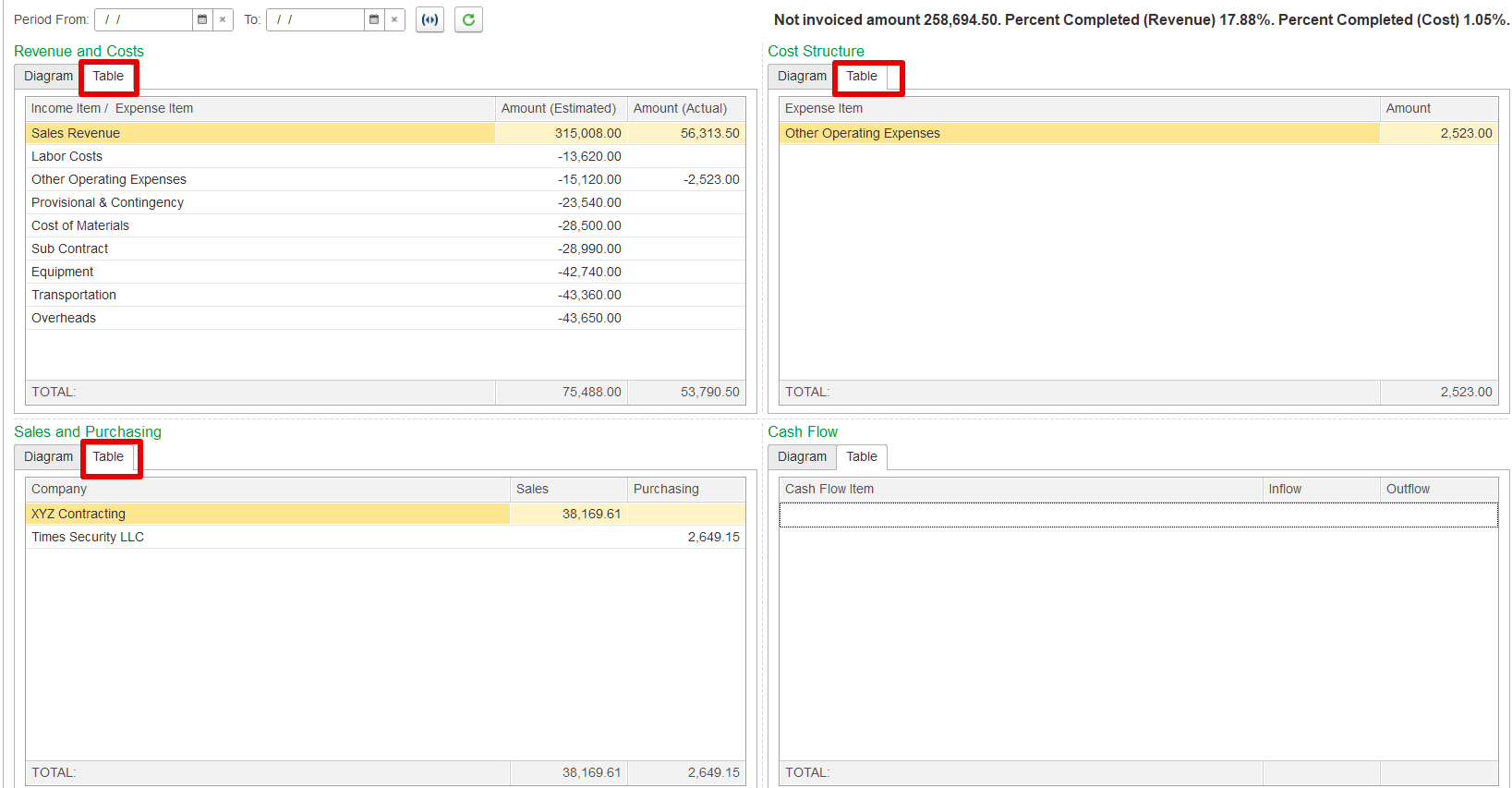
Use the Period From and To fields to set the time range for the data you want to view. Click the Refresh diagrams button to update the visuals if new information has been added.