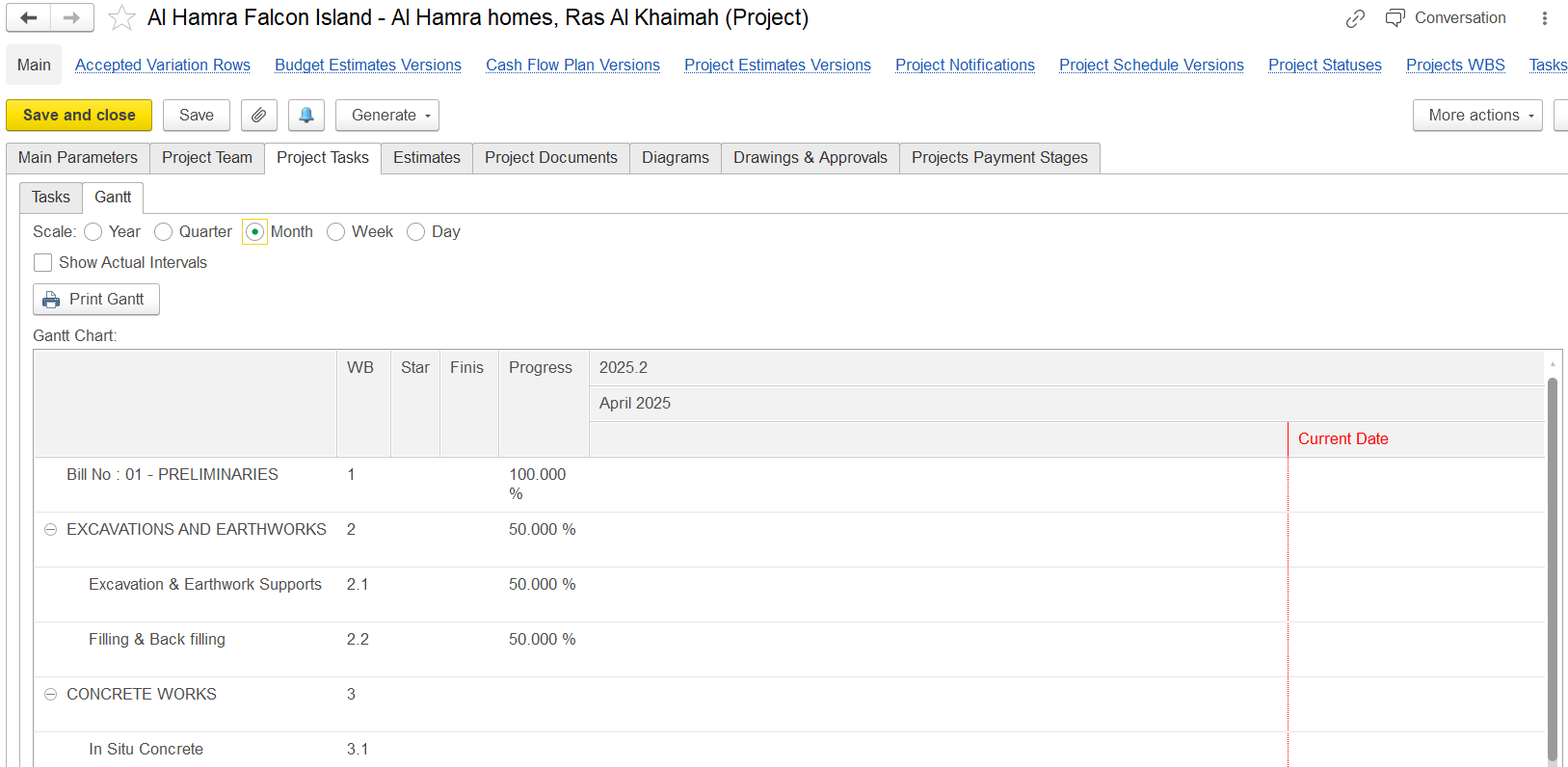
On this tab, you can review existing project tasks or add new ones to the project. The tab contains the following It contains two nested tabs:
Tasks:
includesDisplays a list of project tasks along with their start and end dates, and statuses.
Gantt:
includesProvides a graphical representation of tasks and their durations.
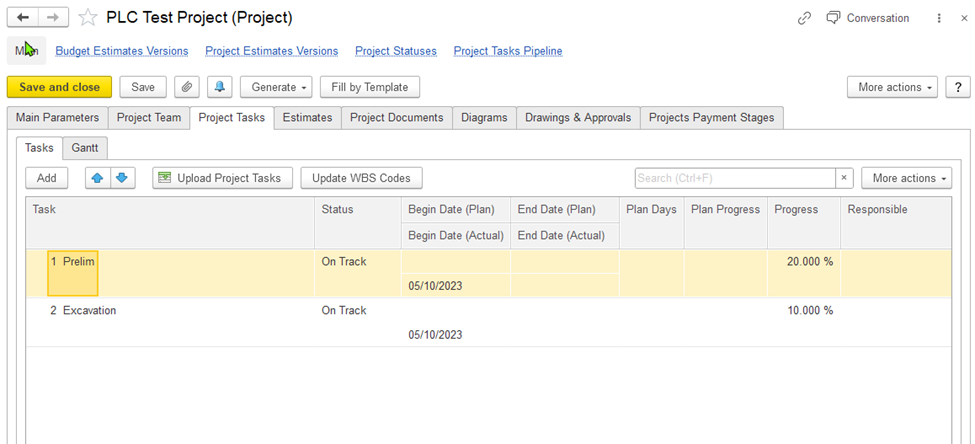
Figure 10: The "Projects (create)" form. The Project Tasks tab (On the Tasks nested tab)On the Tasks tab, you can view the a list of tasks along with their attributes. If , and if needed, you can add new tasks to the project.
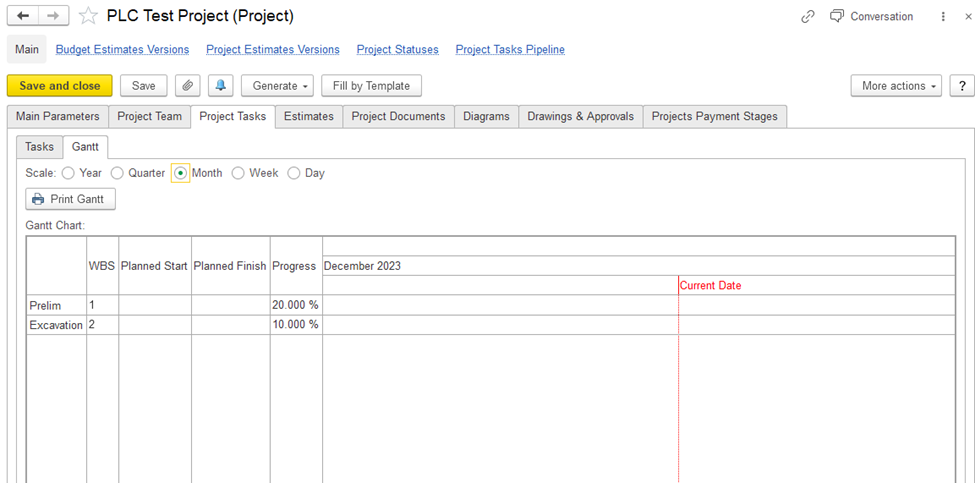
Figure 11:The "Projects (create)" form. The Project Tasks tab (the Gantt nested tab)
On the Gantt tab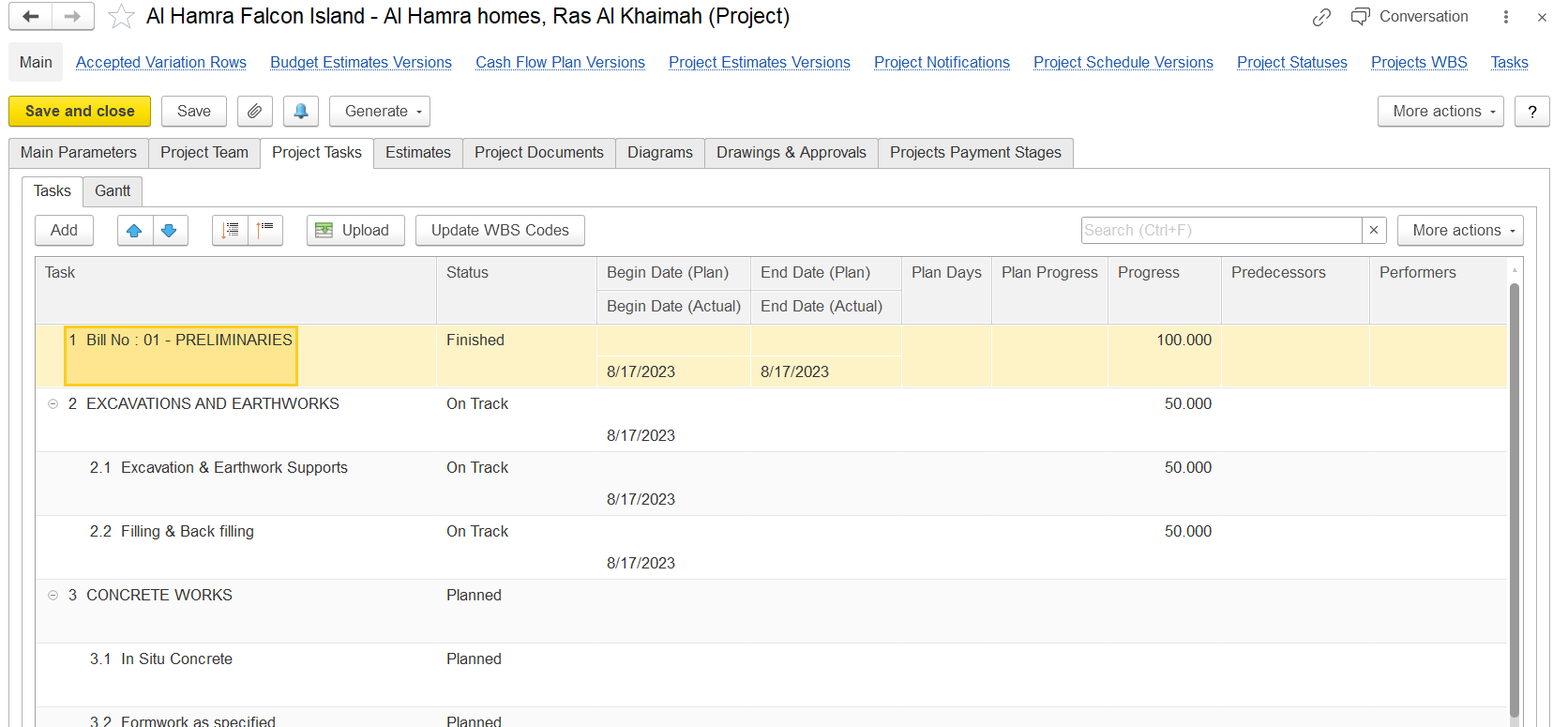
On the Gantt tab, you can view see the task , planned start and end dates, their progressdurations, and how the tasks are related to each other. This visual overview helps manage the project timeline and task dependencies effectively.