Error Message
": Advance-Paid by document advances for the vendor are partly counted in commercial papers."
This error typically occurs when posting a mutual settlement where specific details in the payee attributes do not align with the original document.
Follow the steps below to resolve it.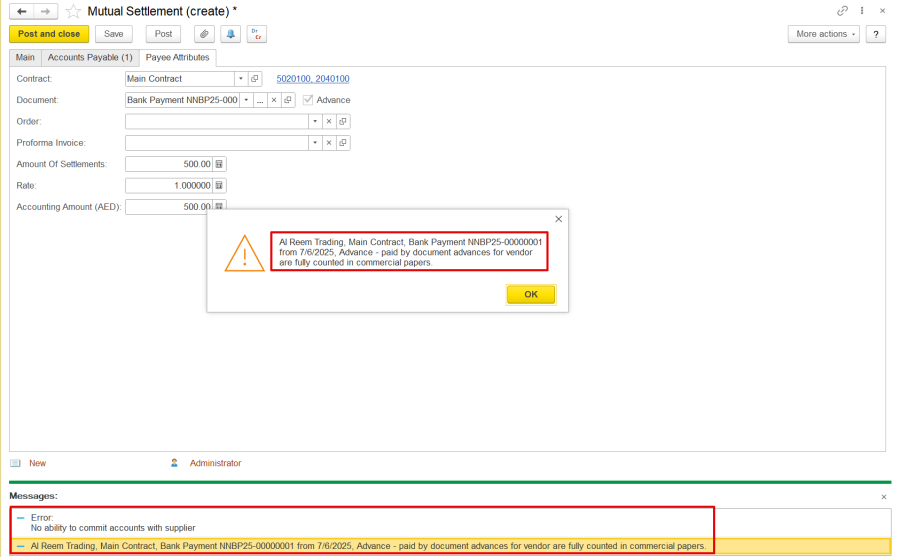
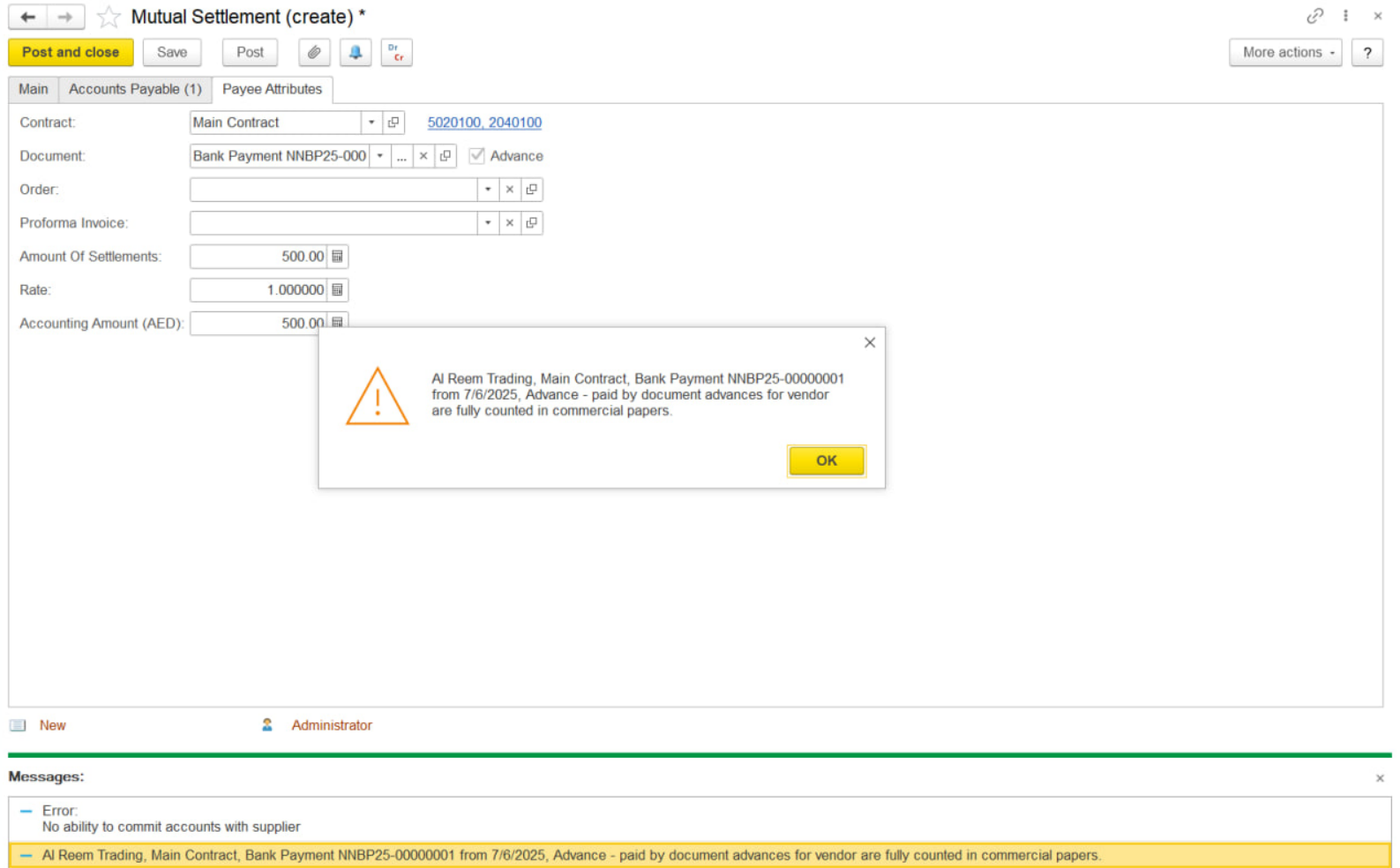
1. Check GL Account Match-
Click on the Document Linked from the Payee Attributes tab of the mutual settlement to open the original advance document.
Go to the Payment Details tab in the original document and note the GL account used.
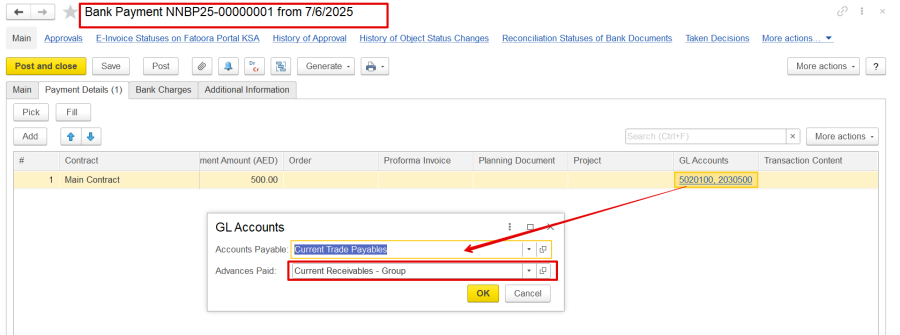
Return to the mutual settlement and make sure the same GL account is selected in the Payee Attributes tab. If it differs, manually update it to match the original.
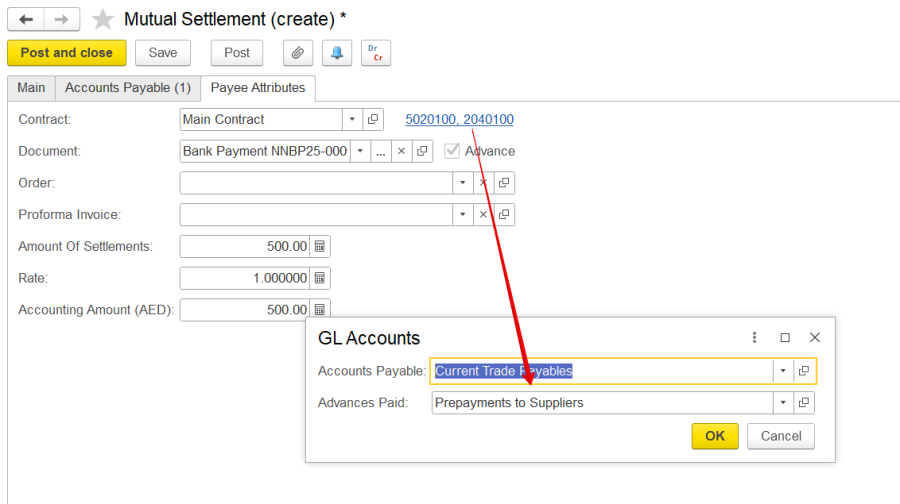
2. Check 'Order' Field-
In the original document's Payment Details tab, check if the Order field is filled.
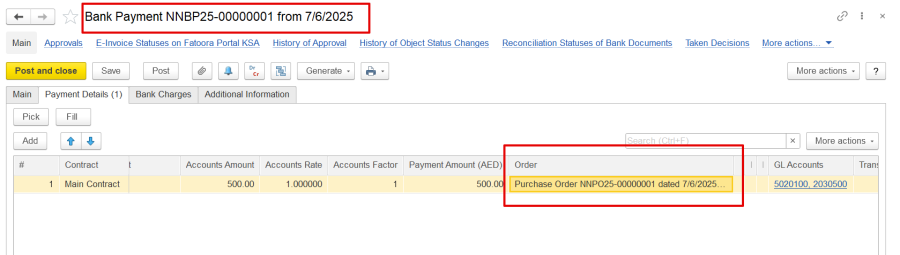
If yes, return to the mutual settlement → Payee Attributes tab.
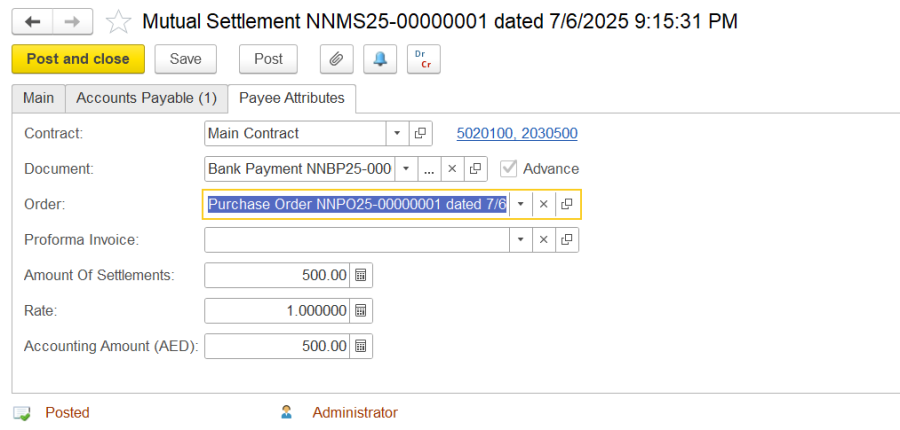
The above steps should resolve the error and allow the posting of the document.
Thanks for being a Firstbit Customer! #MutualSettlementError #AdvancePaymentIssue#CommercialPapersMismatch