...
These parameters are essential for the accurate calculation of depreciation during the month-end closing procedure.
In case if fixed asset were accepted into accounting correct - with marked checkbox Depreciate Fixed Assets tab of Fixed Asset Entry document, but with Month end closing procedure execution depreciation was von calculated:
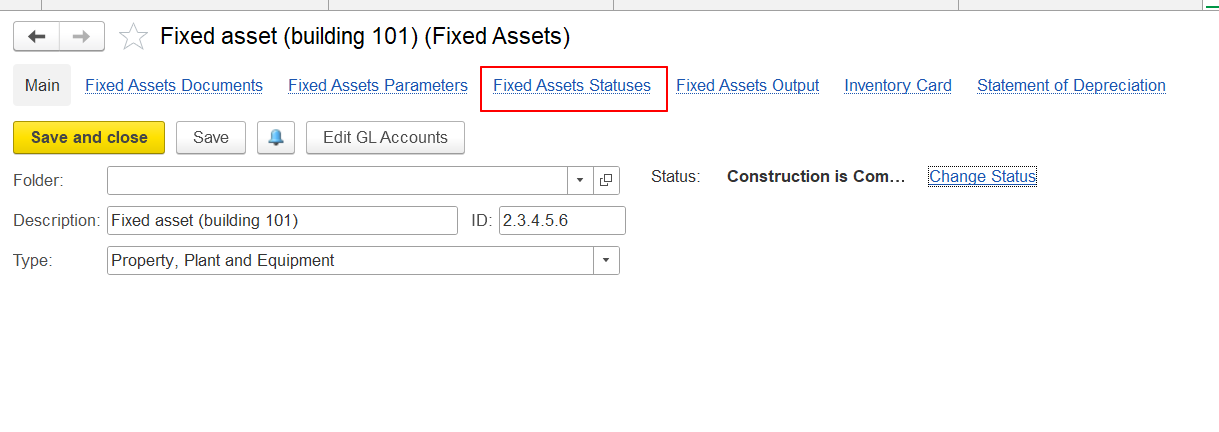
it is necessary to check record in Fixed Asset Statuses tab:
In last line Depreciate checkbox should be marked - only in this case system will calculate depreciation with Month End Closing procedure automatically:
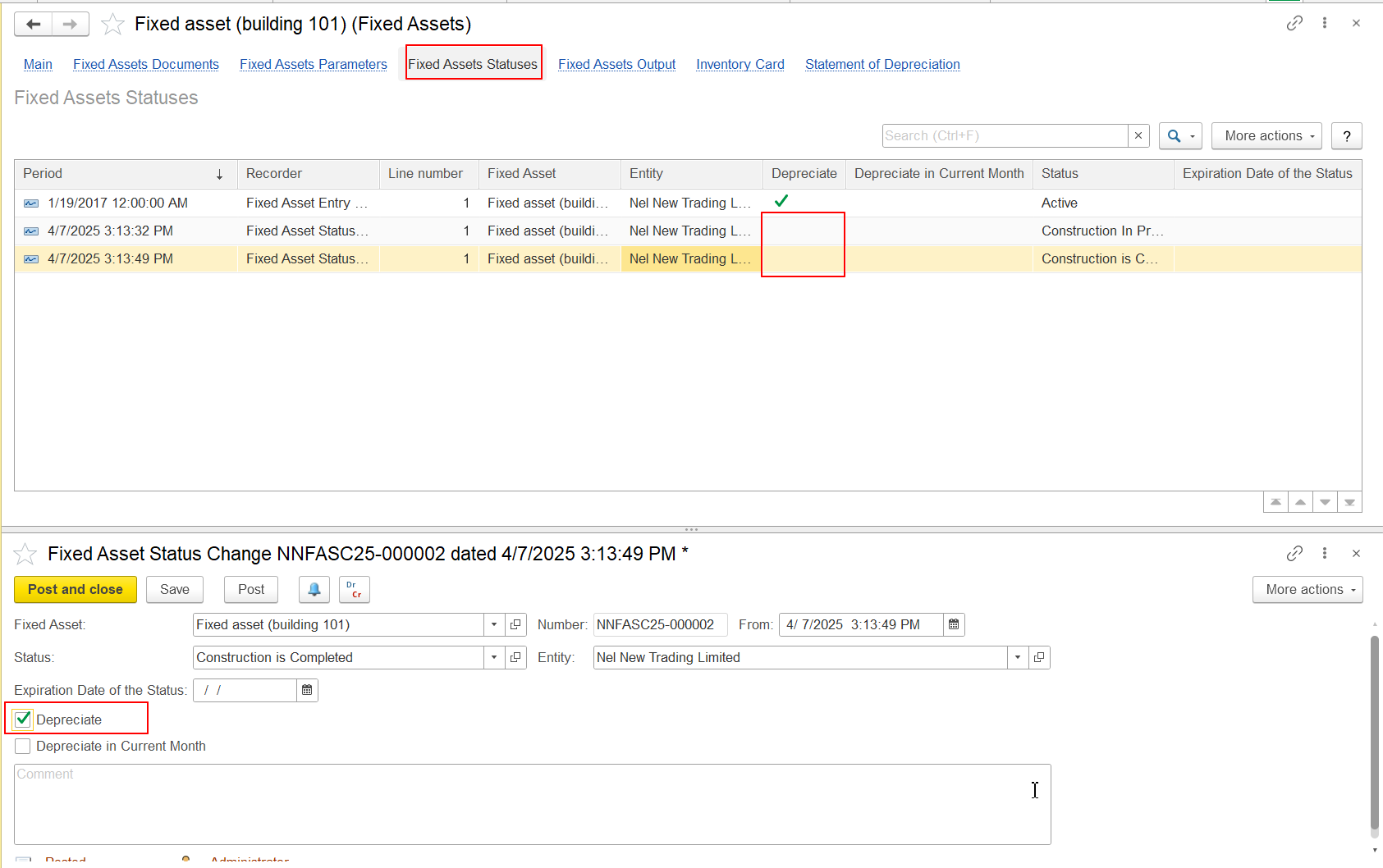
If in Fixed Asset Status Change document Depreciate checkbox is not marked, it is needed to mark it, re-post Fixed Asset Status Change document and re-execute Mont End Closing procedure.
If the user finds any issues with these depreciation parameters, it is best to adjust them using the Changes of Fixed Asset Parameters document (Asset Management > Fixed Asset Documents > Changes of Fixed Asset Parameters).
...