Problem:
...
How can we update the GL account for all existing items in the same folder, considering they were created with their own GL accounts and have already posted documents?
Solution:
Warehouse - Items - Go to Warehouse > Items > Default GL Accounts > right- Tab click on Inventory Item, and choose the edit option.
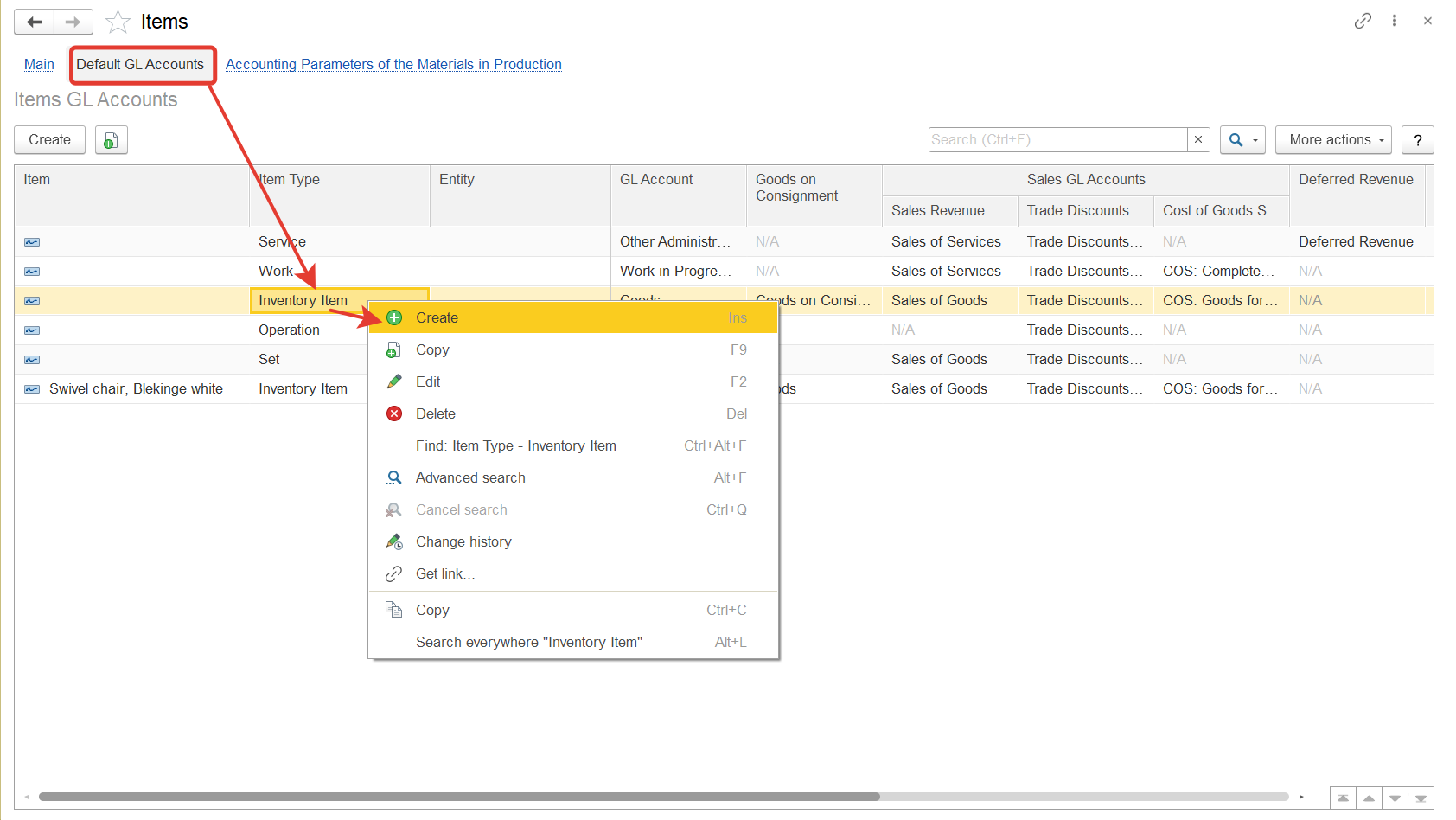 Set up an account. Check the items in the folder - they should all be with the same account
The GL can be changed for item types either without using an item or based on the item.
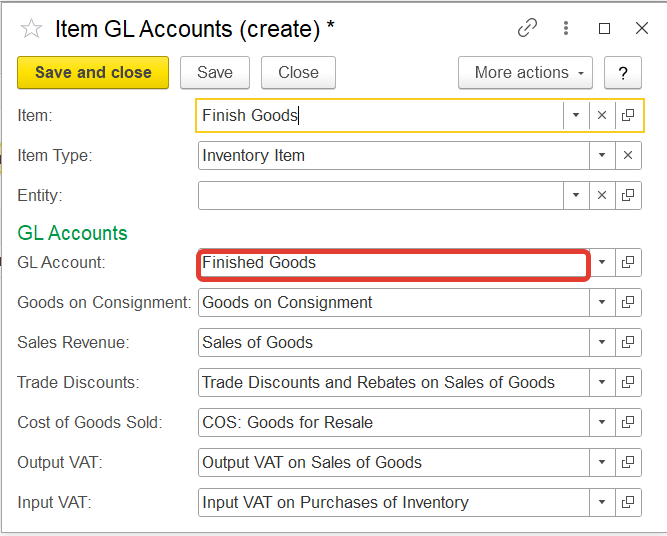
After changing the account infor the item, in the new documents the parameters are automatically applied automatically. But to new documents. However, if any operations have already been were performed with this item before the account was changed, documents were formed, then in each such document it is necessary to re-select the item so that it is reflected with a new account.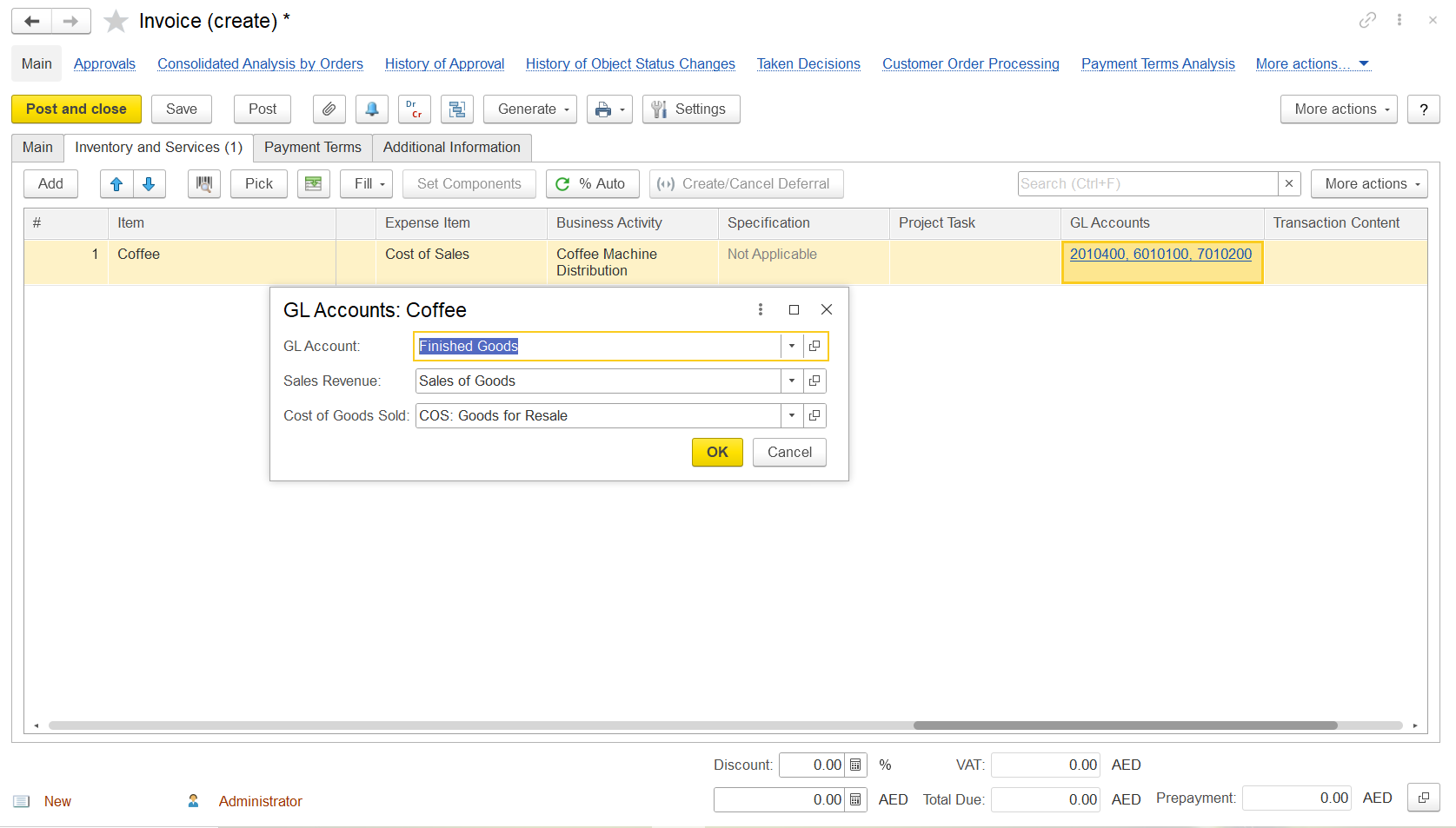 change and documents were created, y@hose documents to reflect the new account.
For example, go to Invoice document, in the inventory and services tab, choose the GL accounts column to reselect the GL account.
existing document if fall in the period where month end closing is done and audited, such change in Gl is not required. The document can be posted from the start of new period.
Thanks for being Firstbit customer!